
Our readers keep the lights on and the weekend projects moving. As an Amazon Associate, I earn from qualifying purchases.
A standard 24-inch monitor forces constant alt-tabbing, shrinking windows, and a cramped field of view that slows down every spreadsheet, email, and code review. Upgrading to a 34-inch ultrawide with a 21:9 aspect ratio replaces the physical gap between two monitors with a single seamless curved workspace, reducing head movement and keeping your primary focus centered on the task.
I’m Rikta — the founder and writer behind FitlyFast. I spend hundreds of hours analyzing panel specifications, connectivity standards, and real-world ergonomics to separate monitors that deliver genuine office productivity from those that rely on marketing specs.
This guide evaluates the specific resolutions, refresh rates, color coverage, USB-C power delivery, and stand adjustability that matter for all-day professional use. Whether you prioritize color-accurate spreadsheets or a clutter-free single-cable laptop setup, the following breakdown will help you choose the right 34 inch monitor for office work.
How To Choose The Best 34 Inch Monitor For Office Work
Selecting a 34-inch office monitor involves more than just screen size. You need to evaluate resolution for text clarity, connectivity for a clean desk setup, and ergonomics for long-term comfort. Prioritizing the right specifications will prevent eye strain, reduce desk clutter, and improve your daily workflow.
Resolution: WQHD Is The Baseline
A 34-inch ultrawide at standard Full HD (2560×1080) will make text look pixelated during extended document work. WQHD (3440×1440) provides a pixel density that keeps fonts sharp and allows you to view two full-size windows side-by-side without squinting. For professionals handling detailed spreadsheets or code, this resolution is the minimum acceptable standard.
Connectivity: USB-C With Power Delivery
The biggest quality-of-life improvement for an office monitor is USB-C connectivity that delivers video, data, and laptop charging through a single cable. Look for at least 65W Power Delivery (PD) to keep a standard ultrabook charged during the workday. Some monitors integrate an Ethernet (RJ45) port and a USB hub, effectively turning the monitor into a docking station that clears your desk of extra cables and dongles.
Panel Type: VA vs IPS For Office Work
VA panels offer higher native contrast ratios (3000:1 or 4000:1) which produce deeper blacks and make text on white backgrounds pop with better perceived sharpness. IPS panels provide superior viewing angles and more accurate color reproduction, making them the better choice if your work involves photo editing or design. A mid-range IPS with 99% sRGB coverage is a strong all-rounder for office tasks.
Ergonomics and Stand Quality
An office monitor should have height adjustment, tilt, and ideally swivel to let you position the screen without makeshift risers. A stand that cannot lower enough or lacks height range will force you to look slightly upward, leading to neck fatigue over the course of a week. VESA compatibility (typically 100x100mm) is also important if you plan to use a monitor arm for an even more flexible desk layout.
Quick Comparison
On smaller screens, swipe sideways to see the full table.
| Model | Category | Best For | Key Spec | Amazon |
|---|---|---|---|---|
| Dell UltraSharp U4025QW | Premium | Professional productivity | 5K2K (5120×2160), IPS Black | Amazon |
| LG 40U990A-W UltraFine | Premium | Creative professionals | 5K2K, Thunderbolt 5, 120Hz | Amazon |
| ASUS ProArt PA34VCNV | Mid-Range | Color-accurate work | ΔE < 2, USB-C PD 96W | Amazon |
| Samsung Viewfinity S65UA | Mid-Range | Immersive multitasking | 1000R curve, USB-C PD 90W | Amazon |
| Dell S3425DW | Mid-Range | All-day comfort | ComfortView Plus, 120Hz | Amazon |
| ViewSonic VG3456CA | Mid-Range | Docking station monitor | Built-in RJ45, 100W USB-C | Amazon |
| HP P34hc G4 | Budget | Simple dual-monitor replacement | 60Hz, 250 cd/m² brightness | Amazon |
| LG 34WR55QK-B | Budget | Basic office setup | USB-C PD 65W, Reader Mode | Amazon |
| Philips 346E2CUAE | Budget | Value-focused productivity | 1ms MPRT, 4-year warranty | Amazon |
In‑Depth Reviews
1. Dell UltraSharp U4025QW

The Dell UltraSharp U4025QW is the definitive ultrawide for serious office work, combining a 39.7-inch 5K2K (5120×2160) panel with IPS Black technology that delivers a 2000:1 contrast ratio. This resolution provides the vertical pixels needed to view an entire spreadsheet or a full Slack sidebar alongside a document without scaling issues. The 120Hz refresh rate offers smoother scrolling through long PDFs and web pages compared to standard 60Hz office monitors.
Connectivity is a highlight: a Thunderbolt 4 port provides up to 140W charging, and the built-in KVM switch allows seamless control of two computers with a single keyboard and mouse. An RJ45 Ethernet port and multiple downstream USB ports turn this monitor into a full desk hub. The adjustable stand includes height, tilt, swivel, and pivot adjustments for precise ergonomic positioning.
Color coverage hits 99% DCI-P3 and 100% sRGB, making it suitable for video editing and design work alongside standard office tasks. The 600-nit peak brightness with DisplayHDR 600 certification ensures good visibility in bright rooms. The main drawback is the premium investment, but the combination of vertical resolution, connectivity, and build quality justifies the cost for power users who spend 8+ hours at their desk.
Why it’s great
- 5K2K resolution provides unmatched vertical screen space for coding and spreadsheets
- Thunderbolt 4 with 140W charging and built-in KVM simplifies a multi-device desk setup
- IPS Black panel produces deep blacks and wide viewing angles
Good to know
- Heavy unit that requires a sturdy monitor arm or desk
- Requires scaling adjustments for some operating systems
2. LG 40U990A-W UltraFine evo
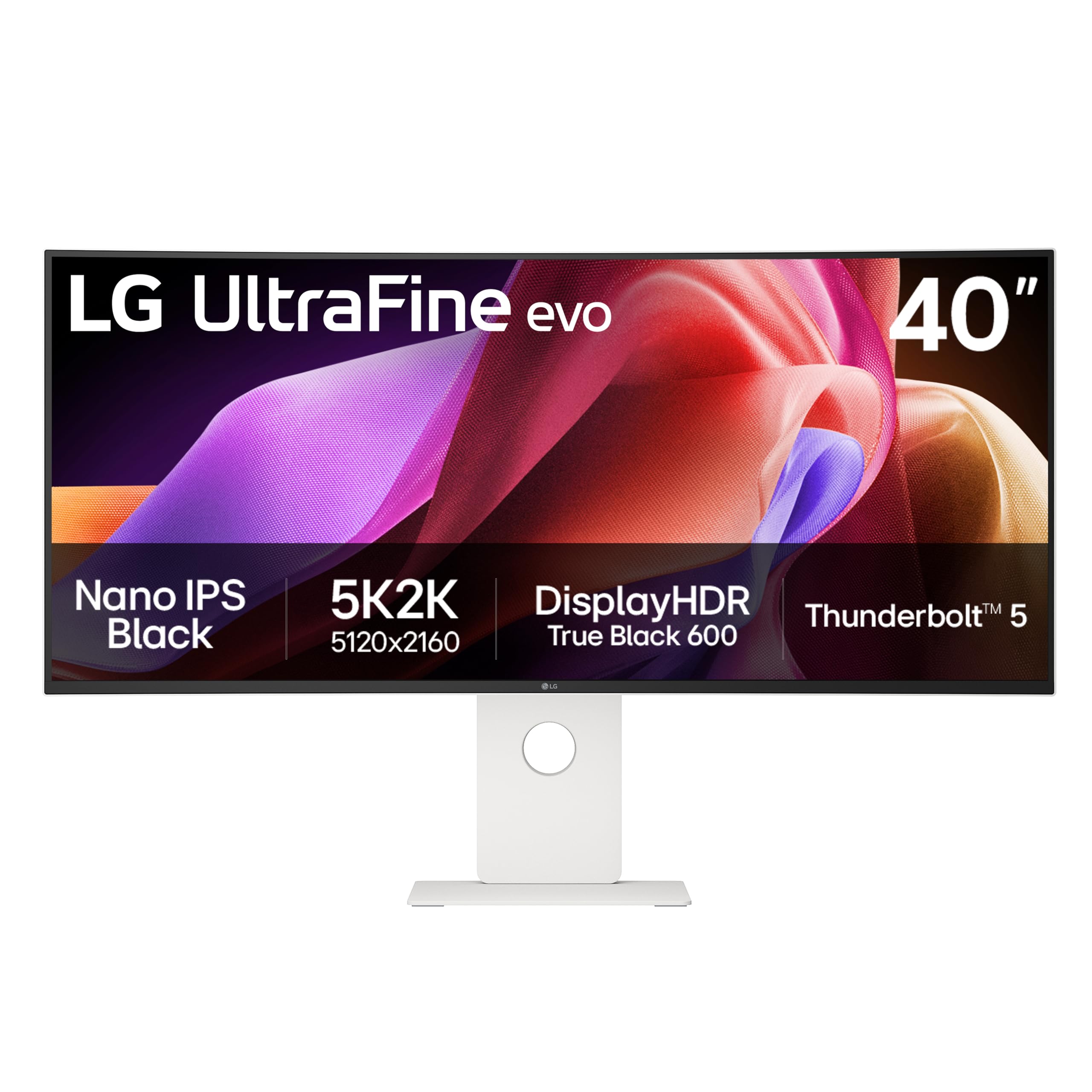
The LG UltraFine evo 40U990A-W is a 40-inch 5K2K (5120×2160) monitor built for creative professionals who require high pixel density and wide color gamut. The Nano IPS Black panel achieves a 2000:1 contrast ratio and 99% DCI-P3 coverage, producing vivid colors and deep blacks that benefit video editing timelines and design layouts. A 120Hz refresh rate provides smooth cursor movement that feels more responsive than typical office panels.
The standout feature is Thunderbolt 5 connectivity, which delivers 96W power delivery and supports high-bandwidth daisy-chaining of multiple displays. Three extra USB-C ports, HDMI 2.1, and DisplayPort 2.1 provide flexibility for connecting cameras, external drives, and a secondary monitor. The built-in speakers include rich bass, reducing the need for desktop speakers in a clean office setup.
With a 2500R curve, this monitor wraps gently around your field of view without distorting straight lines, making it comfortable for spreadsheet work and coding. The white finish and thin bezels give it a modern aesthetic. Some users report unreliable USB-C hub behavior, and the lower curve may feel too subtle for those accustomed to tighter 1000R panels. This is a best-in-class screen for professionals who prioritize color fidelity and resolution above all else.
Why it’s great
- 5K2K resolution with Nano IPS Black for exceptional color accuracy and contrast
- Thunderbolt 5 support for future-proof high-bandwidth connections
- 120Hz refresh rate improves perceived smoothness in daily tasks
Good to know
- USB-C hub functionality has occasional stability issues
- 2500R curve is subtle and may not fully suit those wanting deep immersion
3. ASUS ProArt PA34VCNV

The ASUS ProArt PA34VCNV is a 34-inch WQHD curved monitor designed for professionals who need reliable color accuracy without stepping up to a 5K panel. It covers 100% sRGB and 100% Rec. 709, with factory calibration to a Delta E under 2, meaning colors appear consistent and true out of the box. The 3800R curve is very gentle, designed to reduce reflection rather than wrap around you, making it suitable for shared office spaces where multiple people view the screen.
Connectivity is the strongest selling point for office use. USB-C with 96W Power Delivery, an RJ45 Ethernet port, and a built-in USB hub let you connect your laptop, peripherals, and wired network through a single cable. The stand supports height, tilt, and swivel adjustments, giving you full ergonomic control without an aftermarket arm. The included calibration report verifies each unit’s color performance.
The IPS panel provides stable viewing angles, which is helpful when collaborating with a colleague seated nearby. The matte anti-glare coating reduces reflections under overhead lighting. The built-in speaker is underwhelming for conference calls, so an external speaker or headset is recommended. This monitor is ideal for photo editors, graphic designers, and anyone who needs color confidence in their daily workflow.
Why it’s great
- Factory-calibrated Delta E < 2 for reliable color accuracy in design work
- USB-C with 96W PD and RJ45 turns the monitor into a full docking station
- 5-year warranty provides long-term peace of mind
Good to know
- Built-in speaker has low volume output
- 3800R curve is very subtle and may not feel immersive
4. Samsung Viewfinity S65UA

The Samsung Viewfinity S65UA delivers a compelling mix of immersion and connectivity at a mid-range price point. Its 1000R curvature matches the natural field of human vision, reducing eye movement across the 34-inch ultrawide surface and making it easier to scan from one window to another. The VA panel offers a high 4000:1 contrast ratio, which produces deep blacks that make text and images on white backgrounds stand out with excellent perceived sharpness.
USB-C connectivity with 90W Power Delivery can charge a standard ultrabook while transmitting video and data through a single cable, cleaning up desk clutter significantly. The monitor also includes DisplayPort and HDMI inputs, plus a built-in USB hub. The stand provides height adjustment, tilt, and swivel, offering enough flexibility to position the screen at eye level without needing a monitor arm.
With a 100Hz refresh rate and AMD FreeSync support, the S65UA feels smooth during general productivity and casual gaming alike. HDR10 support and 1 billion color coverage make media consumption more vibrant. The power switch is hidden under the Samsung label at the bottom of the bezel, which takes some getting used to. Overall, this monitor offers excellent value for users who want strong contrast and deep immersion for multitasking.
Why it’s great
- 1000R curve matches natural eye shape for reduced scanning fatigue
- 4000:1 VA contrast ratio creates deep blacks and sharp text
- USB-C with 90W PD simplifies desk cable management
Good to know
- Some units have reported reliability issues after several months
- Image sharpness may feel soft compared to higher-resolution 5K panels
5. Dell S3425DW

The Dell S3425DW prioritizes long-term viewing comfort without sacrificing image quality. Its ComfortView Plus certification reduces harmful blue light emissions to 35% or less while maintaining accurate color, unlike many anti-blue-light modes that wash out the screen with a yellow tint. The 34-inch VA panel provides a 3000:1 contrast ratio, delivering deep blacks that make reading white text on dark backgrounds comfortable during late-night work sessions.
A 120Hz refresh rate with AMD FreeSync Premium ensures smooth scrolling through documents and web pages, a noticeable upgrade from standard 60Hz office monitors. The built-in speakers have been re-engineered for better frequency response and higher volume, making them usable for conference calls without external speakers. USB-C connectivity with 65W power delivery and a single USB-A port keeps the desk relatively clean, though connectivity is limited compared to more hub-focused monitors.
The ash white color and three-side virtually borderless design give the monitor a clean, modern look that blends into both home and corporate offices. The ergonomic stand offers height and tilt adjustment. The lack of a DisplayPort input and a recessed VESA mount that requires a bracket assembly are notable drawbacks. For users who spend eight or more hours reading and editing documents, this monitor’s blue light reduction and smooth refresh rate make it a strong choice.
Why it’s great
- ComfortView Plus reduces blue light without color distortion
- 120Hz refresh rate delivers smooth scrolling for document work
- Improved built-in speakers handle conference calls decently
Good to know
- Limited to HDMI and USB-C, lacking a DisplayPort
- VESA mount is recessed and requires extra hardware for arm installation
6. ViewSonic VG3456CA
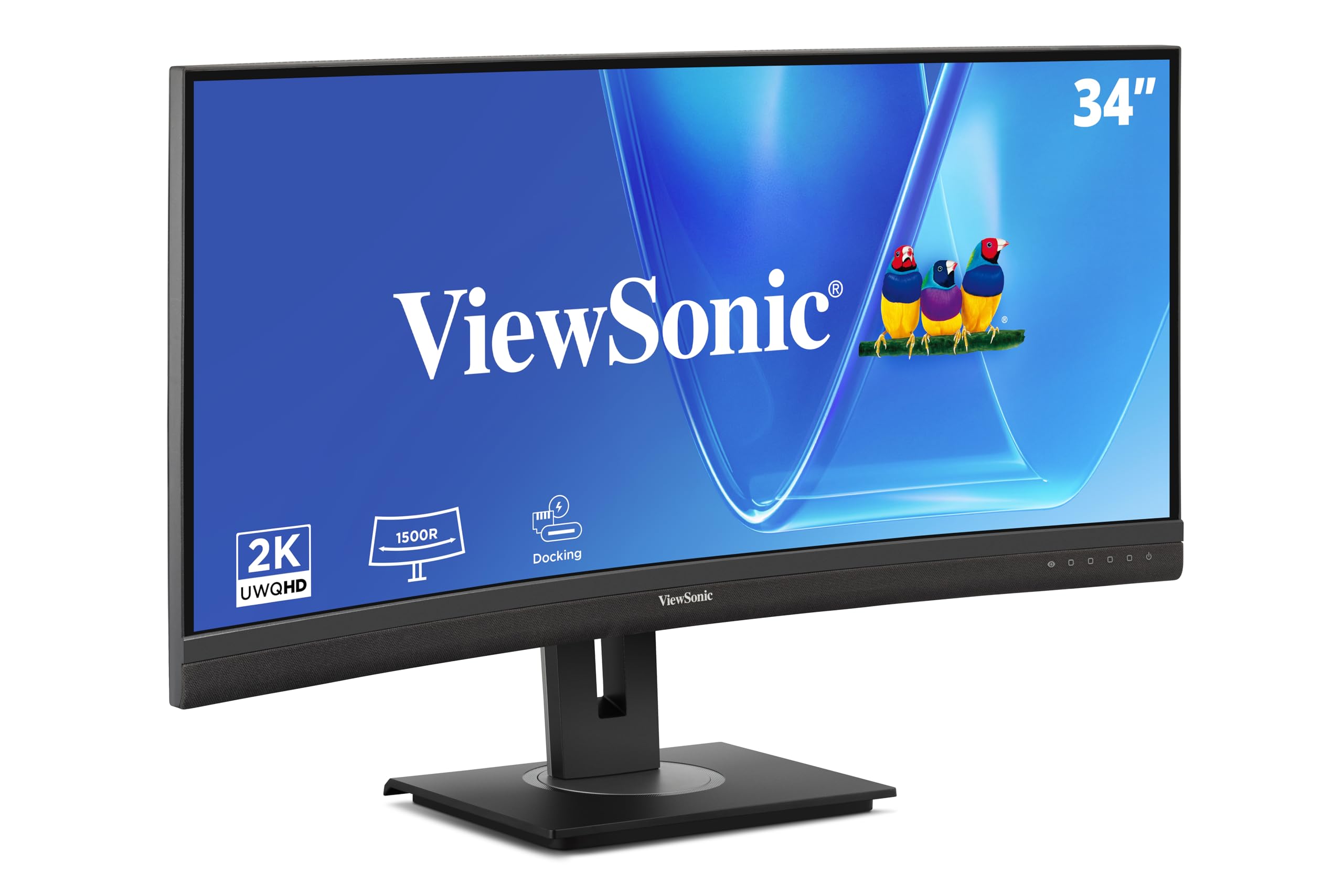
The ViewSonic VG3456CA is a 34-inch WQHD monitor purpose-built for the modern office dock setup. Its 1500R curved IPS panel offers a 350-nit brightness and a 3000:1 contrast ratio that delivers bright, vivid images with wide viewing angles suitable for collaborative work. The 100Hz refresh rate is a step up from standard monitors, making window movement and scrolling feel more fluid.
The defining feature is the built-in docking station. A single USB-C port provides 100W power delivery, video, audio, and data, while the integrated RJ45 Ethernet port ensures a stable wired network connection for demanding file transfers or video calls. The monitor also includes HDMI and DisplayPort inputs, plus multiple USB-A ports for connecting peripherals. The ergonomic stand supports height, tilt, and swivel, allowing you to find a comfortable viewing position without extra hardware.
An anti-glare coating reduces reflections, and the three-side borderless design keeps the focus on the content. Monitor daisy-chaining is supported via DisplayPort, which is useful for multi-monitor setups. The built-in speakers are significantly underpowered, making external audio necessary. Some users have noted that the dock features can be finicky with certain laptops. For anyone wanting a single-cable solution that includes Ethernet, this monitor delivers excellent integration.
Why it’s great
- 100W USB-C power delivery combined with RJ45 Ethernet creates a true dock
- Curved IPS panel with wide viewing angles and anti-glare coating
- Fully ergonomic stand reduces the need for a monitor arm
Good to know
- Built-in speakers are very quiet and inadequate for calls
- Dock functionality can have compatibility quirks with some laptops
7. HP P34hc G4

The HP P34hc G4 offers an affordable entry into 34-inch ultrawide office productivity with a VA panel that provides a solid 3500:1 contrast ratio. The 21:9 WQHD resolution allows you to comfortably view two full-size documents side-by-side, replacing a dual-monitor setup in a single panel. The monitor is ENERGY STAR and TCO certified, appealing to environmentally conscious buyers or corporate procurement teams.
Connectivity includes a USB-C port that handles video, data, and laptop charging simultaneously, along with four USB-A ports for keyboards, mice, and other peripherals. The stand offers height and tilt adjustment, though it does not swivel. The built-in speakers and microphone are adequate for occasional video calls, providing a simple all-in-one setup for small home offices.
The main compromise is the 60Hz refresh rate, which is standard for office work but lacks the fluidity of 100Hz or 120Hz panels. Brightness is capped at 250 cd/m², which may feel dim in very bright rooms. The 2.35:1 aspect ratio differs slightly from the standard 21:9, making some content fit less perfectly. This monitor is best suited for budget-conscious users who want to move to an ultrawide format without needing high refresh rates or maximum brightness.
Why it’s great
- ENERGY STAR and TCO certification for lower power consumption
- USB-C hub with four USB-A ports cleans up desk clutter
- Decent VA panel contrast for better readability
Good to know
- 60Hz refresh rate feels less smooth than higher-refresh options
- 250 cd/m² brightness may be insufficient in brightly lit offices
8. LG 34WR55QK-B

The LG 34WR55QK-B is a no-frills 34-inch WQHD ultrawide designed for straightforward office work. The VA panel delivers a 3000:1 contrast ratio and 300-nit brightness, producing clear text and decent color reproduction for spreadsheets and emails. The 100Hz refresh rate offers a modest upgrade in smoothness over standard 60Hz monitors, making window management feel snappier during multitasking.
USB-C connectivity with 65W power delivery can charge a laptop while transmitting video and data. The monitor includes two HDMI ports, a DisplayPort, and a headphone jack, providing enough flexibility for connecting multiple devices. The Reader Mode reduces blue light for comfortable extended reading sessions. The ergonomic stand supports height and tilt adjustments, allowing you to position the screen at a comfortable eye level.
The three-side virtually borderless design looks clean and modern on any desk. The OnScreen Control software lets you split the display into customized zones, which enhances productivity for power users. This monitor does not include built-in speakers, so you will need external speakers or a headset for audio. For users who simply need a reliable, high-contrast screen for document-heavy work, this is a dependable choice.
Why it’s great
- VA panel provides 3000:1 contrast for crisp text readability
- USB-C with 65W PD simplifies a single-cable laptop setup
- OnScreen Control software enables efficient window management
Good to know
- No built-in speakers, requiring external audio
- Picture quality is adequate but not exceptional for color-critical work
9. Philips 346E2CUAE

The Philips 346E2CUAE is a budget-friendly 34-inch WQHD monitor that punches above its price point with a surprisingly complete feature set. Its VA panel delivers a 300-nit brightness and covers 121% sRGB color gamut, providing vivid colors that look good for both office tasks and light media consumption. The 1ms MPRT response time and 100Hz refresh rate with Adaptive-Sync provide fluid motion that users upgrading from an older office monitor will immediately notice.
Connectivity is the strong suit here. The USB-C port supports power delivery to charge a laptop while transmitting video, and four USB-A ports on the side offer easy access for plugging in a flash drive or charging a phone. The stand provides height, tilt, and swivel adjustment, which is generous for a monitor in this price bracket. A 4-year advance replacement warranty provides peace of mind that is rare at this level.
The cable management system is poorly designed, with the power cable sticking out awkwardly. The built-in speakers are basic but functional for system sounds. Some users have noted that the screen may look washed out before adjusting the factory settings. For users who want an ultrawide office monitor with good connectivity and a long warranty without spending heavily, this is the most value-oriented option available.
Why it’s great
- Full ergonomic stand with height, tilt, and swivel at an entry-level price
- USB-C with PD and four USB-A ports provide excellent connectivity
- 4-year advance replacement warranty is industry-leading for this tier
Good to know
- Out-of-box color accuracy requires manual adjustment
- Cable management design is awkward and leaves cables exposed
FAQ
Is a curved or flat 34-inch monitor better for office productivity?
Can a 34-inch WQHD monitor replace a dual monitor setup?
What is the minimum USB-C power delivery I should accept for a laptop charging monitor?
Does a high refresh rate matter for office work or only for gaming?
How important is a built-in KVM switch for a home office monitor?
Final Thoughts: The Verdict
For most users, the best 34 inch monitor for office work overall is the Samsung Viewfinity S65UA because it balances a deep 1000R curve, high 4000:1 VA contrast, and 90W USB-C charging at a mid-range price that works for both home offices and corporate setups. If you need Delta E color accuracy for design work, grab the ASUS ProArt PA34VCNV. And for a complete dock-in-monitor solution with Ethernet and 100W charging, nothing beats the ViewSonic VG3456CA.