
Our readers keep the lights on and the weekend projects moving. As an Amazon Associate, I earn from qualifying purchases.
Finding a capable 3D printer that delivers reliable prints without blowing your budget used to mean settling for slow speeds and constant bed-leveling headaches. The category has matured rapidly, and today’s best options pack features once reserved for premium machines — auto-leveling, high-speed Core XY motion systems, and even resin printing — all within a strict budget. The trade-offs now center on build volume, material compatibility, and ecosystem polish rather than fundamental print quality.
I’m Rikta — the co-founder and writer behind FitlyFast. I’ve spent countless hours dissecting the specifications, real-world print speeds, and the actual failure modes of the most popular sub-$300 printers to build this guide.
Whether you are a parent buying a first machine for a curious teen or a hobbyist looking to add a secondary workhorse, the right 3d printer under $300 balances speed, ease of use, and filament versatility without demanding constant tinkering.
How To Choose The Best 3D Printer Under $300
The price cap forces concrete trade-offs. A machine with a Core XY motion system and input shaping will print faster but may have a smaller build plate. A resin printer offers unmatched detail but requires post-processing and ventilation. Understanding where each design choice excels is the key to picking the right machine for your use case.
Motion System: Core XY vs. Traditional Bed Slinger
Core XY machines like the Flashforge Adventurer 5M or Creality K2 SE move the print head independently on two axes, allowing accelerations over 20,000 mm/s² and real speeds above 300 mm/s. Traditional bed slingers move the bed forward and back, which limits top speed and can introduce artifacts at high accelerations. If you print mostly small parts or want to iterate fast, Core XY is the better architecture.
Auto Leveling and First-Layer Reliability
Manual bed leveling is the primary cause of failed prints for beginners. Every printer on this list includes some form of automatic leveling, but the quality varies. Capacitive sensors, inductive probes, and mechanical strain gauges all work differently. The most foolproof systems, like the Bambu Lab A1 mini’s full-auto calibration, measure dozens of points and compensate for minor bed warpage in software.
Print Volume and Material Compatibility
The most common volumes range from 3.9 inches cubed (Entina Tina2C) to 220 x 220 x 250 mm (Creality Ender-3 V3 KE). If you plan to print functional parts like brackets or cosplay accessories, prioritize a larger build volume. Also check the hotend temperature: 260°C supports PETG, while 300°C unlocks ABS and nylon blends. Direct drive extruders handle flexible TPU better than Bowden setups.
Quick Comparison
On smaller screens, swipe sideways to see the full table.
| Model | Category | Best For | Key Spec | Amazon |
|---|---|---|---|---|
| Bambu Lab A1 mini | FDM + LED Kit | Ecosystem and beginner ease | 180 x 180 x 180 mm build volume | Amazon |
| Creality K2 SE | Core XY Enclosed | Multicolor-ready and speed | 600 mm/s travel speed | Amazon |
| FLASHFORGE Adventurer 5M | Core XY High-Speed | Reliable prints out of the box | 20,000 mm/s² acceleration | Amazon |
| Creality Ender-3 V3 KE | Bed Slinger Speed | Large modding community | 500 mm/s / 300°C hotend | Amazon |
| ANYCUBIC Photon Mono 4 Ultra | Resin 10K | High-detail miniatures and jewelry | 10K (9024 x 5120) resolution | Amazon |
| AOSEED X-Maker Joy AI+ | Kid-Optimized FDM | Supervised kids and schools | 400 mm/s / 8,000+ model library | Amazon |
| Entina Tina2 Plus | Beginner FDM | Fast 250 mm/s entry-level | Ceramic hotend / 40s heat-up | Amazon |
| ELEGOO Mars 5 | Resin Auto-Level | Resin beginners wanting simplicity | 4K mono LCD / one-click leveling | Amazon |
| Entina Tina2C | Mini Budget FDM | Young kids and first-time users | 3.9 x 3.9 x 3.9 in build volume | Amazon |
In‑Depth Reviews
1. Bambu Lab A1 mini
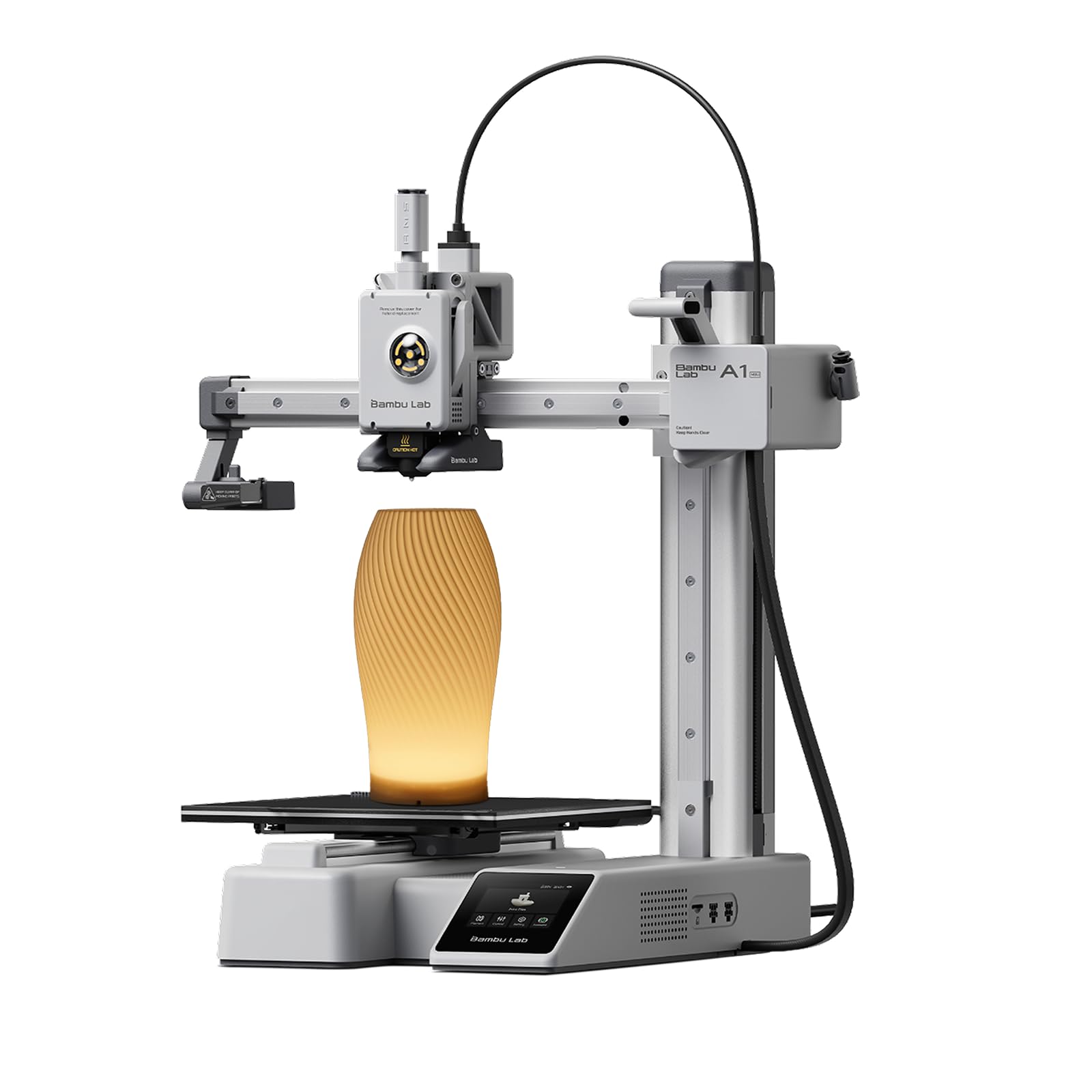
Bambu Lab has set the standard for beginner-friendly printing, and the A1 mini distills that experience into a compact format. The full-auto calibration measures bed mesh and vibration compensation without any manual intervention, which explains why the setup time is consistently under 30 minutes according to verified buyers. The 180 mm cubed build volume is on the small side, but the MakerWorld ecosystem gives you thousands of pre-sliced models accessible from the Bambu Handy app.
The included LED Lamp Kit adds a clever project twist, letting you print translucent lamp shades and turn them into functional lighting. Print quality is exceptionally sharp for a sub-$300 FDM machine, with active flow rate compensation eliminating most banding. The noise level stays around 48 dB during printing, though the pre-print calibration cycle is noticeably louder.
A few reports of nozzle failures on first use exist, but the overwhelming majority of reviews highlight zero-tuning reliability. If you want a printer that works as soon as you power it on and prefer a connected app experience, the A1 mini is hard to beat at this price tier.
Why it’s great
- Full- auto calibration removes any setup friction
- Quiet 48 dB operation fits a bedroom or classroom
- MakerWorld model library with one-tap print
Good to know
- 7-inch build cube limits larger functional prints
- Initial calibration cycle runs loud
- Small number of DOA nozzle reports
2. Creality K2 SE
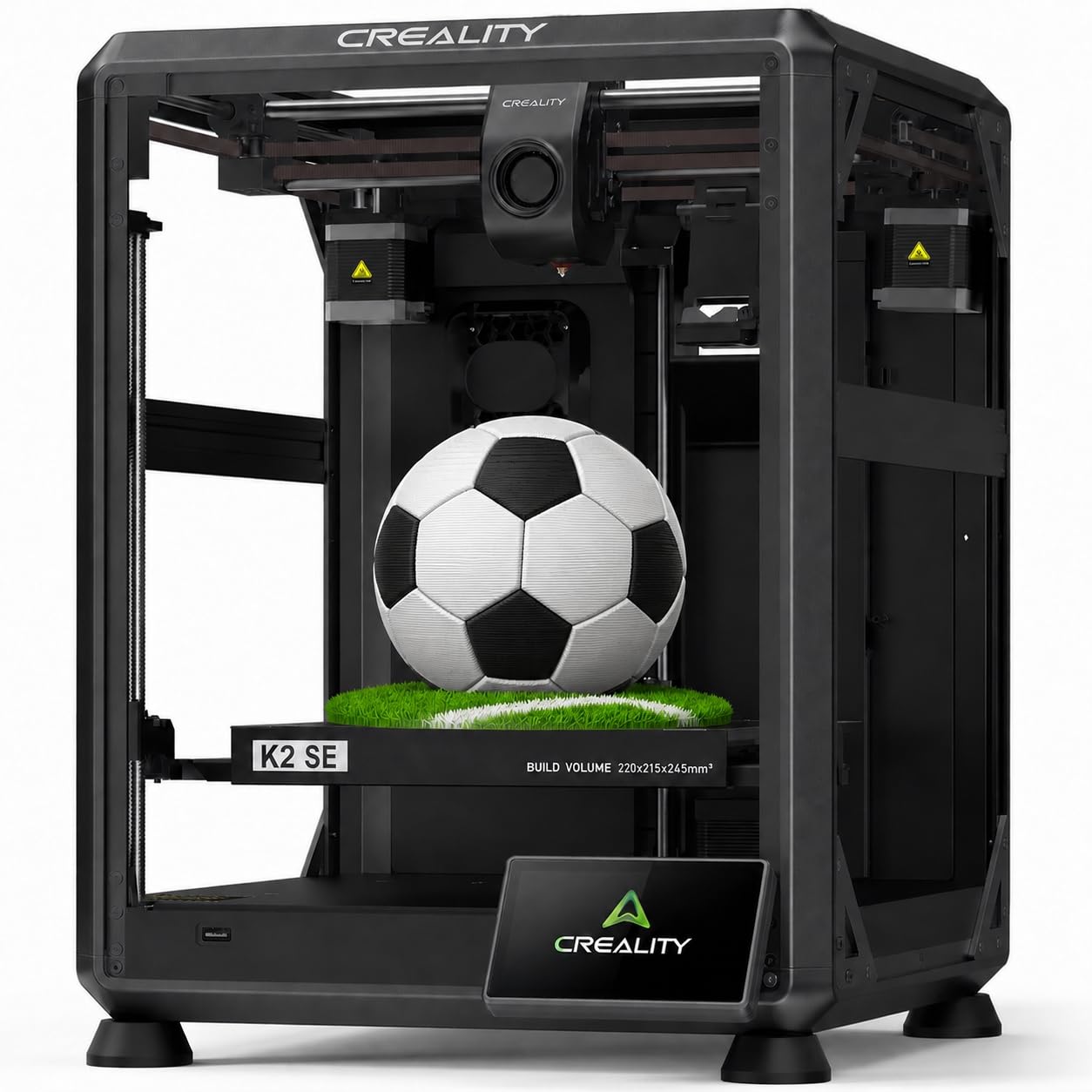
The K2 SE brings Core XY speed and an enclosed frame to the under-$300 bracket. With a 600 mm/s travel speed and 20,000 mm/s² acceleration, it can finish a small part in a fraction of the time a bed slinger would take. The tri-metal nozzle (steel-tipped copper with titanium alloy heatbreak) supports temperatures up to 300°C, opening up ABS and polycarbonate blends if you ever venture beyond PLA and PETG.
Buyers consistently praise the out-of-box reliability — several reviewers report over 30 prints with zero failures. The auto-leveling and active input shaping handle vibration compensation in software, producing clean overhangs and no ringing artifacts. The enclosed design and pre-installed damping pads make this one of the quieter Core XY machines at this price, though the control panel interface feels basic compared to Bambu Lab’s touchscreen.
One important caveat: the K2 SE supports the Creality Filament System for multicolor prints, but the CFS unit is sold separately. If you plan to experiment with multicolor later, this printer offers an upgrade path that most competitors at this price cannot match. A small number of units have arrived with dead touchscreen panels, so inspect immediately upon delivery.
Why it’s great
- Enclosed Core XY design reduces noise and drafts
- 300°C hotend handles ABS and nylon blends
- Multicolor upgradeable via CFS add-on
Good to know
- Control panel UI is dated and basic
- Some units arrive with blank touchscreen
- CFS for multicolor sold separately
3. FLASHFORGE Adventurer 5M

Flashforge’s Adventurer 5M strikes the best balance of speed, reliability, and user-friendliness in this price range. It uses a Core XY architecture that reaches 600 mm/s with 20,000 mm/s² acceleration, yet it remains simple enough for a first-time buyer — the one-click auto leveling and vibration compensation work without any manual calibration. The direct drive extruder with a 280°C nozzle feeds PLA, PETG, and TPU easily, and the 220 mm cubed build volume covers most hobby-sized projects.
Verified buyers consistently note the printer’s consistency over time. The full-auto leveling uses a proximity sensor that maps the bed in seconds, and the dual-sided PEI steel plate provides excellent adhesion without glue stick. The open frame design means you will want it in a well-ventilated area, but the trade-off is easy access for maintenance.
No machine is perfect — some users report Wi-Fi connectivity quirks and a dark work area that needs a separate LED ring. The touchscreen interface is functional but not as polished as Bambu Lab’s. Still, for the combination of speed, build quality, and a rock-solid extruder, this is the printer I recommend most to people who want to print immediately and rarely touch settings.
Why it’s great
- Proven long-term reliability with daily use
- Core XY 600 mm/s with vibration compensation
- Quick-detachable nozzle simplifies hotend swaps
Good to know
- Open frame requires good ventilation
- Wi-Fi connectivity can be inconsistent
- Work area is dark without extra lighting
4. Creality Ender-3 V3 KE

Creality’s Ender-3 V3 KE inherits the huge modding community of the classic Ender-3 line while adding modern speed and convenience. The 500 mm/s top speed and 8,000 mm/s² acceleration are enabled by a robust aluminum frame and a Sprite direct extruder that reaches 300°C. The CR Touch sensor handles automatic bed leveling, and the dual fans cool overhangs quickly enough for aggressive print profiles.
The real strength of this printer is the upgrade ecosystem. You can swap in a glass bed, stiffer springs, a filament runout sensor (included), or even a dual-Z upgrade — all documented extensively by the community. Several reviewers have turned their Ender-3 V3 KE into a small business workhorse, printing functional parts in PLA and NylonX. The print volume of 220 x 220 x 250 mm is the most generous on this list for the price.
The downsides are familiar to anyone who has owned an Ender: the fans are loud, the assembly requires more attention than a fully pre-built machine, and a small percentage of units arrive with a misaligned gantry that requires manual correction. If you enjoy tinkering and want a platform you can grow into, this is the best choice. If you want a truly hands-off experience, the Flashforge Adventurer 5M or Bambu A1 mini will serve you better.
Why it’s great
- Huge modding community and upgrade path
- 300°C hotend handles nylon and polycarbonate
- Large 220 x 220 x 250 mm print volume
Good to know
- Fans run loud during high-speed prints
- Some units require manual gantry alignment
- Not fully assembled — 10-minute build needed
5. ANYCUBIC Photon Mono 4 Ultra

The Photon Mono 4 Ultra is a resin printer, not FDM, and it exists in a completely different use case. If your goal is miniature figurines, jewelry patterns, or dental models with extreme surface detail, this machine delivers 10K resolution on a 7-inch monochrome screen. The pixel size of 17 x 17 microns on the XY plane means you can print features as small as a human hair. The 120 mm/h print speed with the new ACF release film is competitive for the resin category.
Five intelligent detection features — auto-inspection, resin residue detection, leftover resin monitoring, failed print detection, and lifespan management — reduce the trial-and-error that typically frustrates new resin users. The COB light source with Fresnel lenses achieves over 90% light uniformity, which translates to consistent layer curing across the entire build plate. The print volume (6.04 x 3.42 x 6.49 inches) is adequate for small batches of jewelry or tabletop miniatures.
Resin printing carries unavoidable requirements: strong odor means you need ventilation or an enclosure, and the FEP film is fragile enough that using a plastic spatula can puncture it. This is not a machine for unsupervised kids. But for detail-oriented work, the price-to-resolution ratio is unbeatable.
Why it’s great
- 10K resolution delivers jewelry-grade detail
- COB light source with 90%+ uniformity
- Five intelligent detection features reduce failures
Good to know
- Resin has strong odor — enclosure required
- FEP film is fragile and easy to puncture
- Small build plate limits model size
6. AOSEED X-Maker Joy AI+

The X-Maker Joy AI+ is explicitly designed for supervised children, bundling eight rolls of PLA filament, a magnetic build plate, and a model library of over 8,000 designs. The AI Doodle feature lets kids convert a drawing into a 3D model using voice, text, or image prompts — no CAD skills needed. The enclosed frame with TÜV Rheinland ISO 16000-tested PLA means fewer concerns about fumes, and the quiet operation keeps noise low enough for a shared home office or classroom.
Print speeds reach 400 mm/s at peak, though the slicer defaults to 220–250 mm/s for reliability. The 0.05 mm layer resolution is respectable for FDM, and the built-in camera creates automatic time-lapse videos that families can share. Real-world reviews from parents report that children as young as eight operate the printer independently via the app, and the one-tap print workflow eliminates most failure points.
The trade-off for all this ease is print quality that does not rival the Flashforge or Bambu Lab machines. Some buyers report that the prints feel fragile and take longer than expected. The AI features are genuinely useful for sparking creativity, but the physical output quality is entry-level. This is a wonderful educational tool, not a precision manufacturing device.
Why it’s great
- AI Doodle converts drawings to 3D models
- 8,000+ model library with one-tap printing
- Enclosed frame with kid-safe PLA filament
Good to know
- Print feel fragile compared to other FDM machines
- Print speeds slower in real-world use
- AI features are fun but not production-grade quality
7. Entina Tina2 Plus
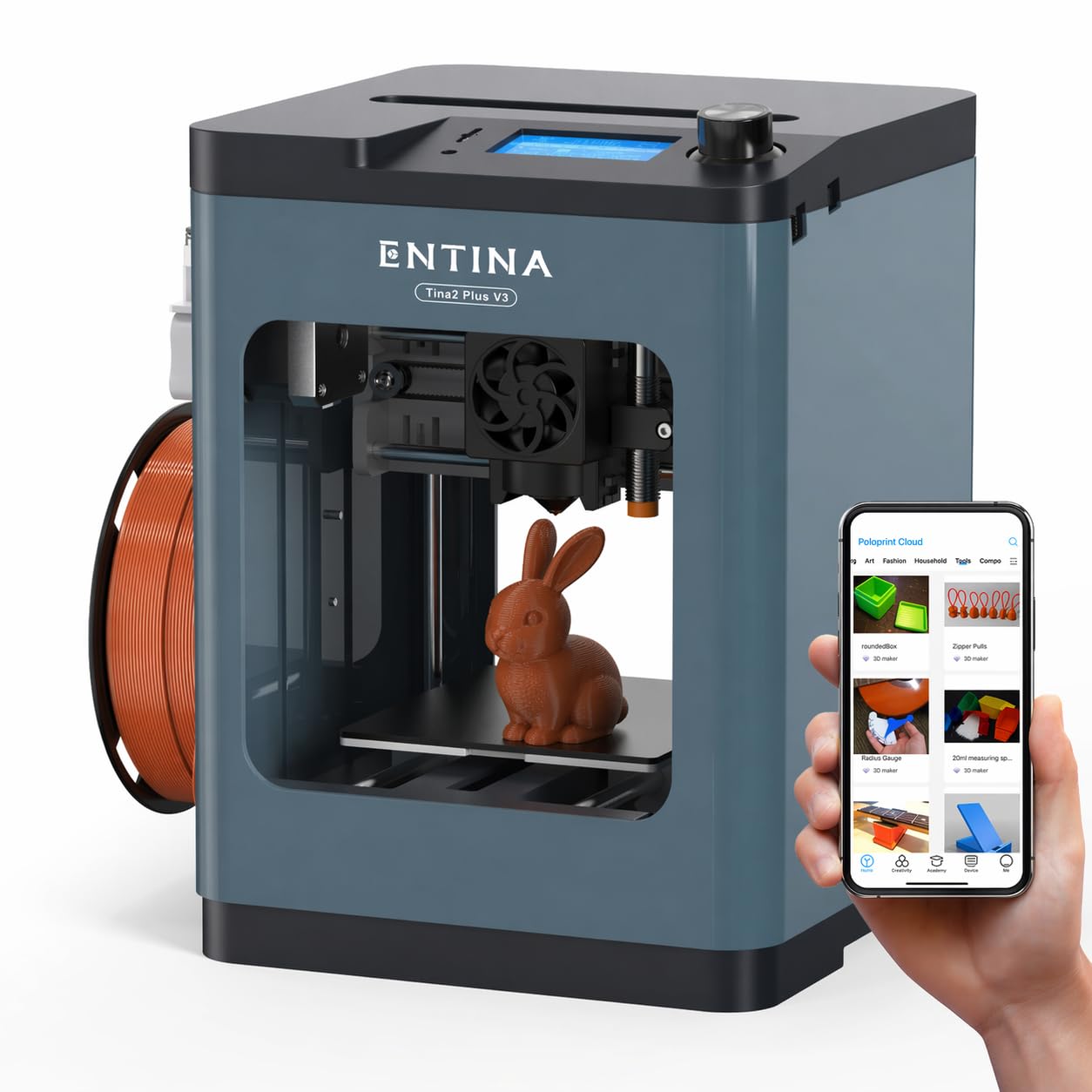
The Entina Tina2 Plus is a fully assembled FDM printer aimed at beginners and families. The ceramic hotend heats to temperature in 40 seconds, and the dual Z-axis with auto-leveling provides stable first layers without manual bed adjustment. Print speeds up to 250 mm/s are slower than the Core XY machines on this list, but the motion system is quiet and reliable enough for unsupervised classroom use.
Wi-Fi app control via the Poloprint Cloud app gives access to 1,500+ pre-loaded models and online slicing. The PEI spring steel build plate offers good adhesion for PLA, and the quick-swap nozzle design keeps maintenance simple. The compact footprint (11.4 x 8.6 x 8.6 inches) fits on a standard desk without dominating the space.
The biggest limitation is the small build area — at roughly 100 x 100 x 100 mm, you cannot print anything larger than a smartphone case. This is fine for fidget toys, pencil toppers, and small STEM projects, but anyone who wants to print functional brackets or larger pieces should look at the Adventurer 5M or Ender-3 V3 KE.
Why it’s great
- Fully assembled and prints within minutes
- Ceramic hotend heats in 40 seconds
- Quiet operation suitable for classroom
Good to know
- Small build volume limits project size
- 250 mm/s is slower than Core XY alternatives
- Model library smaller than Bambu ecosystem
8. ELEGOO Mars 5
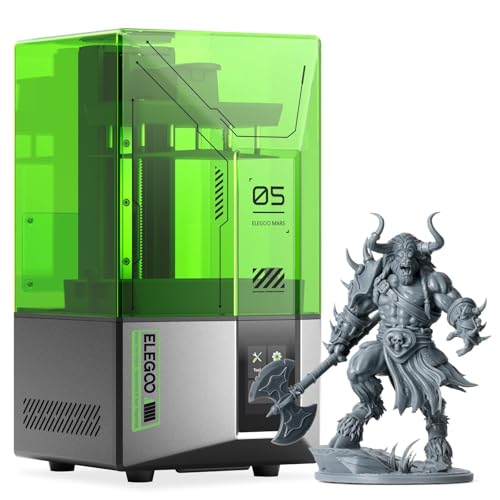
The ELEGOO Mars 5 is a resin printer that simplifies the notoriously finicky resin workflow with one-click automatic leveling and a smart self-check that verifies component function before each print. The 4K monochrome LCD with COB light source produces sharp details, and the overheat protection system halts printing if the LED temperature exceeds 80°C, protecting the LCD from damage.
The print volume of 5.65 x 3.53 x 5.91 inches is slightly smaller than the Photon Mono 4 Ultra, but the price is lower, making this a strong entry point for someone wanting to try resin without a large investment. The residue detection feature prevents LCD damage if a print fails, which is a common cause of expensive repairs in resin printers.
Some quality-control issues appear in reviews — a few units arrive with dead UI screens, and the vat screws on the FEP frame can strip the plastic cap if over-tightened. The supported advice to clean threads with IPA and avoid forcing screws solves the problem, but it is an annoyance on a brand-new machine. Overall, the print quality and ease of leveling make the Mars 5 a compelling choice for resin beginners who accept the learning curve of post-processing.
Why it’s great
- One-click auto leveling eliminates manual calibration
- 4K LCD delivers sharp resin details
- Overheat protection extends LCD lifespan
Good to know
- Some units arrive with dead UI screens
- FEP frame screws can strip plastic caps
- Strong resin odor requires ventilation
9. Entina Tina2C

The Entina Tina2C is the most affordable fully assembled printer on this list, and it focuses entirely on removing friction for absolute beginners. The self-cleaning nozzle and flexible magnetic build plate mean you can remove prints by bending the plate — no scraping, no glue stick. The setup from unboxing to first print is advertised at 8 minutes, and verified buyers confirm the process is genuinely simple.
App control via Poloprint Cloud supports WiFi and TF card offline modes, so a computer is optional. The AI-powered photo-to-print feature and 20 creative modules give kids a structured creative outlet without needing to learn CAD. The 3.9-inch cubed build volume is extremely small, but that is part of the trade-off for the low entry cost and simplicity.
Given the budget-tier pricing, the print quality is acceptable for trinkets, educational models, and simple fidget toys. The machine is quiet enough for a bedroom. If your goal is to test whether 3D printing appeals to you or your child before investing in a larger machine, the Tina2C is a risk-free starting point.
Why it’s great
- 8-minute setup, fully assembled out of box
- Self-cleaning nozzle and magnetic plate
- App control works without a laptop
Good to know
- Very small 3.9-inch cube build volume
- Print quality is entry-level
- Model download from app can be tricky
FAQ
What is the best motion system for a budget 3D printer?
Can I print ABS or nylon with a sub-$300 3D printer?
What is the difference between FDM and resin printing for a beginner?
How important is auto bed leveling for a sub-$300 printer?
Final Thoughts: The Verdict
For most users, the 3d printer under $300 winner is the FLASHFORGE Adventurer 5M because it combines Core XY speed, reliable auto-leveling, and a proven track record of daily use without breakdowns. If you want a connected ecosystem and the simplest possible first-print experience, grab the Bambu Lab A1 mini. And for high-detail miniature work or jewelry, nothing beats the ANYCUBIC Photon Mono 4 Ultra at this price.