
Our readers keep the lights on and the weekend projects moving. As an Amazon Associate, I earn from qualifying purchases.
Finding a 40 inch TV for gaming that actually delivers low input lag, high refresh rates, and HDMI 2.1 features is harder than it looks. Most brands skip this size, leaving gamers with either a budget 1080p panel or a larger 43-inch screen that barely fits the desk. The gap matters when you need a compact gaming display that can keep up with a PS5, Xbox Series X, or a PC rig without breaking your setup’s proportions.
I’m Rikta — the co-founder and writer behind FitlyFast. I’ve spent weeks analyzing panel response times, real-world VRR performance, and HDMI 2.1 support across every 40-inch option available, focusing on what actually matters for competitive and cinematic gaming sessions.
After reviewing specs, real user reports, and technical data, the best 40 inch tv for gaming balances a fast OLED or QLED panel with proper HDMI 2.1 bandwidth and low input lag — not just a big screen with a gaming sticker on the box.
How To Choose The Best 40 Inch TV For Gaming
Picking a gaming display in the 40-inch range means ignoring most consumer TV marketing and focusing on three hard specs: native refresh rate, HDMI version, and variable refresh rate support. A great picture means nothing if the panel introduces lag or tears when you need frame consistency the most.
Native Refresh Rate vs. Motion Smoothing
A true 120Hz or 144Hz native panel displays 120 unique frames per second from your console or PC. Some TVs advertise “120Hz effective” through motion smoothing, which adds 10–30ms of processing lag. For fighting games, online shooters, or racing sims, you need a panel that accepts a 120Hz signal natively over HDMI 2.1 or DisplayPort — not one that guesses what the next frame should look like.
HDMI 2.1 Bandwidth for 4K Gaming
HDMI 2.1 is the only current standard that carries 4K at 120Hz with 10-bit color without compression. A TV with HDMI 2.0b is capped at 4K 60Hz. If you own a PlayStation 5 or Xbox Series X, check that at least one port supports the full 48Gbps bandwidth. Some TVs list “HDMI 2.1” but cap it at 24Gbps, which still enables 4K 120Hz but limits chroma subsampling options.
VRR and FreeSync for Smooth Framerates
Variable Refresh Rate syncs the display’s refresh rate to your console or GPU’s frame output, eliminating screen tearing without the input lag of traditional V-Sync. FreeSync Premium Pro adds low framerate compensation and HDR support, making it ideal for both high-fps competitive games and slower, cinematic titles where frame drops are common.
Quick Comparison
On smaller screens, swipe sideways to see the full table.
| Model | Category | Best For | Key Spec | Amazon |
|---|---|---|---|---|
| Samsung Odyssey G7 G75F | Gaming Monitor | Competitive PC fps | 180Hz 1ms FreeSync Premium Pro | Amazon |
| Samsung S90F OLED | OLED TV | Cinematic console gaming | 144Hz native OLED contrast | Amazon |
| Sony A90K OLED | OLED TV | PS5 exclusive features | 8.5ms input lag HDMI 2.1 | Amazon |
| Samsung Q8F QLED | QLED TV | 144Hz brightness in bright rooms | 4K 144Hz Quantum Dot | Amazon |
| Samsung M7 M70D | Smart Monitor | Work-plus-gaming hybrid | USB-C 4K HDR10 | Amazon |
| Sony Bravia 2 S20M2 | LED TV | PS5 with 4K Processor X1 | Auto HDR Tone Mapping | Amazon |
| LG 43UP8000PUR | 4K LED TV | Budget 4K viewing | Quad Core processor | Amazon |
| Amazon Fire TV Omni QLED | QLED TV | QLED color on a budget | Dolby Vision IQ 60fps | Amazon |
| TuTu 40-Inch FHD | Non-Smart TV | Lag-free 1080p retro/light play | 1080p 60Hz 5ms | Amazon |
In‑Depth Reviews
1. Samsung Odyssey G7 G75F 40-Inch WUHD Monitor

The Samsung Odyssey G7 G75F brings a 40-inch 1000R curved VA panel with 5120×2160 WUHD resolution and a blistering 180Hz native refresh rate. The 1ms grey-to-grey response time and VESA DisplayHDR 600 certification make it one of the fastest and most responsive displays in this size class. The 21:9 ultrawide aspect ratio wraps around your peripheral vision, which works exceptionally well for immersive racing, flight sims, and competitive shooters where reaction time matters most.
Real users consistently praise the bright, even backlighting and text clarity at this resolution, though some note that the HDR modes require manual tweaking to look natural. The VA panel delivers a 3000:1 contrast ratio, producing deep blacks without the blooming common on IPS alternatives. The FreeSync Premium Pro certification ensures tear-free gaming across a wide VRR range, and with DisplayPort input, PC gamers can drive the full 180Hz without bandwidth constraints.
This display targets gamers who need a true monitor rather than a TV — it lacks a TV tuner and smart platform, but the tradeoff is raw gaming performance. The 180Hz refresh rate and 21:9 resolution are unmatched in the 40-inch segment, making it the top pick for anyone building a dedicated gaming setup around a high-end PC or console adapter that supports ultrawide resolutions.
Why it’s great
- 180Hz native refresh with 1ms response time
- FreeSync Premium Pro for tear-free variable refresh
- WUHD 5120×2160 resolution for immersive 21:9 gaming
Good to know
- No built-in TV tuner or smart platform
- HDR modes need manual calibration out of box
2. Samsung S90F OLED 42-Inch Smart TV

The Samsung S90F OLED packs a quantum-dot OLED panel that delivers vivid, saturated colors across a billion shades with absolute black levels. The 144Hz native refresh rate supports VRR gaming at 4K, and the NQ4 AI Gen3 processor upscales lower-resolution game content to near-4K quality with minimal added latency. The Motion Xcelerator feature ensures that fast-moving objects stay sharp in racing and action titles.
User reports highlight the stunning contrast and brightness that holds up well in moderately lit rooms — an area where OLEDs historically struggled. The QD-OLED panel technology provides higher peak brightness and wider color volume than traditional WOLED panels, making HDR games look more impactful. Some owners note the anti-reflective coating is delicate and the top edge of the panel feels thin, so careful handling during setup is important.
Gamers who split time between single-player cinematic experiences and competitive multiplayer will appreciate the combination of true black levels and a fast 144Hz panel. The lack of Dolby Vision support is a common point of comparison against LG and Sony OLEDs, but the Samsung’s brightness and color volume often compensate. For a 42-inch OLED that handles both gaming and streaming, the S90F is a premium choice.
Why it’s great
- QD-OLED with deep blacks and vibrant Quantum Dot color
- 144Hz native with VRR support for smooth gameplay
- Excellent upscaling via NQ4 AI Gen3 processor
Good to know
- No Dolby Vision HDR support
- Thin panel edges require careful handling
3. Sony A90K BRAVIA XR OLED 42-Inch

The Sony A90K OLED is built around the Cognitive Processor XR, which mimics human vision to enhance contrast, detail, and color in real time. It supports HDMI 2.1 features including 4K at 120Hz, VRR, and ALLM, with input lag measured at 8.5ms — among the lowest available. Exclusive PlayStation 5 integrations like Auto HDR Tone Mapping and Auto Genre Picture Mode mean the TV adjusts picture settings automatically when you switch between a game and a streaming app.
Buyers consistently describe the picture as the best they have seen, with motion clarity that outperforms other OLEDs on the market. The Acoustic Surface Audio+ technology vibrates the screen itself to produce sound, creating a surprisingly immersive audio experience without requiring a separate soundbar for casual use. The A90K also includes BRAVIA CORE credits for streaming 4K movies and Dolby Vision support, which the Samsung S90F lacks.
This is the most expensive option in the 42-inch range, but it justifies the cost with unmatched picture processing and seamless PS5 compatibility. The OLED panel delivers perfect blacks and near-infinite contrast, though it performs best in a controlled lighting environment. For gamers who own a PlayStation 5 and prioritize image accuracy over raw refresh rate numbers, the A90K is the definitive choice.
Why it’s great
- 8.5ms input lag with full HDMI 2.1 support
- PS5-exclusive Auto HDR Tone Mapping and Genre Switch
- Dolby Vision and Acoustic Surface Audio+
Good to know
- Premium price compared to other 42-inch options
- Best image quality in darker room environments
4. Samsung Q8F QLED 43-Inch Smart TV (2025 Model)

The Samsung Q8F QLED delivers a premium 4K experience with 100% Color Volume using Quantum Dot technology, maintaining color accuracy even at peak brightness. It supports VRR gaming at up to 4K 144Hz, which makes it one of the few QLED TVs in this size class that can keep pace with high-refresh-rate PC gaming. The AirSlim design lets it sit flush against a wall, and the Q4 AI processor optimizes picture and audio based on content type.
Owners mention the setup is seamless and the Samsung Tizen smart platform runs smoothly with a large library of apps. The Samsung TV Plus service offers free content without a subscription, which is a nice bonus for casual viewing. Some users find the remote overly sensitive, causing accidental channel changes when resting on a couch cushion, but the overall picture quality and build receive consistent praise.
The Q8F strikes a balance between a full smart TV and a gaming display. The 144Hz VRR support is rare at this price point, and the high brightness makes it suitable for brightly lit living rooms where OLEDs might wash out. Gamers who need a TV that doubles as a family room screen for streaming and sports will find the Q8F a versatile, high-performance option.
Why it’s great
- 144Hz native VRR for smooth high-frame-rate gaming
- 100% Color Volume with Quantum Dot for vibrant HDR
- Slim AirSlim design with free Samsung TV Plus content
Good to know
- Remote can trigger inputs accidentally when stored
- No Dolby Vision — uses HDR10+ Adaptive instead
5. Samsung M7 M70D 43-Inch 4K Smart Monitor

The Samsung M70D bridges the gap between a productivity monitor and a gaming display. It features a 43-inch 4K VA panel with HDR10 support, a 3000:1 contrast ratio, and built-in Samsung Gaming Hub for cloud streaming without a console. The USB-C port supports 65W power delivery, data transfer, and video in a single connection, making it a clean hub for a laptop or desktop gaming setup. Adaptive Sync support via FreeSync and G-Sync compatible ensures tear-free gameplay up to 60Hz.
User feedback highlights the sharp text rendering and color accuracy out of the box, with the monitor serving well as both a work-from-home tool and a guest room TV. The SolarCell remote eliminates the need for disposable batteries, and the built-in smart platform eliminates the need for an external streaming device. Some users note the 60Hz limit, which makes it best suited for story-driven or slower-paced games rather than competitive shooters.
The M70D is ideal for gamers who need a single large display for work during the day and casual gaming at night. The 4K resolution provides plenty of screen real estate for productivity, while the gaming hub and adaptive sync features cover light to moderate gaming needs. It is not a replacement for a 120Hz gaming monitor, but for multi-purpose use, it offers excellent value.
Why it’s great
- USB-C with 65W power delivery for clean laptop gaming setup
- Samsung Gaming Hub for cloud gaming without console
- FreeSync and G-Sync compatible for tear-free 60fps play
Good to know
- Limited to 60Hz — not ideal for competitive 120fps gaming
- Glossy screen can reflect light in bright rooms
6. Sony Bravia 2 S20M2 43-Inch 4K LED Smart TV

The Sony Bravia 2 uses the 4K Processor X1 to deliver lifelike visuals with enhanced color and dynamic contrast. It includes exclusive PlayStation 5 features like Auto HDR Tone Mapping and Auto Genre Picture Mode, which optimize settings in real time when you launch a game. The Motionflow XR technology handles fast-moving content without introducing noticeable blur, making action games and sports look crisp.
Reviews from owners emphasize the clear, colorful picture quality and responsive Google TV interface. The remote is thin and compact, and the TV includes an Ethernet port for stable wired connections. Some users reported random freezing or WiFi drops, though these complaints are not universal and may relate to individual unit variability. The 60Hz refresh rate means it won’t support 120fps gaming, but for 4K 60fps titles on PS5 or Xbox Series X, it performs well.
This is a solid entry-level 4K TV for gamers on a tighter budget who still want Sony’s reliable upscaling and PS5 integration. The lack of HDMI 2.1 bandwidth for 4K 120Hz is the main tradeoff. If your gaming library consists mostly of AAA single-player titles that run at 30-60fps, the Bravia 2 delivers excellent visual quality without the premium OLED price.
Why it’s great
- PS5-exclusive Auto HDR Tone Mapping and Genre Mode
- 4K Processor X1 for sharp upscaling and natural colors
- Affordable price point for Sony picture quality
Good to know
- 60Hz panel — cannot output 4K at 120Hz
- Some reports of WiFi connectivity issues
7. LG 43UP8000PUR 43-Inch 4K UHD Smart LED TV

The LG 43UP8000PUR offers a straightforward 4K UHD experience powered by a Quad Core Intelligent Processor that handles upscaling and color adjustment. It uses LG’s webOS platform, which is intuitive and responsive for navigating streaming services. The TV supports HDR10 and HLG, though it lacks Dolby Vision or a high refresh rate for gaming.
Buyers appreciate the bright, adjustable screen and the sturdy stand, with many using it as a large computer monitor for productivity. The built-in speakers are described as mediocre, which is typical at this price tier. Some tech-savvy users note the interface can feel complex with too many menus, though the picture quality for the price is widely praised. The 60Hz refresh rate is sufficient for casual or single-player gaming but won’t satisfy competitive players.
The LG 43UP8000PUR is a budget-friendly 4K option for gamers who primarily play on Nintendo Switch, watch streaming content, or use the TV as a secondary monitor. It lacks the gaming-specific features of higher-tier models, but for the price, the 4K resolution and reliable webOS interface provide a solid baseline experience. For pure gaming at 60fps on a tight budget, it gets the job done.
Why it’s great
- Affordable 4K UHD resolution with Quad Core processing
- Sturdy adjustable stand suitable for desk use
- Smooth webOS interface for streaming
Good to know
- 60Hz panel only; no VRR or HDMI 2.1
- Built-in speakers lack depth and bass
8. Amazon Fire TV Omni QLED 43-Inch 4K

The Amazon Fire TV Omni QLED combines a 4K Quantum Dot display with Dolby Vision IQ and HDR10+ Adaptive, automatically adjusting brightness based on your room’s lighting. The built-in Fire TV platform with hands-free Alexa lets you control the TV and smart home devices by voice. With 4 HDMI inputs including eARC, it has enough connectivity for multiple consoles.
User reviews consistently highlight the impressive picture quality after calibration, with colors comparable to more expensive QLED LG models. However, many note the Fire TV interface has some lag and occasional app glitches that require a reset. The panel runs at 60Hz, which limits its gaming capabilities to 4K 60fps, but gamers who prioritize visual quality over high frame rates will find the QLED color reproduction excellent for its price.
For budget-conscious gamers who want QLED-level color in a 40-ish inch screen, the Omni QLED is a strong contender. The Alexa integration is useful for hands-free control, and the adaptive brightness feature helps reduce eye strain during long sessions. The tradeoff is the 60Hz refresh rate and occasional smart interface sluggishness, but for story-driven games and streaming, it represents great value.
Why it’s great
- QLED display with Dolby Vision IQ and HDR10+ Adaptive
- Hands-free Alexa with built-in microphones
- Adaptive brightness reduces eye strain in any room
Good to know
- 60Hz panel — no 120Hz support for competitive gaming
- Fire TV interface can lag and occasionally glitch
9. TuTu 40-Inch FHD Non-Smart TV
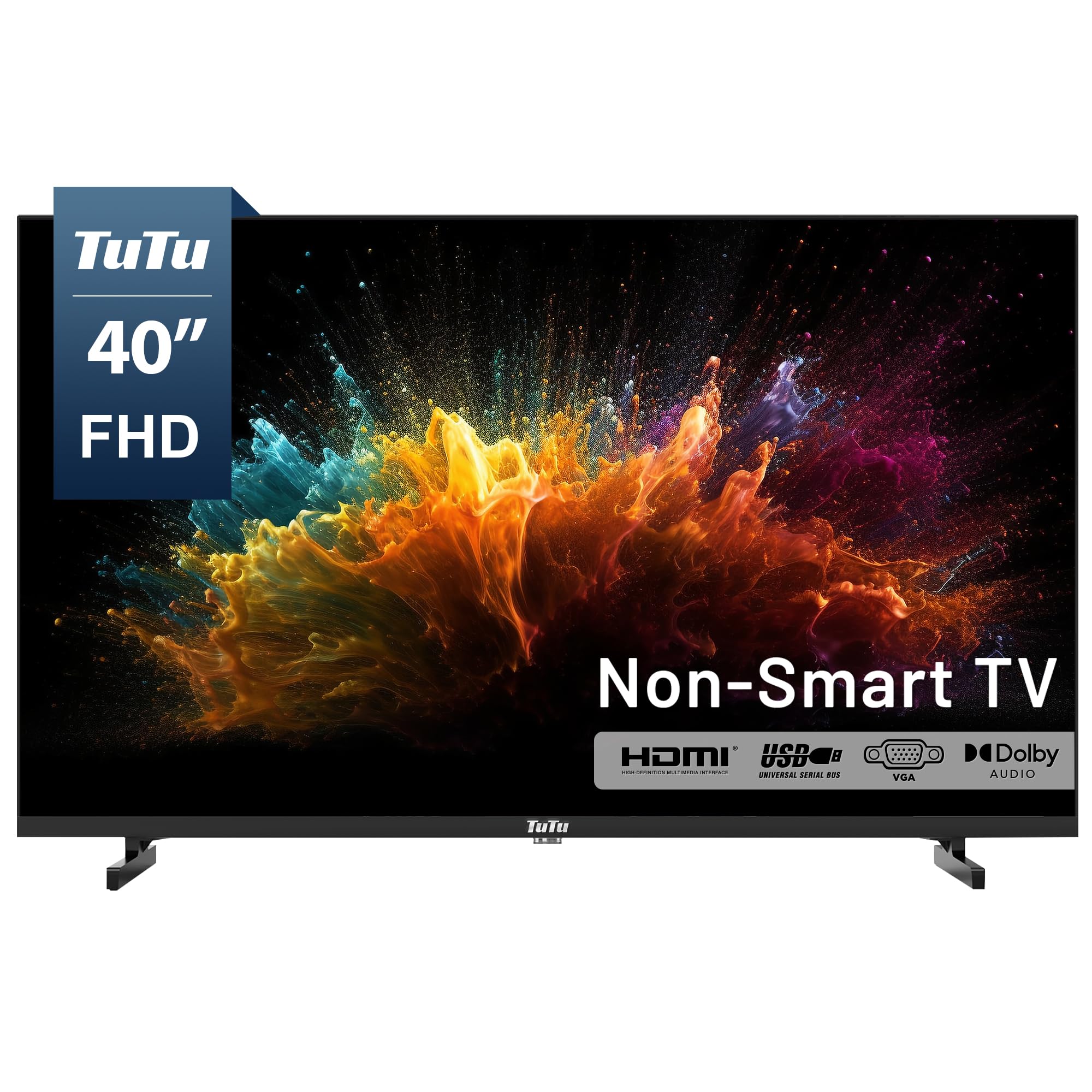
The TuTu 40-Inch FHD TV strips away everything extraneous — smart OS, ads, unnecessary menus — providing a pure 1080p panel at 60Hz with a 5ms response time. It is designed to pair with external streaming devices like Roku, Fire Stick, or Apple TV, giving you full control over the interface without forced advertisements. The ATSC tuner allows free over-the-air HD channels, eliminating monthly fees for local news and sports.
Owners praise the fast startup time of around 5 seconds and the simple, no-fuss operation. The audio via Dolby Audio is adequate for a bedroom or guest room, but the built-in speakers lack low-end depth. Some users note the included legs attach poorly, and the remote is basic with no direct input button. For light gaming on older consoles or retro setups where input lag matters more than resolution, the 5ms response time is solid.
This TV is best for budget buyers who want a simple, durable display for retro gaming, secondary monitoring, or a kid’s room. The 1080p resolution is not suitable for modern 4K gaming, and the lack of a smart platform means you need an external streaming device. However, for those who value a lag-free, ad-free experience and already own a console or streaming stick, the TuTu is an affordable and reliable option.
Why it’s great
- Ad-free interface with fast 5-second startup
- 5ms response time suitable for retro and entry-level gaming
- ATSC tuner for free over-the-air HD channels
Good to know
- 1080p only — no 4K resolution
- Shallow built-in sound; external speakers recommended
FAQ
Do I need HDMI 2.1 for PS5 or Xbox Series X gaming at 4K?
What is the difference between QLED and OLED for gaming in a 40-inch size?
Can I use a 40-inch TV as a PC gaming monitor without issues?
Final Thoughts: The Verdict
For most users, the best 40 inch tv for gaming winner is the Samsung Odyssey G7 G75F because it offers a blazing 180Hz refresh rate, FreeSync Premium Pro, and true 1ms response time for competitive play. If you want superior color accuracy and perfect blacks for cinematic single-player games, grab the Samsung S90F OLED. And for the ultimate PS5 experience with exclusive HDR and input lag optimization, nothing beats the Sony A90K OLED.