
Our readers keep the lights on and the weekend projects moving. As an Amazon Associate, I earn from qualifying purchases.
Specs are compiled from manufacturer listings and verified buyer reviews and can change over time — please confirm the key details on the product page before buying.
You are looking for a 4k ultrawide monitor because you want a panoramic desktop — two or three windows side by side, no more endless tiling. The real question is whether you pick a super-fast gaming OLED or a color-accurate workhorse. Choose wrong, and you will either get motion blur that ruins fast games or washed-out blacks that kill dark-movie immersion.
I am Rikta, founder and writer at FitlyFast. This guide compares each monitor’s published specifications and patterns from verified customer reviews. You get real strengths and realistic trade-offs, not marketing spin.
The right 4k ultrawide monitor changes how you work and play for years. These specs and verified buyer experiences separate the keepers from the returns.
How To Choose The Best 4K Ultrawide Monitor
Start with what you do most. Gaming needs speed and deep blacks; office work needs text sharpness and an ergonomic stand.
Panel Technology: OLED vs VA vs IPS
OLED gives you per-pixel lighting — each black pixel is truly off — so contrast ratios skyrocket to 1,500,000:1 on the LG OLED. VA panels like those in the Samsung monitors hit 3,000:1, which is excellent for dark rooms but can crush shadow detail (lose visibility in very dark areas). IPS-Black in the Dell UltraSharp splits the difference with 2,000:1 and wider viewing angles. Pick it for color-critical creative work where OLED burn-in (permanent ghosting from static images) is a worry.
Refresh Rate and Response Time
A high-refresh panel such as 144Hz, 165Hz, or 180Hz makes fast motion buttery smooth. But you only benefit if your graphics card can push those frames at 5120×2160. The LG hits 0.03ms (GtG, Grey-to-Grey) response time versus the Dell’s 5ms. Buyers report that 5ms is fine for coding but not for competitive shooters. For productivity, even 120Hz feels much smoother than 60Hz when scrolling long documents.
Connectivity That Matches Your Setup
Thunderbolt 5 delivers up to 140W charging to a laptop, while DisplayPort 2.1 handles high-bandwidth gaming. If you run a MacBook, a single Thunderbolt cable that charges, carries video, and runs peripherals is a desk-cable dream. Built-in KVM switches (Keyboard, Video, Mouse — found on the Samsung ViewFinity and Dell UltraSharp) let you control two computers with one keyboard and mouse. That is huge for a home-office setup.
Quick Comparison
| Model | Best For | Panel Type | Refresh Rate | Response Time | Amazon |
|---|---|---|---|---|---|
| LG 45GX950A-B | High-end Gaming & Creative Work | OLED | 165Hz | 0.03ms | Amazon |
| Samsung Odyssey G7 G75F | Balanced Gaming & Productivity | VA | 180Hz | 1ms | Amazon |
| Samsung ViewFinity S8 S85TH | MacBook Professional & Office Hub | VA | 144Hz | 5ms | Amazon |
| Dell UltraSharp U4025QW | Color-Critical Creative Work | IPS-Black | 120Hz | 5ms | Amazon |
In‑Depth Reviews
1. LG 45GX950A-B 45-inch Ultragear 5K2K WUHD OLED

The OLED heavyweight that bends reality around you with per-pixel perfection.
The defining feature is the contrast — a staggering 1,500,000:1 ratio that makes every dark gaming cave or space scene look practically infinite. Each black pixel is off, so there is zero backlight bleed. At a 0.03ms (GtG, Grey-to-Grey) response time versus the Dell UltraSharp’s 5ms, motion on this display stays exceptionally crisp. Motion on this 45-inch screen (5120 x 2160 resolution) is ghost-free even in frantic racing titles. The 800R curve wraps so steeply around your periphery that one buyer called it “insanely rich.”
Dual Mode gives you a hotkey swap: run native 5K2K at 165Hz for story-rich adventures, then drop to Wide Full HD at 330Hz for ultra-responsive shooters. The 125 PPI (pixels per inch) and updated subpixel layout reduce the color fringing that used to plague OLED text, so spreadsheets look crisp. Owners mention that the warranty QR code appears unofficial — one reviewer suggests registering directly on LG’s site. At up to 1300 nits peak brightness and 98.5% DCI-P3 color coverage (a wide color gamut standard for film), this is as good for a color-timed edit session as it is for an esports match, as long as you have the GPU to drive it (the data mentions pairing with an RTX 5080).
The OLED Payoff
- 1,500,000:1 contrast — truly infinite blacks
- 0.03ms response time eliminates motion blur entirely
- Dual Mode lets you switch between cinematic 165Hz and competitive 330Hz
The Catch
- Requires a high-end GPU (RTX 4080/5080) to push this resolution at high frames
- Dual Mode scaling is poor according to reviewers — avoid for serious competitive play
- Warranty registration path is confusing; register direct with LG
Best for: The gamer and creative who wants the absolute best picture quality available — deep blacks, instant response, and a curve that pulls you in.
skip it if: You run a lower-end graphics card or need a 5-year productivity-only screen where OLED burn-in is a lingering concern.
2. Samsung 40″ Odyssey G7 (G75F) WUHD 180Hz Curved Gaming Monitor

The desk-friendly 40-inch VA that delivers high refresh without the OLED price tag.
At 180Hz with a 1ms (GtG) response time, this 40-inch VA panel (5120 x 2160) offers a higher refresh rate than the LG’s 165Hz while costing less. The 1000R curve matches the natural arc of your eyes. One buyer who “replaced older 34″ ultrawide with more screen real estate” noted the curve is less pronounced than photos suggest — so it works well for both gaming and office work. The 3,000:1 contrast ratio is a solid step up from standard IPS monitors, giving dark scenes decent punch without the burn-in worry of OLED. VESA DisplayHDR 600 pushes brightness up to 350 cd/m² typical, and the built-in AMD FreeSync Premium Pro keeps frames tear-free on compatible GPUs.
Reviewers mention the VA panel “has no viewing angle issues for desk use” and the monitor is “bright, high-quality picture” after some color adjustments. The built-in height/swivel adjustment is a practical touch you do not always see on gaming-first screens. It lacks Thunderbolt and a built-in KVM, making it less of a hub than the ViewFinity below. But for a pure gaming-plus-spreadsheet machine, this hits a balance between price and performance.
Gaming-Ready Value
- 180Hz refresh beats the competition on raw speed for the price
- VA panel gives 3,000:1 contrast with no burn-in risk
- Height/swivel stand included — rare at this price tier
A Few Trade-offs
- No built-in KVM or Thunderbolt for a clean multi-PC desk
- Base is “ugly and awkward” according to some buyers
- HDR needs manual tweaking to look right
Reach for this if: You want a high-refresh 4K ultrawide that covers gaming, work, and dark-room movies without spending premium OLED money.
Look elsewhere if: You need a single-cable laptop hub with charging and KVM, or you do color-critical work that demands the widest IPS viewing angles.
3. Samsung 40″ ViewFinity S8 (S85TH) Curved 5K2K Monitor
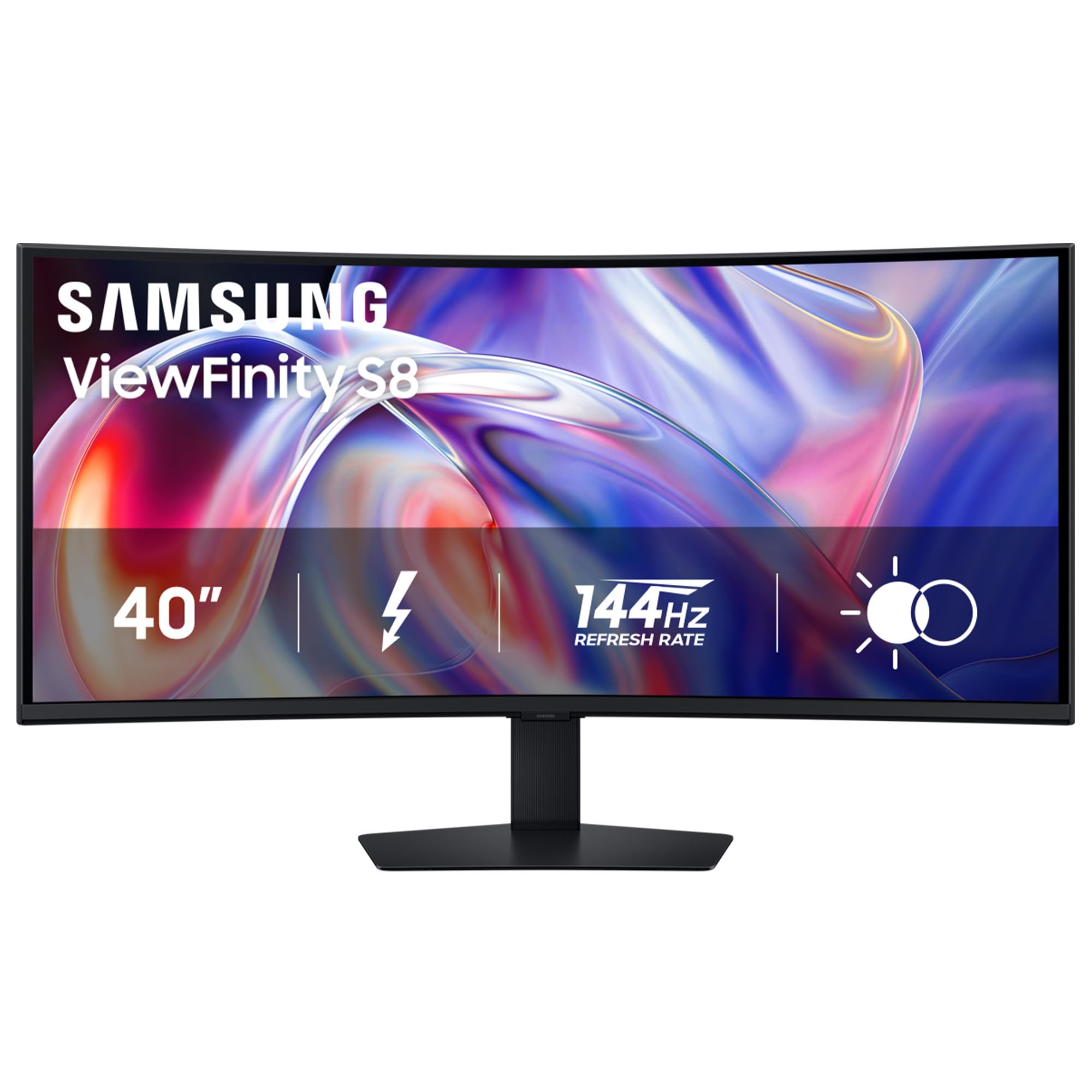
The ultrawide workhub that charges your laptop and runs your whole desk through one cable.
This is the only monitor on the list with Thunderbolt 5, capable of delivering up to 140W charging to a laptop while carrying video and data over a single cable. At a 144Hz refresh rate versus the Dell UltraSharp’s 120Hz, scrolling through code or long documents can feel smoother. That makes scrolling through code or long documents noticeably smoother. The 5K2K WUHD (5120 x 2160, Wide Ultra High Definition) VA panel runs at 21:9 and includes a built-in KVM switch, so you control two sources (say a MacBook and a PC) with one keyboard and mouse while using Picture-by-Picture mode to view both at once. The ergonomic stand tilts, swivels, and adjusts height — a necessity for all-day work.
Customers note that the display works “perfectly with M4 MacBook Pro” via a single Thunderbolt 4 cable, offering native HiDPI at 3840×1620 with 144Hz and 140W charging — a clean desk dream. The catch is significant: several customers note that “MacBook display drops after 30 sec–3 min; mouse/keyboard still work.” Samsung support advised returning for that issue. Enthusiasts recommend switching from Eco to Custom picture mode and disabling Dynamic Brightness to get consistent color. For pro photo editing, one reviewer found low contrast and light bleed disappointing. For productivity, code, and office tasks, the feature set is class-leading at this price tier.
Ultimate Desk Hub
- Thunderbolt 5 handles 140W charging, video, and data in one cable
- KVM switch lets you control two computers with one keyboard and mouse
- 144Hz refresh makes productivity feel fluid
Know Before Buying
- Random display dropout with MacBooks reported by multiple buyers
- Not great for color-critical photo work — light bleed and uneven blacks noted
- One-year warranty feels short for a premium-priced monitor
Best suited to: The MacBook professional who wants a single-cable, high-refresh ultrawide with KVM for a dual-computer desk setup.
One real limitation: The MacBook connection stability issues mean this is not a risk-free purchase — budget for possible returns if you are Apple-only.
4. Dell UltraSharp U4025QW 40″ Class 5K2K WUHD Curved LED Monitor

The color-accurate 40-inch canvas that replaces two monitors without the OLED trade-offs.
This is the productivity king — a 40-inch IPS-Black panel at 5120 x 2160 with 99% DCI-P3 color gamut and a 2,000:1 contrast ratio that is noticeably richer than typical IPS. At 120Hz with 600 nits brightness, HDR600 actually looks punchy on this screen. Reviewers point out “stunning color, clarity, and text” for creative timelines and massive spreadsheets. The 5ms response time is much slower than the LG OLED’s 0.03ms, but reviewers confirm it is “adequate for professional use (coding, editing, modeling); not for gaming.” The built-in KVM handles switching between Mac and Linux with a simple button press — one buyer calls it “plug-and-play on both OS.”
The central weakness is HDR on a Mac: one reviewer bluntly says “HDR mode does not look good despite effort,” and the default color modes (Standard, Movie, Game) look too yellow or washed out until you dial in custom settings. The downward-facing ports make cable access fiddly, and the KVM is limited to two computers. Power usage sits around 30W at 90% brightness, which is impressively low for a 40-inch screen. For color-critical creative work that demands IPS consistency and zero burn-in risk, this remains the reference-class pick.
Creative-Centric Strengths
- IPS-Black panel achieves 2,000:1 contrast and 99% DCI-P3 color
- 600 nits brightness with HDR600 makes HDR content pop
- KVM and built-in hub clean up multi-computer workflow
The Notable Negatives
- 5ms response time is not for competitive gaming
- HDR on Mac looks poor from the start — requires custom tweaking
- Downward-facing ports make cable management more difficult
Grab it for: Professional color work, video editing, and massive spreadsheets where text clarity and IPS-Black contrast matter more than gaming speed.
Pass if: You play fast shooters, need Thunderbolt charging, or expect HDR to work well on macOS without calibration.
Understanding the Specs
Contrast Ratio
This number tells you how deep the blacks look compared to the brightest white. A higher ratio (like 1,500,000:1 on OLED) means dark scenes in games and movies look truly inky. A lower ratio (2,000:1 on IPS) still looks good but shows a faint grey glow in a dark room. For 4K ultrawide monitors, this matters most if you play horror games, watch movies at night, or do color-critical work where shadow detail is key.
Response Time (GtG)
Measured in milliseconds (ms) from Grey-to-Grey, this spec says how fast a pixel changes color. A 0.03ms OLED panel responds much faster than a 5ms IPS panel, meaning fast-moving objects (a racing car, a strafing enemy) leave less blurry trail behind. For productivity — typing, coding, spreadsheets — 5ms is fine. For competitive gaming, aim for 1ms or lower.
FAQ
Will a 4K ultrawide monitor work with my MacBook Pro?
Is an OLED ultrawide monitor worth the extra cost for productivity?
What is the difference between 144Hz and 180Hz on a 4K ultrawide monitor?
Do I need a special graphics card for a 5K2K ultrawide monitor?
How much desk space does a 40-inch 21:9 monitor need?
What is a KVM switch and why do I need one on an ultrawide monitor?
Can I use a 4K ultrawide monitor for console gaming?
How does HDR compare between these monitors for movies and games?
Is a 1000R or 800R curve better for work and gaming?
Final Thoughts: The Verdict
For most buyers, the 4k ultrawide monitor winner is the Samsung Odyssey G7 G75F. It combines a high 180Hz refresh, solid VA contrast, and an adjustable stand at a price that leaves room for a quality GPU purchase. If you want the absolute best picture quality and game heavily, the LG 45GX950A-B delivers OLED perfection with stunning blacks and instant response. For a color-accurate creative workstation with the most future-proof ports, the Dell UltraSharp U4025QW is the reference-class pick that will serve you for years without burn-in worry.
How We Picked
We do not accept paid placement. Every pick is matched to a real buyer and a real use-case; we do not hands-on test units.
Sources & Methodology
Specifications: manufacturer listings and product documentation. Review insights: verified customer reviews, as of July 2026. Pricing: not shown on this page (it changes often); check the current price via the retailer link.
As an Amazon Associate, FitlyFast earns from qualifying purchases. This does not affect which products we feature.