
Our readers keep the lights on and the weekend projects moving. As an Amazon Associate, I earn from qualifying purchases.
A 50-inch gaming TV is the sweet spot for a dedicated gaming setup — large enough to deliver an immersive field of view from a desk or mid-room distance, yet compact enough that pixel density stays sharp and the screen doesn’t dominate a bedroom or apartment den. The challenge is finding a panel that balances high refresh rates, low input lag, and vivid contrast without forcing you into a budget that rivals a high-end console.
I’m Rikta — the co-founder and writer behind FitlyFast. I’ve spent hundreds of hours analyzing the engineering behind every major gaming TV release — comparing Mini-LED dimming algorithms, native refresh rate capabilities, HDMI 2.1 bandwidth limits, and real-world VRR behavior across this entire category to identify which 50-inch panels actually deliver the responsiveness and picture quality gamers demand.
Whether you need a native 144Hz panel for competitive shooters, an OLED for infinite contrast in dark-room single-player adventures, or a budget-friendly Mini-LED that still supports HDMI 2.1 features, this guide to the best 50 inch tv for gaming cuts through marketing noise to show you exactly which models earn their place in a gaming rig.
How To Choose The Best 50 Inch TV For Gaming
Not every 4K TV that calls itself a “gaming TV” actually delivers the features that matter. A 60Hz panel with standard HDMI 2.0 works for casual play, but modern consoles and high-end PCs demand specific hardware to unlock their full potential. Understanding a few key specs is the difference between a smooth, responsive experience and one plagued by motion blur, screen tearing, or input lag.
Native Refresh Rate vs. Effective Refresh Rate
Look for a native 120Hz or 144Hz panel. Some TVs advertise “effective 120Hz” using Digital Low Latency (DLG) technology, which halves vertical resolution to double motion clarity. A true native panel maintains full 4K resolution at high refresh rates. For competitive gaming, native 144Hz panels like those in the Hisense E7 Cinema Series or the TCL QM6K deliver the fluid motion and sharp detail that matter most during fast-paced shooters and racing titles.
HDMI 2.1 Bandwidth and Port Count
HDMI 2.1 supports 4K at 120Hz with 10-bit color, VRR, and Auto Low Latency Mode (ALLM). However, not all HDMI 2.1 ports are created equal — some are capped at 24Gbps (half bandwidth) instead of the full 48Gbps. A 48Gbps port delivers uncompressed 4K/120Hz with HDR, while a half-bandwidth port may force chroma subsampling. For multi-console setups, at least two HDMI 2.1 ports are ideal so you can connect a PS5 and Xbox Series X simultaneously without swapping cables.
Backlight Technology: OLED vs. Mini-LED vs. Standard LED
OLED panels, like the LG C5, offer perfect blacks and infinite contrast because each pixel emits its own light. This delivers stunning HDR gaming in dark rooms. Mini-LED TVs, such as the Westinghouse Mini-LED or TCL QM6K, achieve deep blacks through thousands of local dimming zones but may show slight blooming around bright objects on dark backgrounds. Standard LED panels without local dimming often suffer from poor contrast in dark scenes — a critical flaw for horror games or shadow-heavy titles.
VRR Certification and Input Lag
Variable Refresh Rate syncs the TV’s refresh rate to the console or PC’s frame output, eliminating screen tearing without adding latency. FreeSync Premium Pro and G-Sync Compatible certifications ensure a wider VRR range (typically 48–144Hz). For competitive gaming, look for input lag under 10ms at 4K/120Hz. Budget-friendly models often omit full VRR support, which makes fast-paced games feel less responsive during frame rate dips.
Quick Comparison
On smaller screens, swipe sideways to see the full table.
| Model | Category | Best For | Key Spec | Amazon |
|---|---|---|---|---|
| LG C5 OLED evo | OLED | Dark-room cinematic gaming | Native 120Hz, Perfect Black, G-Sync/FreeSync | Amazon |
| Samsung The Frame LS03F | QLED | Living room decor + gaming | 4K 144Hz, Matte Display, Art Mode | Amazon |
| Sony BRAVIA 3 II XR30 | LED | PS5 integration + 120Hz | 4K/120, XR Processor, Auto HDR Tone Mapping | Amazon |
| TCL QM6K QD-Mini LED | Mini-LED | Mid-range Mini-LED with 144Hz | Native 144Hz, QD-Mini LED, LD500 Dimming | Amazon |
| Sony BRAVIA 2 II S20 | LED | Reliable PS5 gaming on a budget | 4K X1 Processor, Motionflow XR, PS5 Features | Amazon |
| iFFALCON 55U85 Mini-LED | Mini-LED | Multi-console 144Hz gaming | Native 144Hz, 4x HDMI 2.1, FreeSync Premium Pro | Amazon |
| Hisense E7 Cinema Series | Mini-LED | 144Hz Mini-LED at a competitive price | Native 144Hz, Dolby Vision IQ, AI Picture | Amazon |
| Amazon Ember QLED | QLED | Seamless Alexa ecosystem + gaming | 4K QLED, Dolby Vision, Quad-Core Processor | Amazon |
| Samsung M70H Mini LED | Mini-LED | Mini-LED with Motion Xcelerator | Mini-LED, Pure Spectrum Color, DLG 120Hz | Amazon |
| Panasonic W70 Fire TV | LED | Budget-friendly with HDMI 2.1 | 4K HDR, MEMC, HDMI 2.1, Fire TV OS | Amazon |
| Westinghouse Mini-LED Roku | Mini-LED | Entry-level Mini-LED with local dimming | Mini-LED Local Dimming, QLED, DCI-P3 93% | Amazon |
In‑Depth Reviews
1. LG C5 OLED evo

The LG C5 OLED evo is the gold standard for gaming image quality. Each of its 8.3 million self-lit pixels achieves perfect black levels, delivering infinite contrast that makes HDR gaming in titles like Cyberpunk 2077 or Elden Ring look astonishingly lifelike. The Brightness Booster algorithm pushes luminance higher than previous OLED generations, making it usable even in moderately bright rooms — a meaningful upgrade over older OLED panels that struggled with glare.
Gaming performance is elite: a native 120Hz panel, full HDMI 2.1 bandwidth across two ports, and certification for both NVIDIA G-Sync and AMD FreeSync Premium. Input lag hovers around 5ms at 4K/120Hz, making it one of the most responsive TVs for competitive play. The Alpha 9 AI Processor Gen8 handles upscaling of 1080p or 1440p content to near-4K resolution without introducing visible artifacts or motion judder.
Dolby Vision and Dolby Atmos support pair naturally with the Filmmaker Mode for a cinema-grade experience when you switch from gaming to streaming. The 55-inch size is slightly above the 50-inch target, but the OLED pixel response time is so fast that motion blur is virtually nonexistent — a critical advantage over any LED-based panel in this category. For gamers prioritizing contrast and color accuracy over peak brightness, this is the definitive choice.
Why it’s great
- Infinite contrast ratio with Perfect Black for stunning HDR gaming
- Sub-6ms input lag at 4K/120Hz with G-Sync and FreeSync Premium
- Dolby Vision gaming support with Filmmaker Mode for accurate colors
Good to know
- Risk of permanent burn-in from static HUDs in long sessions
- 55-inch size may not fit all 50-inch designated spaces
- Premium price point well above Mini-LED alternatives
2. Samsung The Frame LS03F

The Frame LS03F solves a unique problem: how to hide a gaming TV in a living room where decor matters. Its matte, virtually glare-free display makes art look like a real print on the wall, while the NQ4 AI Gen2 Processor delivers vivid QLED colors and smooth motion when you switch to gaming mode. The flush wall-mount design and customizable bezels make it the only TV on this list that doesn’t look like a TV when turned off.
Under the art disguise lives a capable gaming panel. It supports up to 4K 144Hz for VRR gaming, making it smooth enough for fast-paced shooters and racing sims. The Motion Xcelerator technology analyzes frame rates to reduce blur during high-speed scenes, and Game Mode drops input lag to competitive levels. The matte screen also dramatically reduces reflections from overhead lights or windows — a feature gamers in bright rooms will appreciate during daytime sessions.
The compromise comes in contrast: as a QLED without local dimming zones, black levels in a dark room won’t match a Mini-LED or OLED panel. You may notice slight blooming around bright HUD elements on black loading screens. However, for mixed-use households where the TV spends half its time displaying art, the Frame offers a gaming experience that’s strong enough for most titles while being the most stylish option available at this size.
Why it’s great
- Matte, glare-free display perfect for bright rooms and living room setups
- 4K 144Hz VRR support for smooth gaming performance
- Art Mode transforms the TV into a wall piece when not in use
Good to know
- No local dimming leads to noticeable blooming in dark scenes
- Premium pricing reflects design features, not peak gaming performance
- Wireless connection box can cause occasional frame drops in 4K content
3. Sony BRAVIA 3 II XR30

The Sony BRAVIA 3 II XR30 is engineered specifically for PlayStation 5 owners. Its XR Processor uses AI scene recognition to optimize color, contrast, and clarity in real time — and when paired with a PS5, exclusive features like Auto HDR Tone Mapping and Auto Genre Picture Mode automatically adjust settings for gaming or streaming without any manual tinkering. The 120Hz panel with HDMI 2.1, VRR, and ALLM ensures smooth, tear-free gameplay across demanding titles.
Picture quality is excellent for a direct-LED panel. XR Triluminos Pro reproduces over a billion colors with natural detail, and XR Clear Image uses AI to restore lost texture in lower-resolution content. The X-Balanced Speakers deliver deeper bass and less distortion than typical built-in audio — good enough to delay a soundbar purchase. Motionflow XR keeps fast scenes clear, and the 120Hz refresh rate handles racing games and action sequences without noticeable blur.
The trade-off is backlight performance. As a direct-LED panel without Mini-LED local dimming, it can’t match the black levels of the LG C5 or the TCL QM6K. In very dark scenes, you’ll see some backlight bloom around bright objects. The Google TV interface with Gemini is generally responsive, though a few users have reported software stuttering on live TV channels. For PS5 owners who want seamless integration and reliable motion handling, this is the strongest option at this price tier.
Why it’s great
- Exclusive PS5 features: Auto HDR Tone Mapping and Auto Genre Picture Mode
- XR AI processor delivers lifelike color, contrast, and upscaling
- HDMI 2.1 with 4K/120, VRR, and ALLM for competitive gaming
Good to know
- Direct-LED backlight produces visible blooming in dark environments
- Some reports of software instability on Google TV platform
- Narrow viewing angles compared to IPS or OLED alternatives
4. TCL QM6K QD-Mini LED
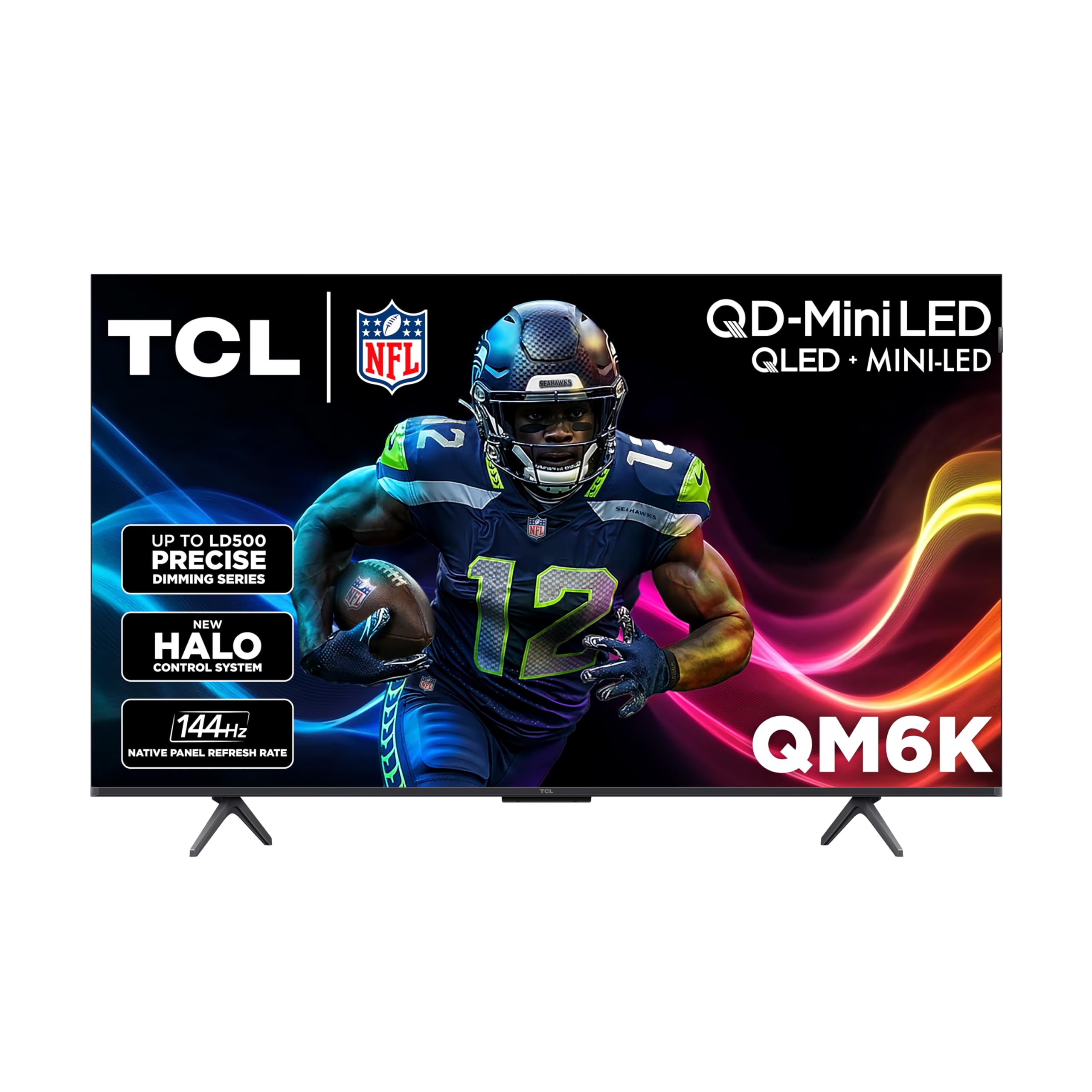
The TCL QM6K represents a significant step up in backlight precision for the 50-inch size class. Its Halo Control System manages the QD-Mini LED array with the LD500 Precise Dimming Series, meaning you get hundreds of local dimming zones that dramatically reduce blooming compared to standard LED panels. The High Contrast HVA panel further improves native contrast, delivering deep blacks that come surprisingly close to OLED territory for a Mini-LED screen.
Gaming performance is built around a native 144Hz panel, which gives PC gamers and next-gen console users headroom above the standard 120Hz. Two HDMI 2.1 ports support 4K at 144Hz with VRR and ALLM. The instant Dolby Vision Game Mode automatically switches the TV into low-latency mode when it detects a game signal, dropping input lag well under 10ms. The motion- activated backlit remote is a thoughtful addition for dark-room gaming sessions.
The built-in speakers are good for a mid-range TV but still benefit from a soundbar for immersive gaming audio. Google TV runs quickly thanks to the responsive processor, and the automatic device integration makes switching between a PC, PS5, and streaming box seamless. For gamers who want Mini-LED contrast and 144Hz smoothness without jumping to the OLED price bracket, the QM6K is the strongest value play in this review.
Why it’s great
- QD-Mini LED with LD500 local dimming delivers excellent black levels
- Native 144Hz panel with dual HDMI 2.1 ports for multi-device setups
- Instant Dolby Vision Game Mode with sub-10ms input lag
Good to know
- Built-in speakers lack bass; a soundbar is recommended
- Motion processing can create soap opera effect if not turned off
- Some users report adaptive brightness inconsistencies
5. Sony BRAVIA 2 II S20

The Sony BRAVIA 2 II S20 proves that you don’t need a premium backlight system to get great gaming performance. Its 4K Processor X1 delivers natural colors and sharp details, with Motionflow XR keeping fast action blur-free. The panel is a standard LED backlight without local dimming, so black levels aren’t as deep as Mini-LED or OLED alternatives, but Sony’s image processing compensates with excellent color accuracy and texture detail that less expensive TVs often miss.
For PS5 owners, the exclusive features — Auto HDR Tone Mapping and Auto Genre Picture Mode — optimize picture settings automatically when you launch a game. The Game Menu puts all gaming-related picture adjustments in one place, eliminating the need to dig through multiple settings menus during a session. While this model doesn’t support 4K at 120Hz over HDMI 2.1 like the higher-end BRAVIA 3 II, it still handles 60Hz gaming with very low input lag.
The Sony Pictures CORE app includes free movie credits, adding value for streaming fans. The remote layout is clean and responsive, though some users find the button placement tight for larger hands. At its price, the S20 offers the most reliable out-of-box picture quality in the budget-to-mid range — particularly if you prioritize accurate colors over perfect blacks. It’s a solid choice for a bedroom or secondary gaming setup where ambient light is controlled.
Why it’s great
- Sony’s 4K Processor X1 produces accurate colors and sharp textures
- Exclusive PS5 features for automatic HDR and picture mode switching
- Motionflow XR eliminates blur in fast-paced sports and action
Good to know
- Standard LED backlight without local dimming limits black depth
- No HDMI 2.1 support for 4K/120Hz gaming
- Some units reported WiFi dropouts and freezing issues
6. iFFALCON 55U85 Mini-LED

The iFFALCON 55U85 is built for gamers who own multiple consoles and a PC simultaneously. It features four HDMI 2.1 ports — two running at full 4K 144Hz and two at 4K 60Hz — so you can connect a PS5, Xbox Series X, gaming PC, and soundbar all at once without ever swapping cables. The native 144Hz Mini-LED panel supports VRR up to 240Hz in lower resolutions, and the FreeSync Premium Pro certification ensures tear-free gameplay across the entire VRR range.
Brightness peaks at around 1000 nits, which is excellent for HDR gaming — neon signs in Cyberpunk or sun glare in Forza Horizon look punchy without clipping highlights. The 6000:1 contrast ratio with local dimming delivers solid black levels for a Mini-LED, though blooming is visible around bright subtitles in dark scenes. The 50W 2.1-channel audio system with Dolby Atmos and DTS Virtual:X provides room-filling sound that reduces the immediate need for a soundbar.
The Google TV interface is clean and fast, outperforming some LG and Samsung smart platforms in responsiveness according to user reports. Built-in hotel mode and IR blaster make it suitable for commercial or Airbnb installations, but those features don’t affect gaming performance. The 55-inch size pushes beyond the 50-inch target, but the extra screen real estate and unmatched HDMI 2.1 port count make it a compelling option for serious multi-platform gamers.
Why it’s great
- Four HDMI 2.1 ports — two at full 4K 144Hz bandwidth
- FreeSync Premium Pro and G-Sync Compatible for tear-free VRR gaming
- Bright 1000-nit Mini-LED panel with 6000:1 contrast ratio
Good to know
- 55-inch size may not fit designated 50-inch spaces
- Some units experience flickering requiring return
- Plastic stand feels less premium than metal alternatives
7. Hisense E7 Cinema Series

The Hisense E7 Cinema Series brings a native 144Hz panel to the sub-premium price bracket. Hi-QLED Mini-LED backlighting with thousands of precise light zones enhances contrast, making shadows deeper and highlights brighter than standard QLED panels at this price. The AI Picture processing analyzes content scene by scene, automatically adjusting brightness, contrast, and color to optimize for gaming, sports, or streaming without requiring manual calibration.
Gaming features are comprehensive: Dolby Vision Gaming support automatically enables low-latency HDR when a console signal is detected, and the 144Hz refresh rate keeps fast-paced competitive titles fluid. Dolby Vision IQ adapts HDR to room lighting, so evening gaming sessions don’t look washed out. The AI Smooth Motion with MEMC reduces blur during camera pans and quick turns, though purists may want to disable motion smoothing for single-player narrative games.
The Fire TV interface is responsive, with Alexa voice control built in. Some users have reported Wi-Fi connectivity issues requiring factory resets, which is a notable reliability concern. The plastic stand feels less solid than the metal options on competing models. For gamers who prioritize a high native refresh rate and Dolby Vision support at a competitive price, the E7 delivers where it matters most — raw gaming performance.
Why it’s great
- Native 144Hz panel for ultra-smooth competitive gaming
- Dolby Vision IQ and Dolby Vision Gaming support
- AI Picture processing optimizes settings in real time
Good to know
- Reported Wi-Fi connectivity issues requiring resets
- Plastic stand feels less sturdy than metal alternatives
- Some motion smoothing artifacts in cinematic content
8. Amazon Ember QLED

The Amazon Ember QLED Series is designed for households already invested in the Alexa ecosystem. The 4K QLED display delivers vibrant colors and deep blacks thanks to Dolby Vision and HDR10+ Adaptive support, and the quad-core processor ensures apps open quickly and navigation stays smooth. The Omnisense technology wakes the display when you enter the room, turning the TV into a smart art frame or showing personalized content without pressing a button.
Gaming performance is solid for a mid-range QLED. Low input lag makes it suitable for most casual and competitive titles, and the Dolby Vision Gaming mode maintains HDR quality without introducing significant latency. The built-in Alexa with hands-free voice control — even when the screen is off — lets you launch games, set timers, or control smart lights without picking up a remote. Amazon Luna and Xbox Game Pass integration enable cloud gaming without a console.
The audio is serviceable for everyday use but lacks the bass and clarity needed for immersive gaming — a soundbar is a practical upgrade. Some users have noted occasional audio desync on Prime Video content and minor menu stutter, though these issues don’t consistently appear. For gamers who rely on Alexa for smart home integration and prefer a QLED’s vibrant color over Mini-LED contrast, the Ember is a convenient, well-integrated choice.
Why it’s great
- Seamless Alexa integration with hands-free voice control
- Dolby Vision and HDR10+ Adaptive for accurate HDR gaming
- Low input lag and support for cloud gaming via Luna and Xbox Game Pass
Good to know
- Built-in audio lacks low-end; soundbar recommended
- Occasional menu stutter and audio sync issues reported
- No local dimming limits contrast in dark gaming environments
9. Samsung M70H Mini LED

The Samsung M70H brings Mini-LED backlighting and the Pure Spectrum Color engine to a 50-inch form factor at a mid-range price. The Processor 4K drives the Mini-LED array to deliver brighter highlights and deeper blacks than traditional LED TVs, while the Color Booster technology enhances vibrancy for gaming content. The Supreme Mini LED Dimming system provides fine-tuned contrast control that reduces blooming around bright objects on dark backgrounds.
Motion Xcelerator with DLG (Digital Low Latency) pushes the effective refresh rate to 120Hz, though it does so by dropping vertical resolution during high-speed gaming — a trade-off that native 120Hz panels don’t require. For casual and single-player gaming, this is rarely noticeable, but competitive players will prefer native high-refresh panels elsewhere on this list. The Gaming Hub consolidates cloud gaming services and console connections into one interface, making it easy to switch between platforms.
Samsung TV Plus offers over 2,700 free streaming channels, adding value for mixed-use households. The remote has drawn criticism for its minimal button layout and lack of input memory — users report the TV defaults to Pluto TV on power-up, requiring extra steps to reach their gaming console. The M70H is a strong Mini-LED option for gamers who value Samsung’s color science and smart hub features over raw competitive refresh rate performance.
Why it’s great
- Mini-LED backlight with Supreme Dimming for deep blacks and bright highlights
- Pure Spectrum Color delivers one billion accurate colors for vivid gaming
- Samsung Gaming Hub consolidates console, PC, and cloud gaming access
Good to know
- DLG 120Hz reduces resolution during high-refresh gaming
- Remote lacks volume buttons and input memory — frustrating for multi-device users
- Interface often defaults to Pluto TV instead of last used input
10. Panasonic W70 Fire TV

The Panasonic W70 Series is a rare entry in the budget tier that includes a true HDMI 2.1 port. The HDR Bright Panel with the 4K Studio Color Engine delivers solid image quality with HDR10+ support, and MEMC motion enhancement keeps fast content reasonably smooth. For its price, having HDMI 2.1 with support for 4K at higher refresh rates — even if the panel itself is 60Hz — future-proofs the connection for consoles that benefit from VRR and ALLM.
Fire TV built-in with Alexa voice control provides the same smart platform found on Amazon’s own Ember line, including access to thousands of apps and hands-free voice search. The Bluetooth 5.0 support lets you pair wireless headphones for private late-night gaming sessions, a feature not all budget TVs offer. Bluetooth also enables wireless speaker connections for upgrading audio without running cables.
The processor can feel sluggish when switching between apps, and the interface occasionally buffers during heavy multitasking. Some units have been reported with persistent software crashes requiring factory resets. The design is bulkier than modern slim TVs, and the build quality doesn’t compete with Samsung or Sony alternatives. For budget-conscious gamers who want HDMI 2.1 compatibility and Fire TV integration at the lowest possible entry cost, the W70 delivers the basics competently.
Why it’s great
- HDMI 2.1 port at a budget-friendly price point
- HDR10+ and MEMC motion enhancement for smoother gameplay
- Bluetooth support for wireless headphones and speakers
Good to know
- Slower processor causes app switching lag and buffering
- Some units suffer from software crashes requiring factory reset
- Bulkier design compared to slim modern competitors
11. Westinghouse Mini-LED Roku
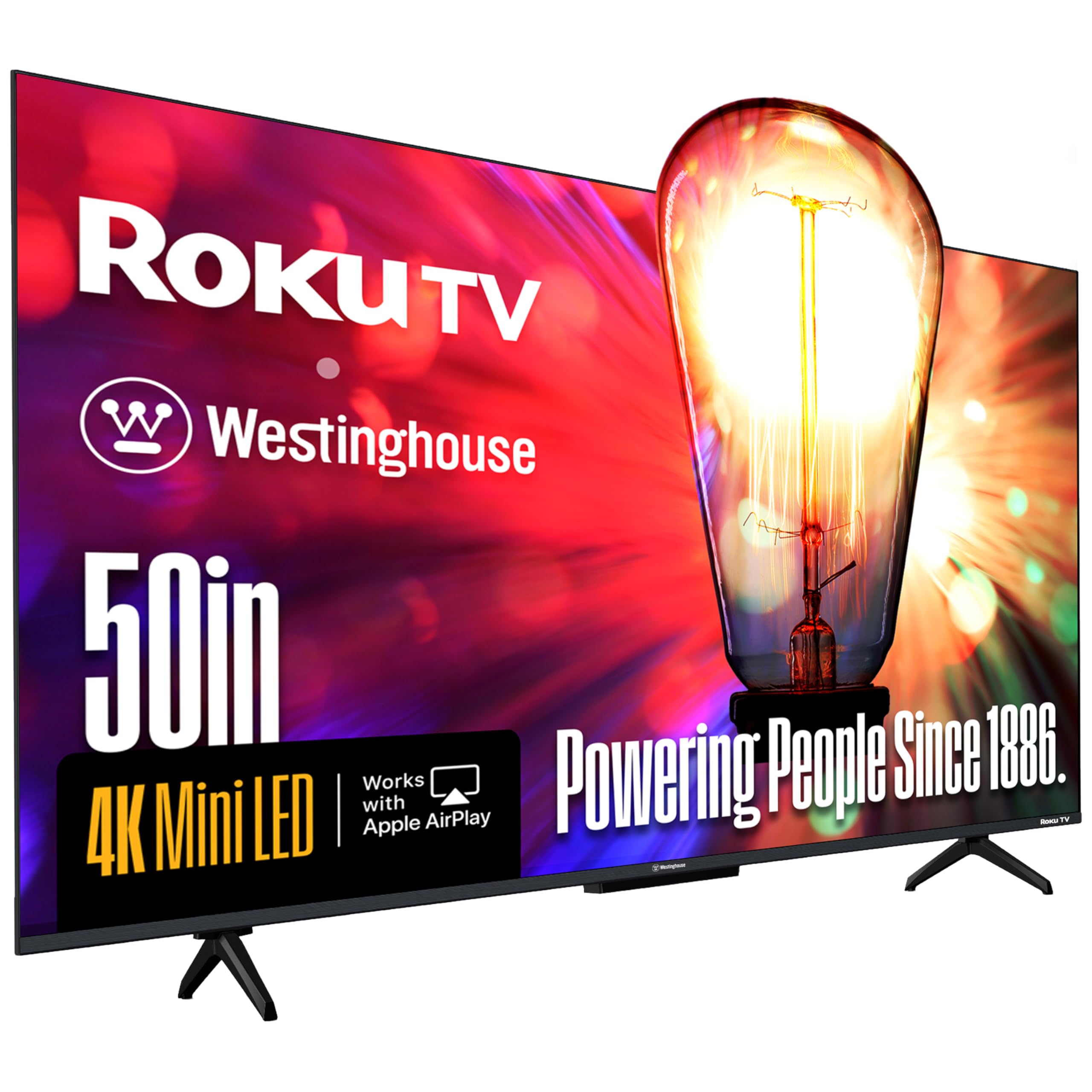
The Westinghouse Mini-LED Roku TV is the most affordable Mini-LED option in this guide, bringing local dimming and QLED Quantum Color to a price bracket usually reserved for standard LED panels. The Mini-LED backlight with high-density dimming zones delivers contrast that significantly outperforms non-dimmed TVs — blacks look deeper, whites look brighter, and halos around bright objects are minimal for the price. The DCI-P3 coverage of up to 93% ensures colors look rich and accurate out of the box.
For gaming, the MEMC motion enhancement reduces blur during fast-paced sequences, though the panel runs at a standard 60Hz refresh rate. Competitive players who need native 120Hz or 144Hz should look higher up this list. The four HDMI 2.1 ports — including eARC — provide flexibility for connecting multiple devices, and the inclusion of Apple HomeKit and AirPlay 2 makes it easy to stream from iPhone or Mac without extra hardware. Roku OS is widely praised as one of the simplest and fastest smart TV platforms.
The built-in speakers are loud enough for average use but sound slightly muddy in the mid-range — acceptable for casual gaming but lacking for immersive titles. Customers consistently praise the picture quality as rivaling more expensive TVs, especially for sports and streaming content. At its entry-level price point, the Westinghouse Mini-LED Roku offers the best contrast-to-cost ratio in this guide, making it an excellent choice for gamers on a tight budget who want true local dimming.
Why it’s great
- Mini-LED local dimming at the most affordable price in this guide
- 93% DCI-P3 coverage delivers vibrant, accurate gaming colors
- Four HDMI 2.1 ports with eARC for multi-device setups
Good to know
- 60Hz panel limits competitive gaming performance
- Built-in speakers sound muddy in mid-range frequencies
- Soundbar is a recommended upgrade for immersive titles
FAQ
What is the difference between native 120Hz and DLG 120Hz for gaming?
Is a 50-inch TV too small for gaming at desk distance?
Can I use a standard 60Hz TV for PS5 or Xbox Series X gaming?
Does VRR eliminate screen tearing completely?
Final Thoughts: The Verdict
For most users, the best 50 inch tv for gaming winner is the LG C5 OLED evo because its infinite contrast, sub-6ms input lag, and G-Sync/FreeSync support make it the most responsive and visually stunning gaming panel available. If you want a Mini-LED that rivals OLED black levels without the burn-in risk, grab the TCL QM6K QD-Mini LED with its native 144Hz panel and LD500 precise dimming. And for the most budget-friendly entry into Mini-LED gaming with local dimming, nothing beats the Westinghouse Mini-LED Roku.