
Our readers keep the lights on and the weekend projects moving. As an Amazon Associate, I earn from qualifying purchases.
The classic straight keyboard forces your wrists to bend outward, compressing nerves and straining tendons with every keystroke. An Alice keyboard counters this by splitting the board into two angled halves, letting your hands rest in a natural, inward position that reduces fatigue and discomfort during long sessions.
I’m Rikta — the co-founder and writer behind FitlyFast. I’ve spent countless hours researching mechanical keyboard specifications, comparing switch types, gasket materials, and battery capacities across dozens of models to separate genuine ergonomic benefit from marketing noise.
This guide covers the top Alice-style options available, focusing on build quality, connectivity, and the features that actually matter for comfortable typing. Read on to find the best alice keyboards for your specific needs and workspace.
How To Choose The Best Alice Keyboards
Selecting an ergonomic keyboard involves more than picking a layout you like. The right choice depends on understanding how each technical element — from the mounting structure to the switch type — influences your daily typing comfort and productivity.
Layout Size and Key Arrangement
Alice keyboards come in several sizes, from compact 65% models that sacrifice the function row and numpad to full-size 98-key variants that keep every key. A 75% layout offers a good balance, retaining the function row and arrow keys without taking up excessive desk space. If you rely on a numpad for data entry, look for an Alice layout that integrates one without widening the split.
Switch Type and Hot-Swap Support
Linear switches provide a smooth, uninterrupted keystroke favored for gaming and fast typing. Tactile switches offer a bump at the actuation point, giving you physical confirmation of each press. Some premium models now use magnetic Hall-effect switches that allow adjustable actuation points for gaming precision. A hot-swappable PCB lets you change switches without soldering, a feature that future-proofs your investment.
Connectivity and Battery Life
Tri-mode support (USB-C wired, 2.4 GHz wireless, and Bluetooth) lets you connect to multiple devices seamlessly. Wireless models with large batteries — 4000 mAh or more — can run for weeks between charges with RGB off. If you work across a desktop and a laptop, Bluetooth switching saves you from fumbling with cables.
Build Materials and Acoustics
Gasket-mounted keyboards use rubber spacers between the plate and case, producing a softer, more cushioned feel and a deeper acoustic profile. Layers of foam, silicone, and PET film inside the case eliminate hollow sounds. Aluminum cases add substantial weight and rigidity, while plastic shells keep the board lighter and more affordable. PBT keycaps resist shine and wear far better than standard ABS plastic.
Quick Comparison
On smaller screens, swipe sideways to see the full table.
| Model | Category | Best For | Key Spec | Amazon |
|---|---|---|---|---|
| Keychron Q1 Ultra 8K | Premium 75% | Competitive Gaming & Professional Use | 8K Polling Rate | Amazon |
| KINESIS Advantage360 Pro | High-End Split | Severe RSI / Maximum Ergonomic | Adjustable Tenting | Amazon |
| Kinesis Advantage2 | Full Contoured | Professional Programmers | Cherry MX Brown | Amazon |
| LEMOKEY P1 HE 75% | Magnetic Premium | Low-Latency Gaming | Gateron Double-Rail Mag | Amazon |
| Cloud Nine ErgoTKL | Split TKL | Office / Data Entry | 7° Tented Palm Support | Amazon |
| LEOBOG A75 Alice | Mid-Range Tri-Mode | Budget-Friendly Typing | 4000 mAh Battery | Amazon |
| RK ROYAL KLUDGE A72 | Compact 68% | Space-Saving Desk Setup | 7500 mAh Battery | Amazon |
| RK ROYAL KLUDGE A70 | 65% Alice | Compact Typing & Gaming | 7500 mAh Battery | Amazon |
| MechLands Feker Alice98 | Full-Size Alice | Users Who Need a Numpad | VIA Programmable | Amazon |
In‑Depth Reviews
1. Keychron Q1 Ultra 8K
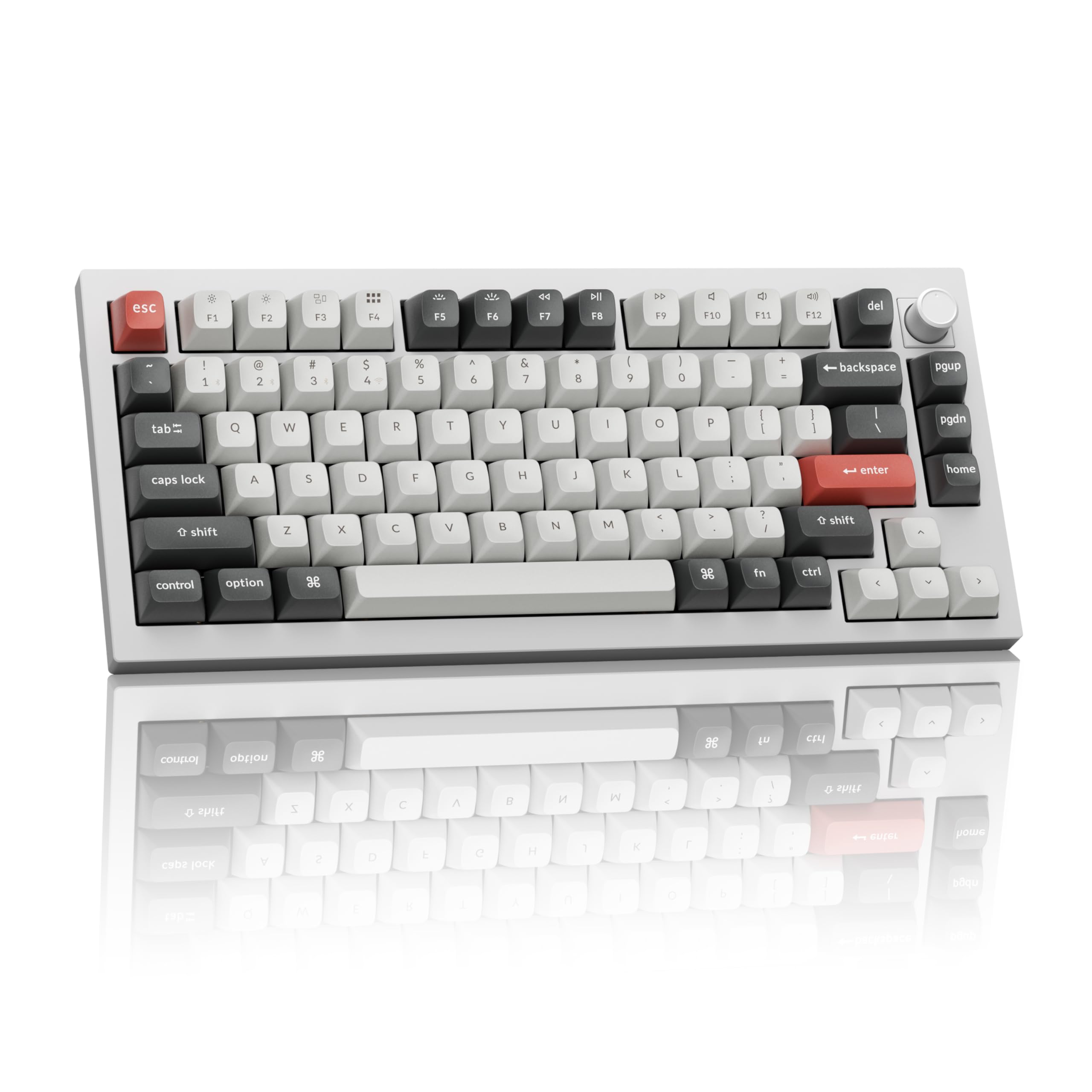
The Q1 Ultra 8K raises the performance ceiling for wireless mechanical keyboards with its industry-leading 8000 Hz polling rate in both wired and 2.4 GHz modes. The full aluminum case and gasket-mounted structure deliver a solid, vibration-free typing platform that feels premium under the fingers, with a refined acoustic profile that reviewers describe as rain-like on the banana switches.
Tri-mode connectivity covers Bluetooth, 2.4 GHz, and USB-C, while the 4000 mAh battery yields up to 660 hours of use with the backlight off, eliminating frequent charging. The hot-swappable PCB supports standard mechanical switches, and the included Keychron Silk POM switches are smooth and responsive straight out of the box. ZMK firmware and the Keychron Launcher provide advanced customization via a web browser.
Some users report that the stock banana switches can feel mushy on the spacebar, and the keyboard requires some initial configuration to reach its full potential. Despite this, the build quality, battery life, and ultra-low latency make it a top-tier choice for anyone who wants a premium wireless Alice experience without compromise.
Why it’s great
- Full aluminum gasket mount for premium feel
- 8K polling rate for instant responsiveness
- Exceptional battery life with RGB off
Good to know
- Stock switches may feel mushy on large keys
- Requires some web-based setup to customize
2. KINESIS Advantage360 Pro

The Advantage360 Pro takes ergonomics to the extreme with fully separated key wells that can be positioned up to 10 inches apart, plus three adjustable tenting heights to match your natural arm angle. The contoured concave key wells let your fingers reach each key with minimal movement, and the thumb clusters offload common keys like Enter and Backspace to your strongest digits.
Quiet Kailh Box Pink Silent linear switches provide a smooth, low-actuation-force typing experience without disturbing coworkers. Bluetooth connectivity works reliably with Apple devices and most PCs, and the open-source ZMK firmware allows deep customization through a web GUI or GitHub. The build quality is robust, and users report immediate relief from wrist and hand pain during long coding or writing sessions.
The learning curve is steep — expect one to two weeks to regain your typing speed — and the plastic case feels less premium than the price suggests. The default ABS keycaps wear quickly and are often replaced with PBT alternatives. If you suffer from significant RSI and need the best possible ergonomic solution, this keyboard justifies its premium price.
Why it’s great
- Fully split with adjustable tenting
- Contoured key wells reduce finger travel
- Quiet linear switches for shared spaces
Good to know
- Steep learning curve of 1-2 weeks
- Default keycaps are low-quality ABS
3. Kinesis Advantage2

The Advantage2 is a proven workhorse with genuine Cherry MX Brown tactile switches rated for 50 million presses. Its contoured, fixed key wells and integrated palm supports are designed for professionals who type eight hours a day, and the thumb clusters put high-use keys like Control, Backspace, and Enter under your thumbs to reduce pinky strain.
Driverless onboard programming lets you remap keys, record macros on the fly, and switch between QWERTY, Dvorak, and custom layouts without any software. The Smart Set app offers a graphical interface for more advanced customization. Three-year warranty and US-based engineering support add peace of mind for a serious investment.
The Cherry MX Brown switches produce a slight metallic ring on misstrokes, and the keyboard has no backlighting or hot-swap support. The plastic case can feel hollow for the price, and the fixed, non-adjustable split design means it takes up significant desk space. For programmers and writers who prioritize ergonomics and reliability above all else, the Advantage2 remains a benchmark.
Why it’s great
- Cherry MX switches with proven durability
- Full onboard programmability
- Three-year manufacturer warranty
Good to know
- No hot-swap or backlighting
- Fixed concave design requires large desk space
4. LEMOKEY P1 HE 75%
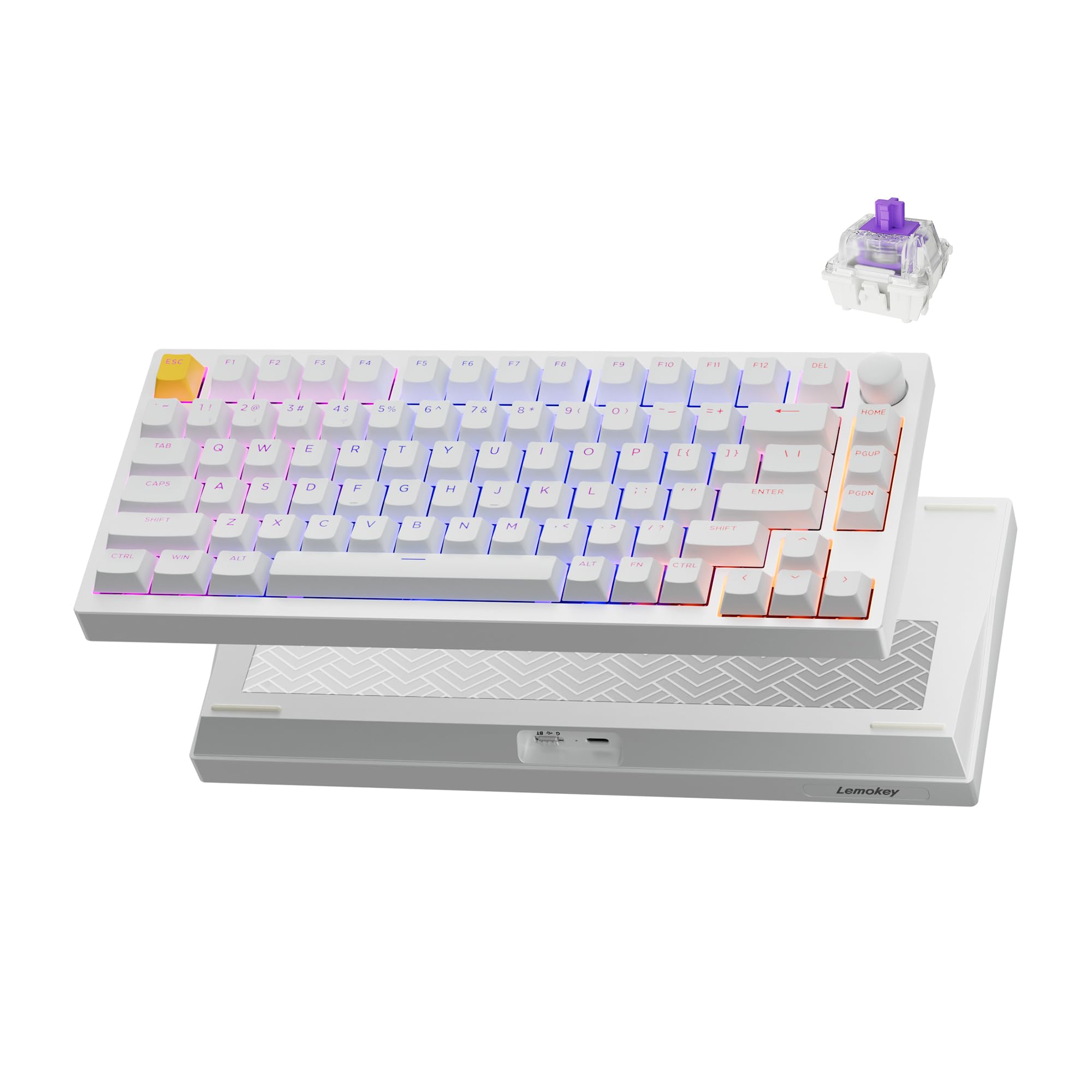
The P1 HE uses Gateron double-rail magnetic switches with adjustable actuation points, enabling features like rapid trigger and snap action that give you a competitive edge in fast-paced shooters. The full aluminum body adds heft and stability, while the gasket mount and acoustic foams produce a deep, non-pingy sound profile. Reviewers note that the analog WASD input is excellent for precise throttle control in driving games.
Triple-mode connectivity includes Bluetooth 5.2, 2.4 GHz wireless, and USB-C wired, with the 2.4 GHz connection showing no perceptible input lag. The Launcher web configurator lets you remap keys, adjust actuation points, and create macros without installing any software. QMK support provides an additional layer of customization for advanced users.
Some units have suffered from electrical issues causing repeated or missed key inputs, and the magnetic switches are only compatible with other Keychron double-rail switches, limiting upgrade paths. The wireless adapter may require a USB 2.0 port for a stable connection. When everything works, this is one of the most responsive wireless Alice boards available.
Why it’s great
- Adjustable magnetic switches for gaming
- Full metal body with premium acoustic
- Zero-latency 2.4 GHz wireless
Good to know
- Some units have connectivity issues
- Switches limited to double-rail compatible only
5. Cloud Nine ErgoTKL

The ErgoTKL separates up to 6.5 inches and includes a built-in 7-degree tenting slope that keeps your hands at a natural inward angle without requiring a separate kit. The Kailh Brown tactile switches provide a satisfying bump with each keystroke, and the programmable hotkeys plus aluminum smart wheel let you control volume, scroll, and launch applications.
This TKL split design retains the function row while leaving out the numpad, keeping the desk footprint manageable. The forward tilt adjusts between 0, -4, and -7 degrees for use with standing desks. RGB backlighting covers all keys, and the cushioned palm pads support your wrists during extended typing marathons.
Some switches exhibit an audible spring reverb sound that can be picked up by a microphone, and the palm rest vinyl may begin flaking after prolonged use. The scroll wheel feels somewhat gimmicky and the accompanying software is lightweight. For the price, it offers a solid balance of ergonomic features and mechanical performance, especially for office workers who type all day.
Why it’s great
- Built-in 7° tenting for natural wrist angle
- Adjustable forward tilt for standing desks
- Programmable hotkeys and smart wheel
Good to know
- Switch spring reverb can be audible on mic
- Palm rest material may flake over time
6. LEOBOG A75 Alice
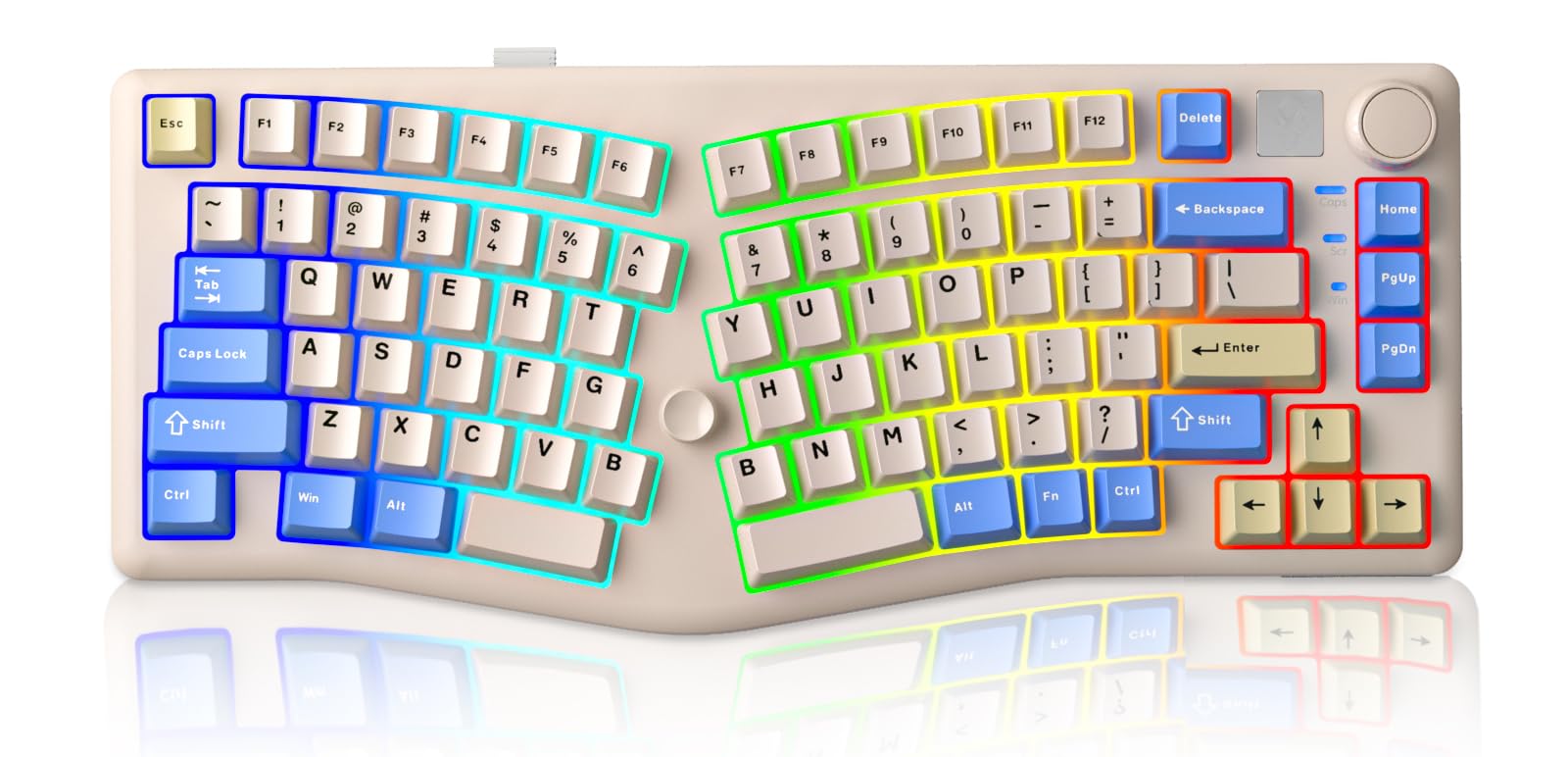
The LEOBOG A75 offers a surprisingly premium experience for a budget-friendly price. The tri-mode connectivity (Bluetooth 5.0, 2.4 GHz, and USB-C) and 4000 mAh battery make it wireless without compromise, while the gasket-mounted structure with four layers of sound-dampening material produces a creamy, satisfying typing sound that rivals boards costing twice as much.
The 75% layout keeps the function row and arrow keys with a minimal footprint, and the multifunction knob gives you quick access to volume and RGB brightness. The hot-swappable PCB supports both 3-pin and 5-pin switches, letting you customize the feel. Users consistently praise the solid, heavy build and the properly lubricated stabilizers that eliminate the ticking common on cheaper boards.
The Cherry-style keycaps with angled rows make rearranging for alternative layouts like DVORAK difficult. The joystick, which corresponds to arrow keys and Enter, is underutilized by most software. If you want an Alice keyboard that delivers excellent sound and feel out of the box without breaking the bank, the A75 is a standout choice.
Why it’s great
- Excellent sound profile with minimal ping
- Tri-mode wireless with large battery
- Properly lubed stabilizers out of the box
Good to know
- Keycap profile limits layout customization
- Joystick feature not well supported in software
7. RK ROYAL KLUDGE A72
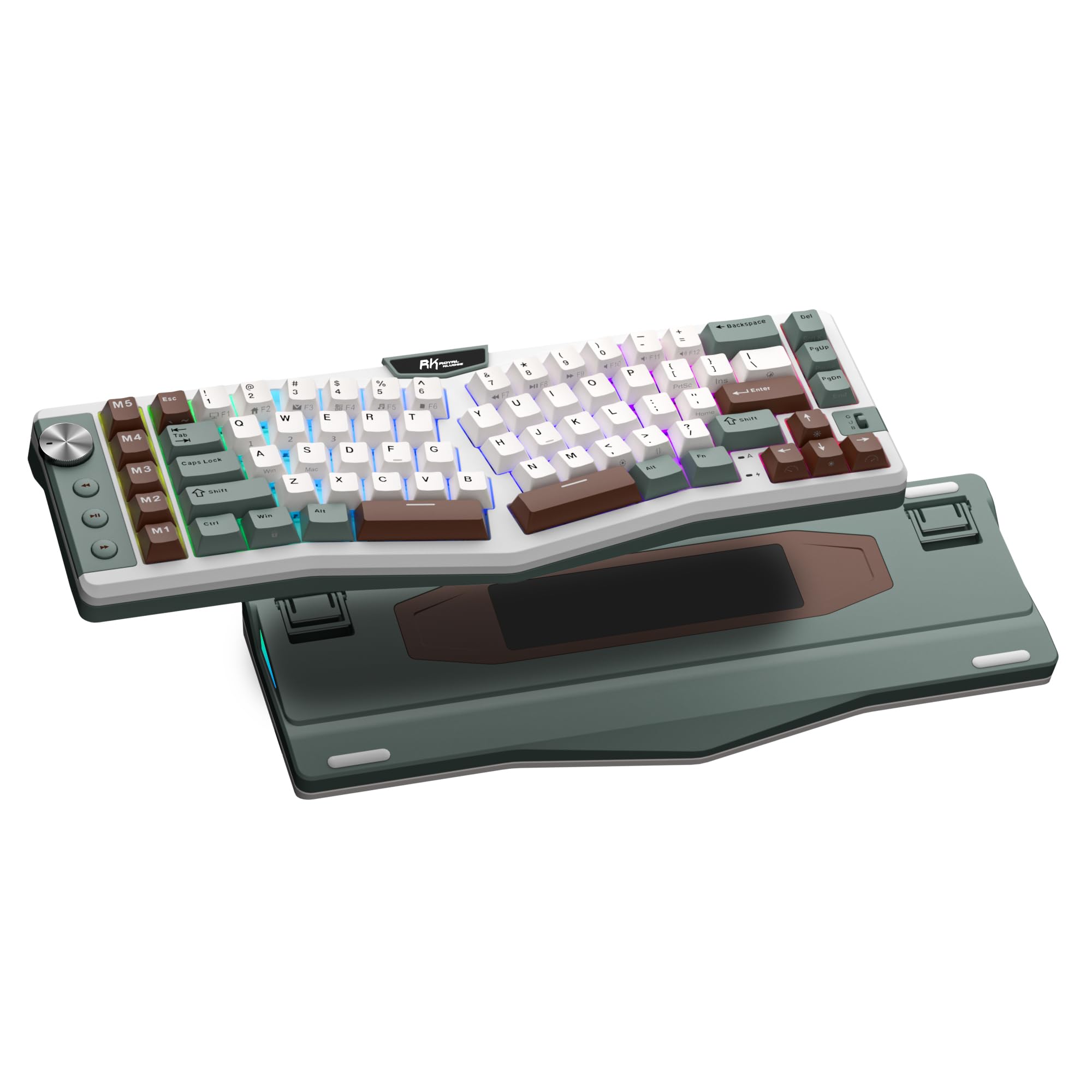
The RK A72 packs a massive 7500 mAh battery into a compact 68% Alice shell, delivering up to 550 hours of use with RGB off. The tri-mode connectivity includes Bluetooth 5.0, 2.4 GHz, and USB-C, and five dedicated macro keys (M1-M5) plus a volume knob give you quick access to shortcuts and media controls without leaving your typing position.
The gasket-mounted structure and five internal dampening layers — including dual foam, IXPE pad, silicone, and PET film — produce a soft, cushioned feel and a clean acoustic profile. Cherry-profile PBT keycaps resist oil and wear over time. The touch-sensitive nameplate opens the online RK driver, letting you remap keys, set macros, and configure RGB from any browser.
The compact layout omits the function row and dedicated navigation keys, which may frustrate users who rely on them. The split design is less aggressive than some full-size Alice boards, so users with wider shoulders may not feel the full ergonomic benefit. For desk setups where space is at a premium, the A72 is a strong entry-level pick.
Why it’s great
- Huge 7500 mAh battery for extended use
- Five programmable macro keys
- Touch-sensitive nameplate for quick software access
Good to know
- No function row or navigation cluster
- Less aggressive split than full-size Alice boards
8. RK ROYAL KLUDGE A70
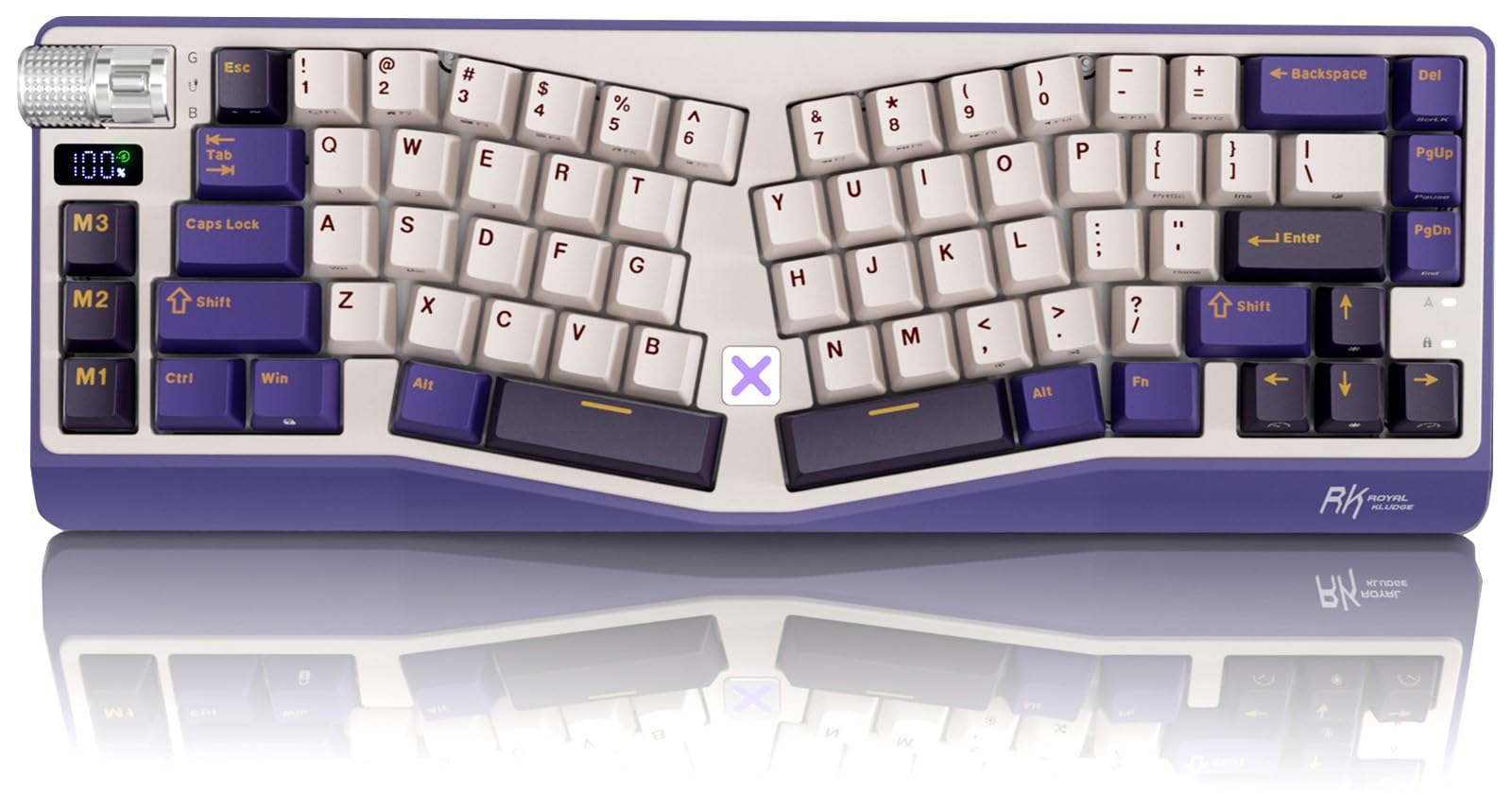
The A70 retains the same ergonomic Alice wave shape and 7500 mAh battery as its A72 sibling but in an even smaller 65% layout that leaves out the function row entirely. This makes it one of the most space-efficient Alice boards available, ideal for small desks or on-the-go use with a laptop. The gasket-mounted structure and five soft dampening layers deliver a creamy, cushioned feel.
Tri-mode connectivity with Bluetooth, 2.4 GHz, and USB-C, plus a built-in battery indicator screen, make it practical for cross-device workflows. The volume roller provides quick audio adjustment, and the hot-swappable PCB supports 3-pin and 5-pin switches. The double-shot PBT keycaps offer a matte, durable surface that won’t fade over time.
The three macro keys are placed near the left Ctrl key, which can lead to accidental presses while typing. The X touch button on the keyboard opens the RK website with a 4-second delay, a feature many users find annoying. The lack of dedicated F-row keys makes it impractical for applications that rely on F1-F12 shortcuts, such as most IDEs and games.
Why it’s great
- Ultra-compact 65% footprint
- Battery indicator screen for easy monitoring
- Silent, cushioned typing feel
Good to know
- Macro keys positioned near Ctrl cause misfires
- X touch button delay can be irritating
9. MechLands Feker Alice98
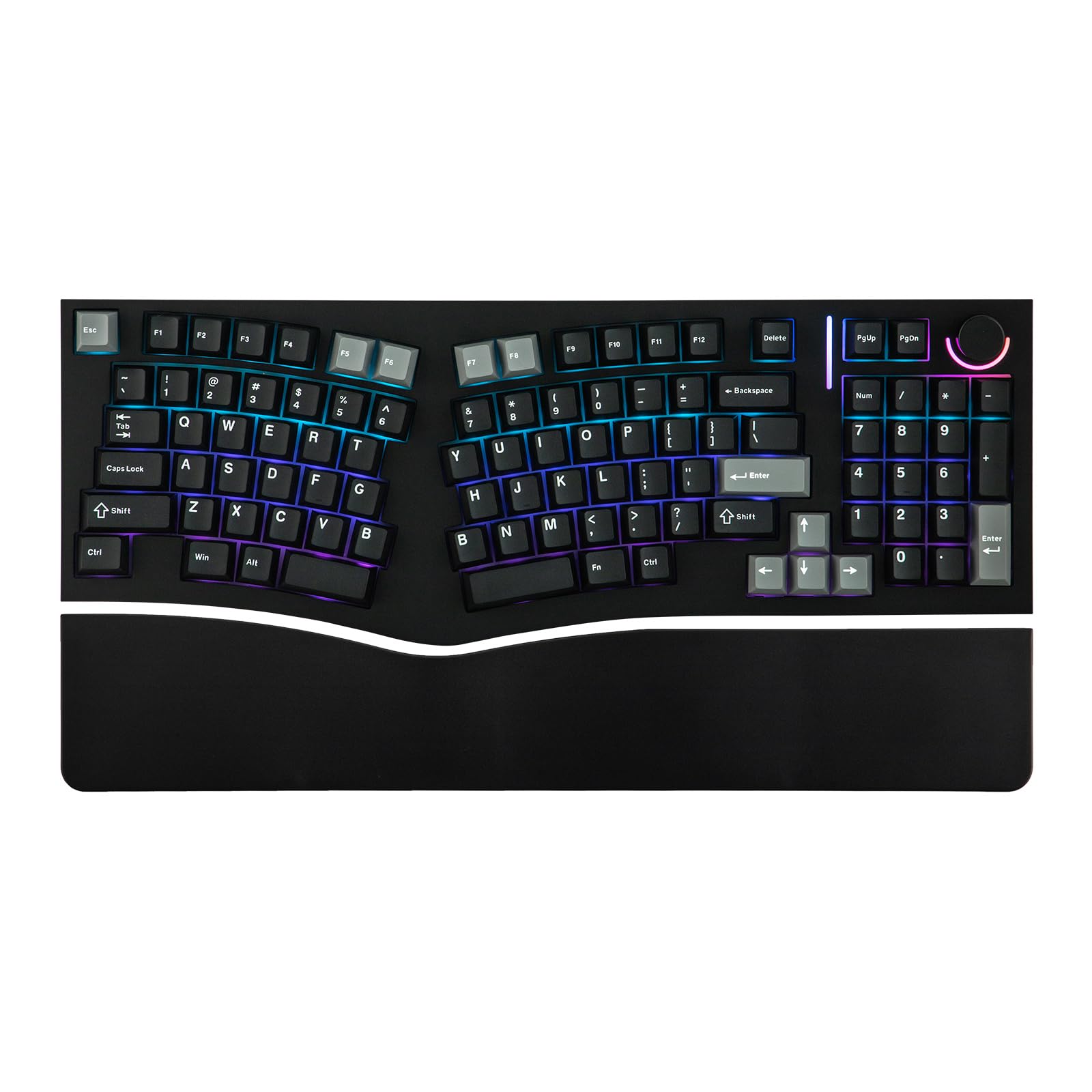
The Feker Alice98 is one of the few Alice layouts that incorporates a full numpad without breaking the ergonomic split. The gasket mount with PC plate and five layers of sound-dampening foam produce a rich, satisfying typing sound while keeping the feel soft and consistent. VIA compatibility allows deep customization of key mapping, macros, and lighting using the free web-based software.
South-facing RGB LEDs with 21 customizable effects provide vibrant illumination without shining directly into your eyes. The hot-swappable PCB accepts both 3-pin and 5-pin switches, and the Cherry-profile dye-sublimation PBT keycaps offer excellent durability and a fine texture. The split spacebar accommodates the ergonomic layout without feeling cramped.
Build quality reports are mixed — some units arrive with key chatter or faulty switches, and the knob LED may flicker. The keyboard is wired only, which may not suit users who prefer a clean wireless desk. When it works well, the Alice98 delivers an exceptional full-size typing experience. If consistency is your top priority, check the unit on arrival.
Why it’s great
- Full numpad in an Alice ergonomic layout
- VIA programmable for complete customization
- Rich acoustic profile from multi-layer foam
Good to know
- Wired-only connectivity
- Inconsistent quality control on some units
FAQ
How long does it take to adjust to an Alice keyboard layout?
Are Alice keyboards compatible with macOS, Windows, and Linux?
What is the advantage of a gasket mount over a tray mount?
Can I use standard mechanical keycaps on an Alice keyboard?
Final Thoughts: The Verdict
For most users, the best alice keyboards winner is the Keychron Q1 Ultra 8K because it delivers a premium aluminum build, industry-leading 8K polling, and excellent battery life in a wireless package. If you want a fully split contoured design with adjustable tenting for maximum ergonomic relief, grab the KINESIS Advantage360 Pro. And for a budget-friendly entry point that doesn’t sacrifice sound quality or features, nothing beats the LEOBOG A75 Alice.