
Our readers keep the lights on and the weekend projects moving. As an Amazon Associate, I earn from qualifying purchases.
Struggling to get the proportions right on your canvas or mural? An art projector solves that by casting a precise image of your reference directly onto your working surface, so you can trace, scale, and paint with perfect accuracy every time.
I’m Rikta — the co-founder and writer behind FitlyFast. My analysis of the current art projector market involves dozens of hours comparing resolution specs, connectivity protocols, optical systems, and real-world user feedback to surface what truly matters for artists and hobbyists.
Whether you are a professional muralist needing to scale a sketch to ten feet or a parent looking for a tool that sparks creativity, this guide to the best art projector breaks down the options by how they actually perform on paper, canvas, and wall.
How To Choose The Best Art Projector
Not every projector that claims to be for art is actually useful for tracing a detailed face or scaling a sketch onto a 4-foot canvas. The key is matching the projection system to your medium, workspace, and skill level. Here is what separates a frustration-free tool from a paperweight.
Optical System: Opaque vs. Digital
Opaque projectors, like the classic Artograph LED Tracer, work by reflecting light off a physical print placed underneath the unit. They are simple, require no app or phone, and produce a single-color outline. The trade-off is they need a very dark room and are limited to the size of the image you can place under the lens (typically 5×5 inches). Digital projectors, on the other hand, connect to your smartphone or tablet and project directly from a digital file. They offer color, zoom, and often work in brighter rooms, but introduce setup complexity with Wi-Fi or HDMI connections.
Resolution and Brightness Matters
For tracing fine details like eyelashes or lettering, a higher native resolution (720p or 1280×720) creates significantly sharper projection lines than 480p units. Brightness is measured in lumens — brighter projectors let you work in dim rooms rather than total darkness, which is a major advantage for murals or studio painting sessions. Always check whether the brightness is adequate for your typical lighting conditions.
Connectivity and Workflow
How you get your image onto the projector dictates your daily routine. Wi-Fi-based units (AirPlay or Miracast) let you mirror your phone wirelessly, but are susceptible to network glitches. Models with direct HDMI or USB inputs are more reliable for a dedicated studio setup. Some newer AI-driven projectors use a dedicated app to convert photos into outline sketches, which can save significant prep time for parents or teachers who need quick results.
Quick Comparison
On smaller screens, swipe sideways to see the full table.
| Model | Category | Best For | Key Spec | Amazon |
|---|---|---|---|---|
| Caydo P1 Art Projector | Digital LED | Artists who want auto-focus and 4K support | 720p native, auto keystone | Amazon |
| Caydo T3 AI Projector | Kids Digital | Screen-free creative play for ages 5-12 | SGS RG0 eye-safe | Amazon |
| LUCY Flex Drawing Tool | Optical Camera Lucida | Drawing from life with no electricity | 19×27 inch image at distance | Amazon |
| HI-REEKE Art Projector | Digital Wi-Fi | iOS & Android wireless tracing | 1280×720 resolution | Amazon |
| Artograph LED Tracer | Opaque LED | Enlarging physical prints onto canvas | 2x to 14x enlargement | Amazon |
| RTSTEC Wireless Projector | Digital Wireless | iPhone/iPad screen mirroring for tracing | 480P, 11–80 inch distance | Amazon |
| Yoturetoys AI Drawing Projector | Kids AI Digital | Voice-activated creative play for ages 5-12 | Flicker-free, low-blue-light | Amazon |
In‑Depth Reviews
1. Caydo P1 Art Projector
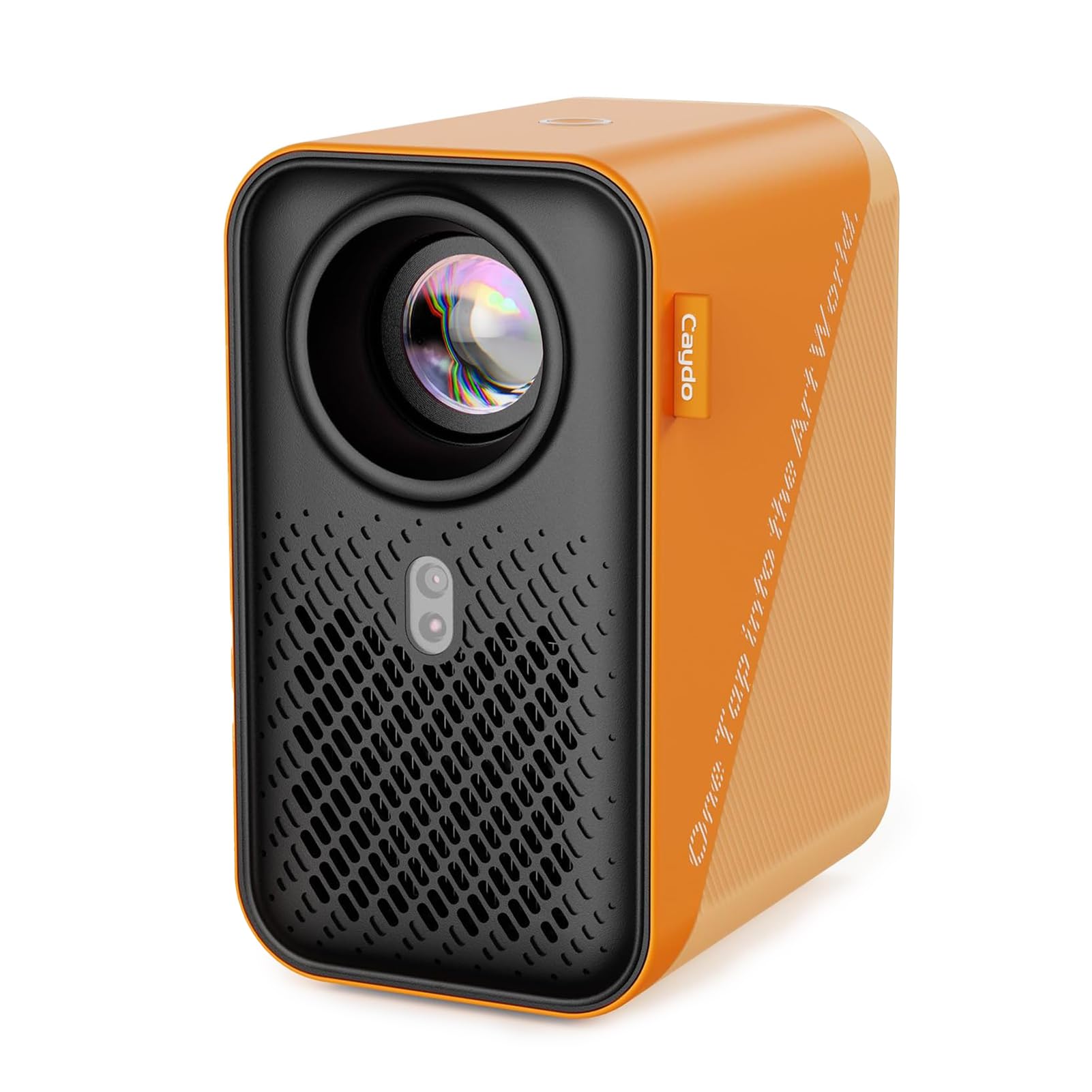
The Caydo P1 stands out because it bridges the gap between a dedicated art tracing tool and a fully functional home entertainment projector — without sacrificing drawing-specific utility. Its native 720p resolution with 4K video playback support means the projection lines are noticeably crisp, and the automatic keystone correction saves you from fiddling with angles every time you move the unit. The built-in Drawing Assistant app offers grid overlay, 360-degree rotation, and four visualization modes (Gridify, Sketchify, Comicize, Monochromize) that are genuinely useful for composition checks.
Connectivity is comprehensive: dual-band 5G/2.4G Wi-Fi for low-latency screen mirroring, plus USB and HDMI inputs for wired reliability. The auto-focus algorithm works well across its 3.1 to 10.5 foot projection range, and the fully sealed optical core prevents dust spots from accumulating on the lens over time. Artists who work in both digital and traditional media will appreciate being able to switch from tracing a photo to projecting a movie in the same session.
Some users report that the dedicated Caydo art app can feel basic for advanced compositional work, and the remote requires AAA batteries not included in the box. The unit is lightweight and portable, making it easy to move between studio and living room. For the artist who wants one device that handles precision tracing and weekend movie nights equally well, this is the strongest all-around choice currently available.
Why it’s great
- Auto-focus and keystone reduce setup time significantly
- Dual-band Wi-Fi ensures reliable wireless streaming from phone or tablet
- Sealed optical core prevents dust ingress and image degradation over time
Good to know
- The companion drawing app is functional but lacks advanced layer controls
- Remote control requires separate AAA batteries
2. Caydo T3 AI Drawing Projector
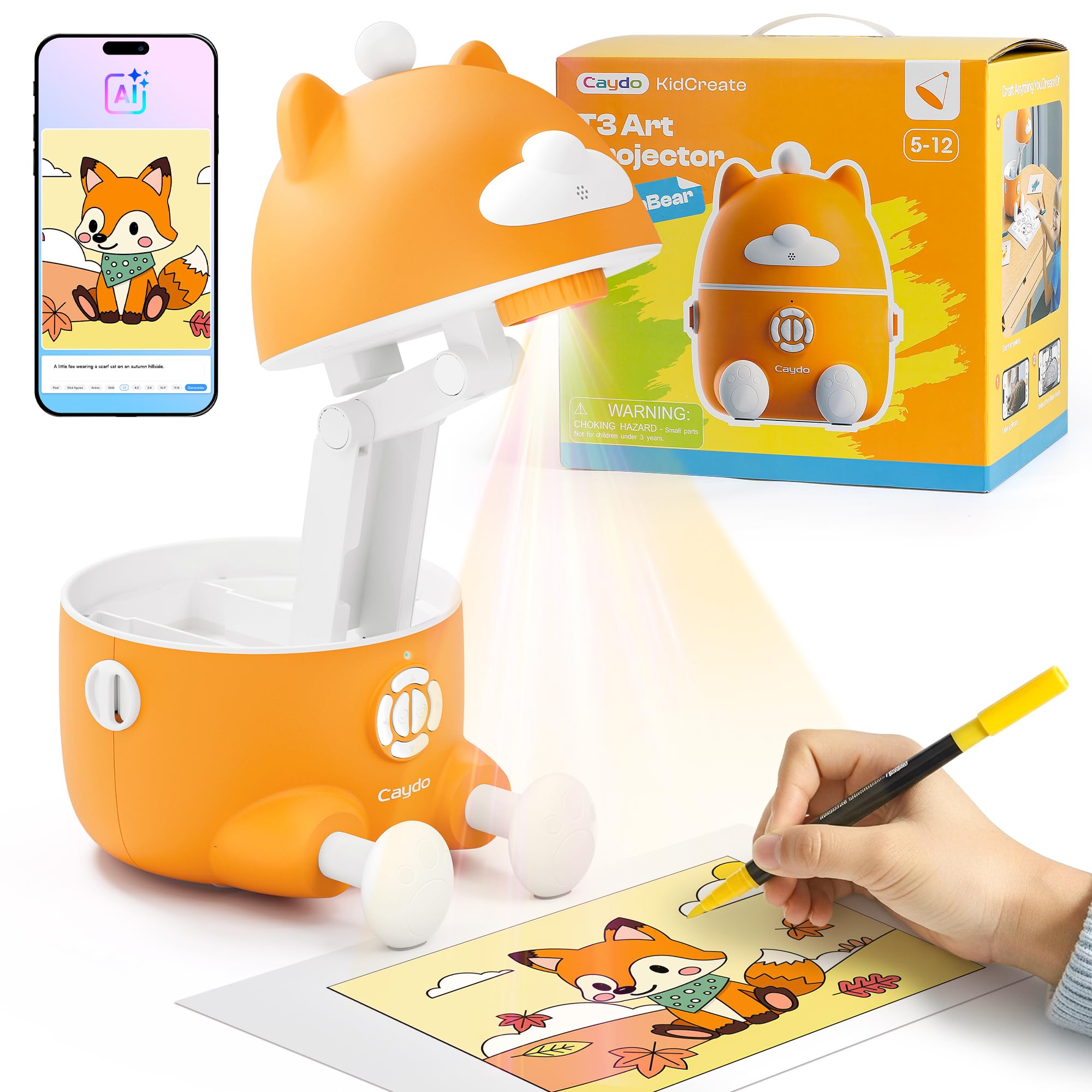
The T3 is built specifically for children aged 5 to 12, but its thoughtful design makes it a legitimate option for adults who want a simple, app-free tracing experience. The three-stage progression system starts with basic tracing of lines and letters, moves to step-by-step guided drawings of animals and vehicles, and unlocks an AI Creative Studio where kids type a phrase and get a custom image to trace. The SGS RG0 certification means there is zero blue-light hazard, and the auto-brightness adjustment plus a break timer protect young eyes during extended sessions.
Image quality is surprisingly strong for a kid-focused device. The photo converter feature lets you snap a picture of a pet or family member and instantly get a clean outline sketch projected onto paper. The step-by-step library contains over 100 lessons with new monthly content delivered through the free app, keeping the activity fresh. The unit requires a wall outlet, which eliminates battery-related safety concerns and ensures consistent brightness throughout use.
The main limitation is that you cannot resize the projected image — it is fixed at whatever size the lens outputs at a given distance. The remote is quite small and easy to lose, though the projector itself is sturdy and survived accidental drops during testing. For families looking for a screen-free creative outlet that actually builds drawing skills rather than just passive entertainment, the T3 delivers a mature experience that will keep kids engaged for hours.
Why it’s great
- SGS RG0 eye-safe certification with auto-brightness and break timer
- Photo-to-sketch feature turns family memories into tracing activities
- Three-stage learning system grows with the child’s skill level
Good to know
- Projected image size cannot be adjusted independently of distance
- Remote control is small and easy to misplace
3. LUCY Flex Drawing Tool

The LUCY Flex is not a projector in the traditional sense — it is a modern reinvention of the centuries-old camera lucida, using a prism and glass mirror to overlay a virtual image of your subject directly onto your drawing surface. This means there is no bulb, no battery, no software, and no latency. You look through the eyepiece and simply trace what you see, whether that is a live portrait subject, a still life, or a landscape. The included Photo Enlarger attachment allows you to place a small print and enlarge it up to 3x onto your paper or canvas.
Optically, the LUCY offers two neutral density filters that give you four brightness levels, making it adaptable to different ambient lighting conditions. The image size is generous: up to 19×27 inches when drawing from life, and 12×18 inches when using the photo enlarger. The clamp-and-gooseneck mount is robust and allows you to work sitting, standing, or at an easel. Unlike digital projectors, there is no warm-up time, no fan noise, and you can work in a fully lit room without losing the projection.
The learning curve is steeper than a digital projector. You must position your head correctly and balance the brightness of the reference versus the paper. Some users find the eyepiece initially disorienting and need practice to avoid seeing their own eye reflected. The unit comes with minimal written instructions, so you will likely watch online tutorials to dial in your setup. For the traditional artist who values direct observation and wants a tool that works anywhere without power, the LUCY Flex is an heirloom-quality investment.
Why it’s great
- Works in any lighting with zero electricity or batteries required
- Large image area accommodates life drawing and photo enlargement
- Robust gooseneck clamp allows flexible positioning on desk or easel
Good to know
- Requires practice to align your eye position correctly
- Minimal printed instructions; online tutorials are recommended
4. HI-REEKE Art Projector
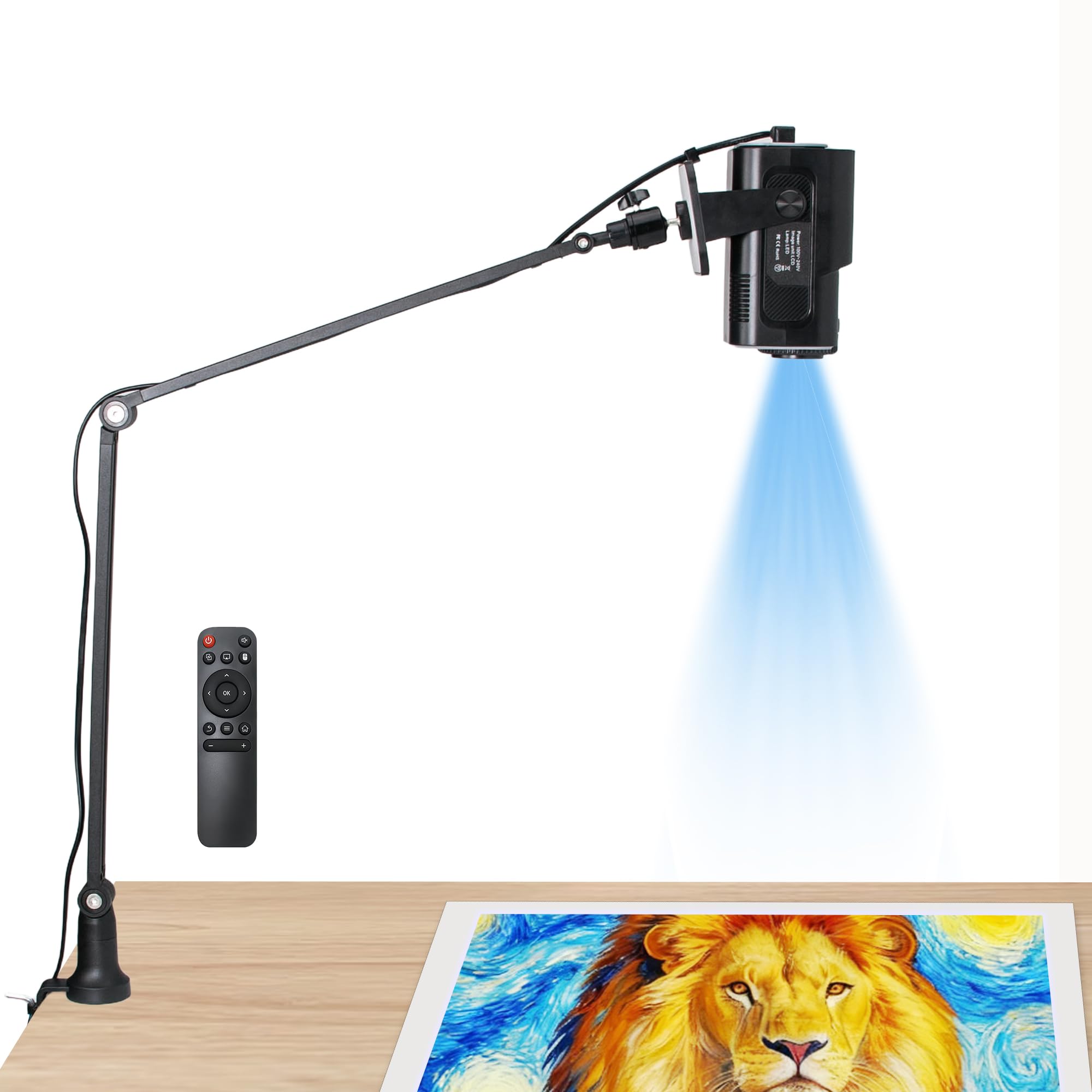
The HI-REEKE delivers genuine 1280×720 native resolution at a mid-range price point, making it one of the sharpest tracing projectors for the money. It supports both iOS and Android devices via 2.4G Wi-Fi, plus USB drives and direct computer connections, so you are not locked into a single ecosystem. The lightweight plastic body is stable on a desk and the adjustable focus lens produces a clear image across a useful range of distances.
Setup involves connecting the projector to your home Wi-Fi network via the remote, then screen mirroring from your phone. Once connected, the image quality is noticeably cleaner than 480P alternatives — fine lines in a pencil sketch or text in a reference photo remain legible when projected. The fan noise is minimal, which matters during long drawing sessions. Some users have reported that the included stand arm can feel wobbly when fully extended, though the projector body itself is stable on a flat surface.
The main frustrations cited by users revolve around connectivity. Several reviewers had trouble connecting to an iPhone via AirPlay and had to rely on their home Wi-Fi network instead of a mobile hotspot. The instructions are vague and the initial pairing process is not intuitive. Once working, however, the projector performs admirably for tracing on canvas, wall murals, and woodworking templates. For the budget-conscious artist who is comfortable troubleshooting a brief setup, this is the best resolution-per-dollar offering on the list.
Why it’s great
- Native 1280×720 resolution provides sharp trace lines for fine detail work
- Compatible with both iOS and Android plus USB and computer input
- Very quiet fan allows for distraction-free drawing sessions
Good to know
- Initial Wi-Fi pairing can be finicky and instructions are sparse
- Included stand arm is not very rigid when extended to full height
5. Artograph LED Tracer

The Artograph LED Tracer is a direct descendant of the opaque projectors that professional artists have relied on for decades. Instead of connecting to a phone, you place a physical image (up to 5×5 inches) under the unit, and a bright LED shines through a 200mm optical glass lens to project the image onto a wall or easel. The enlargement range is impressive — from 2x up to 14x the original size — making it suitable for signs, small murals, and quilt patterns.
The build is compact and portable at 5.5 inches wide and 3 pounds, and the included low-voltage power adapter is safer and cooler than older CFL-based models. The LED light source is rated for 10,000 hours of use. In practice, the projection is bright enough to trace in a dark room, but ambient light washing out the image is a real limitation — you will need blackout curtains or a nighttime studio session for best results. The image is single-color (the color of the original artwork), which is fine for outlines but not for color reference.
Because it relies on a physical print, your source image must be on paper or thin material that fits flat under the unit. You cannot project from a phone or tablet directly, which may feel limiting if you work primarily with digital references. Some users note that the projection becomes noticeably blurry beyond 4 feet of distance, so you are best controlling the image size by moving the projector rather than relying on optical zoom. For a purist who wants a dedicated, no-app-required tool for scaling traditional artwork, the Artograph remains a trusted standard.
Why it’s great
- Simple opaque design requires no phone, app, or Wi-Fi connection
- Long-life LED bulb rated for 10,000 hours of use
- Up to 14x enlargement from a small original source image
Good to know
- Requires a completely dark room for a visible projection
- Blurry at distances beyond 4 feet; best for close-to-medium wall placement
6. RTSTEC Wireless Art Projector
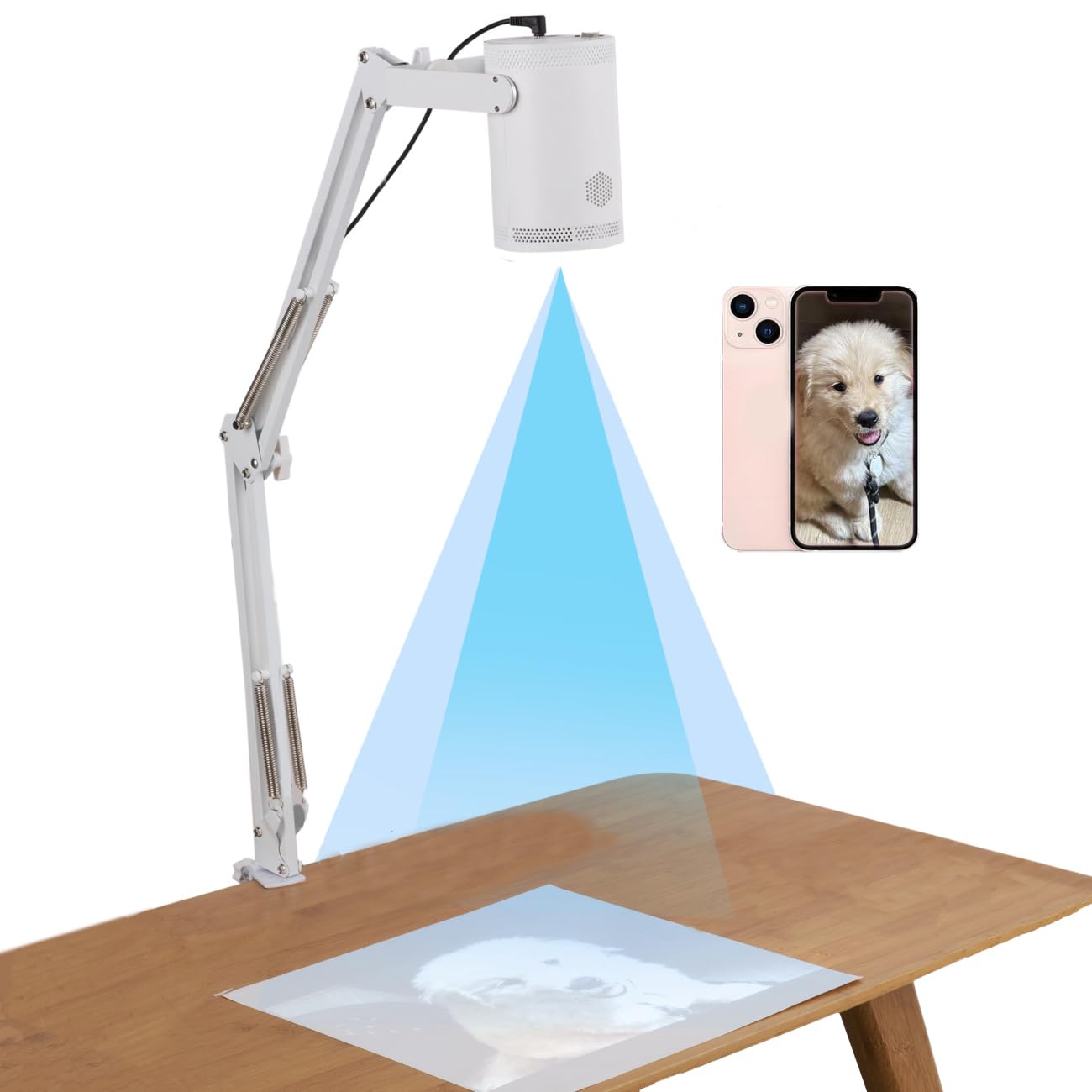
The RTSTEC projector is designed primarily for iPhone and iPad users who want a compact, foldable tracing tool for desktop or small wall projects. Its core advantage is portability — the unit is lightweight, folds flat, and integrates a height-adjustable stand with 360-degree directional adjustment. The 480P resolution is entry-level, producing a softer image that works best for bold outlines rather than fine detail work.
Connection is done via wireless screen mirroring (AirPlay for Apple devices) or via USB/HDMI inputs for a wired connection. The effective projection area ranges from 6×10 inches at minimum distance up to 60×90 inches at maximum, giving you flexibility for both small sketches and larger murals. The adjustable focus lens lets you sharpen the image within an 11 to 80 inch range, though at the higher end the softness inherent to 480P becomes noticeable.
Reliability is the main concern here. Multiple user reports indicate the unit stopped working after a handful of uses, and the connection to an iPhone 15 was problematic for some. The projector also has a habit of shutting off on its own when connected via phone mirroring. For the price, it is a functional entry point for someone who wants to experiment with tracing before investing more, but the build and connectivity issues make it hard to recommend as a primary studio tool. Keep expectations modest and you will get usable results for simple projects.
Why it’s great
- Foldable and portable with integrated 360-degree adjustment head
- Supports wireless AirPlay mirroring from iPhone and iPad
- Wide projection range from small desktop sketches to near wall-mural size
Good to know
- Low 480P resolution blurs fine details at longer projection distances
- Several reports of units failing after fewer than ten uses
7. Yoturetoys AI Drawing Projector
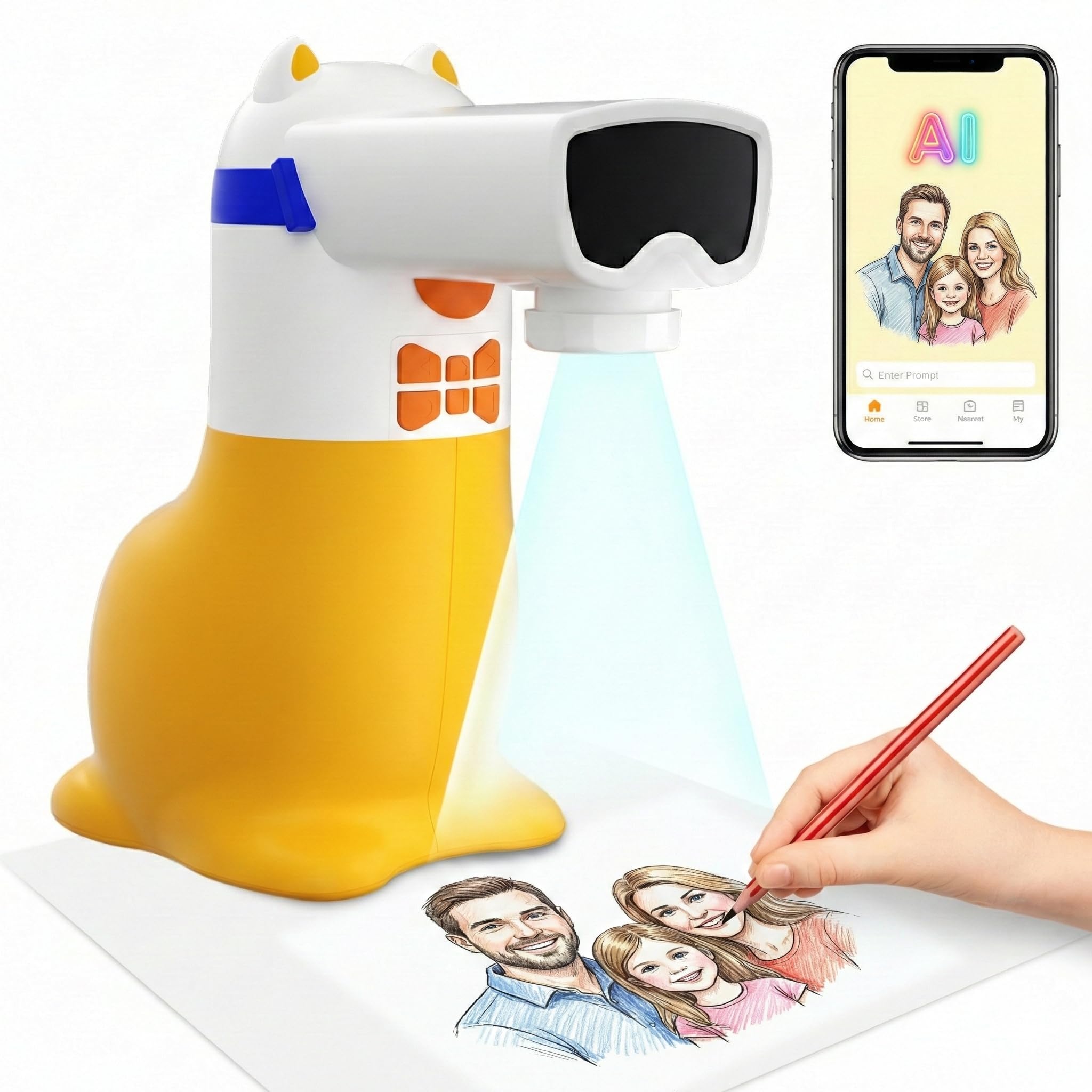
The Yoturetoys AI Drawing Projector is a budget-friendly entry point that leans heavily into AI features to overcome its hardware limitations. Instead of a high-resolution projection system, it relies on a companion app to voice-activate image generation (type or say “dancing dragon” and an image is created), plus a photo-to-sketch tool that converts photos from your phone into traceable outlines. The projected image is visible and usable in a dim room, though it lacks the sharpness of higher-resolution digital projectors.
The unit is corded-electric (no lithium battery), which improves safety and lifespan, but means it must be plugged in at all times. For portability, you can power it via a standard USB cable connected to a 5V/1A power bank. The included 100+ themed drawing packs are stored on the device, and new content is delivered monthly via app updates without needing an SD card. The flicker-free, low-blue-light screen is gentler on young eyes than a tablet, making it a healthier alternative for creative play.
Customer feedback reveals a split experience. Many parents and even adults (one reviewer uses it for cookie decorating) find it easy to use and effective, while others report the photo-to-sketch conversions as blurry and the app cumbersome for individual photo downloads. The projector works best for simple, bold images rather than detailed photographs. For the price, it is a fun AI-enabled tool that helps overcome the blank-page fear, but serious artists should look to higher-resolution models for professional-grade tracing work.
Why it’s great
- Voice-activated AI image generation makes drawing accessible for non-artists
- No lithium battery; safe for kids and can be powered via USB power bank
- Monthly new content packs keep the activity fresh without SD card hassle
Good to know
- Photo-to-sketch conversion can be blurry and inconsistent
- App interface requires downloading individual images rather than batch processing
FAQ
How much ambient light can an art projector tolerate?
Can I use an art projector for mural work on a textured wall?
Do I need a Wi-Fi connection to use a digital art projector?
Final Thoughts: The Verdict
For most users, the art projector winner is the Caydo P1 because it combines auto-focus, 720p sharpness, and dual-band Wi-Fi in a compact body that works for both professional tracing and casual home entertainment. If you want a pure analog tool with zero electricity dependency for life drawing, grab the LUCY Flex. And for a screen-free kids’ creative tool that builds real drawing skills through guided lessons, nothing beats the Caydo T3.