
Our readers keep the lights on and the weekend projects moving. As an Amazon Associate, I earn from qualifying purchases.
Specs are compiled from manufacturer listings and verified buyer reviews and can change over time — please confirm the key details on the product page before buying.
A new computer for your home should feel like a breath of fresh air, not a source of frustration. If the old machine takes forever to load a web page or freezes while you are paying bills, it is time to stop wrestling with it and get something that simply works. This guide cuts through the technical noise to find the reliable, everyday workhorse that fits your desk and your budget.
I’m Rikta — the founder and writer behind FitlyFast. This guide is built by comparing the manufacturers’ published specifications and the patterns across verified customer reviews, so you get each pick’s real strengths and trade-offs instead of marketing spin.
Whether it is for checking email, streaming shows, or helping with school projects, the goal is to find a machine that won’t leave you waiting. Here is the practical breakdown to help you choose a basic computer for home use that gets out of your way and lets you get on with your day.
Quick Picks
- DELL Optiplex 7060 SFF Desktop Computer — Best Overall
- HP ProDesk 600G4 Tower Desktop Computer — Massive Capacity
- GEEKOM A5 2026 Edition Mini PC — Tiny & Quiet
- Lenovo 24 23.8″ All-in-One Desktop — Stylish & Speedy
- MECHAZER All-in-One 23.8″ Desktop Computer — Curved View
- Kroteaup Desktop Computer Tower PC — Solid Value
- STGSivir All in One Desktop Computer, 24″ FHD — Big Storage
- TechMagnet All in one Desktop Computer, Cheetah 4 — Curved Budget
- HP 2025 22″ FHD All-in-One Desktop Computer — Tried & Tested
- Lenovo IdeaCentre 24″ All-in-One Desktop — Eye Comfort
- Core Innovations 24″ All-in-One Desktop PC — Entry Level
How To Choose The Best Basic Computer For Home Use
Finding the right machine for everyday tasks mostly depends on three main parts: the processor (the brain), the memory (the short-term recall), and the storage (the filing cabinet). You don’t need to be an expert—just knowing what each part does will make the decision much clearer.
Processor: The Brain of the Operation
For web browsing, streaming, and office work, a modern entry-level chip like an Intel Core i3 or a newer N100 is more than enough. Older i5 or i7 chips from several generations ago can still have plenty of power, but they might be less energy efficient. The key is to look for a balance — a processor that is fast enough for your tasks without paying extra for unused performance. A speed of around 3.0 GHz to 3.8 GHz with at least 4 cores is a solid starting point for home use.
Memory (RAM): How Many Tabs You Can Keep Open
RAM is temporary working space for your computer. A machine with 8GB of RAM is the minimum you want for comfortable daily use, letting you have a few browser tabs and a program or two open without slowing down. If you tend to have many tabs open—or do light photo editing—stepping up to 16GB will keep things smooth and responsive, preventing that frustrating spinning-wheel cursor.
Storage: The SSD is Non-Negotiable
A solid-state drive (SSD) is the most effective upgrade you can make. It lets your computer boot up in seconds instead of minutes and opens programs nearly instantly. A 256GB SSD is the baseline, while a 512GB drive is a comfortable balance for documents, photos, and a moderate music library. Avoid computers that still use an old mechanical hard drive (HDD) as the primary boot drive, as that will create a slow and sluggish experience.
Quick Comparison
| Model | Best For | Memory (RAM) | Storage (SSD) | Form Factor | Amazon |
|---|---|---|---|---|---|
| DELL Optiplex 7060 SFF | Power + expandability | 32GB DDR4 | 512GB NVMe | Small Tower | Amazon |
| HP ProDesk 600G4 Tower | Massive storage | 32GB DDR4 | 1TB SSD | Full Tower | Amazon |
| GEEKOM A5 | Ultra-compact size | 16GB DDR4 | 512GB NVMe | Mini PC | Amazon |
| Lenovo 24 (8-Core i3) | Best all-in-one specs | 16GB DDR4 | 512GB NVMe | All-in-One | Amazon |
| MECHAZER All-in-One | Curved screen immersion | 16GB DDR4 | 512GB SSD | All-in-One | Amazon |
| Kroteaup Desktop Tower | Budget gaming mix | 16GB DDR3 | 512GB SSD | Tower | Amazon |
| STGSivir All in One | Generous storage | 16GB RAM | 1TB SSD | All-in-One | Amazon |
| TechMagnet Cheetah 4 | Curved display budget | 8GB DDR3 | 240GB SSD | All-in-One | Amazon |
| HP 2025 22″ All-in-One | Brand-name simplicity | 8GB DDR5 | 128GB SSD | All-in-One | Amazon |
| Lenovo IdeaCentre 24″ | Eye comfort features | 8GB RAM | 256GB SSD | All-in-One | Amazon |
| Core Innovations 24″ | Entry-level price | 4GB RAM | 128GB Storage | All-in-One | Amazon |
In‑Depth Reviews
1. DELL Optiplex 7060 SFF Desktop Computer

The compact powerhouse that leaves no room for sluggish multitasking.
If you want a computer that feels fast for years to come, this DELL Optiplex 7060 is a serious contender. Its Intel 6-core 8th Gen i7-8700 processor reaches up to 4.60 Ghz, and with 32GB of DDR4 RAM, you can keep a dozen browser tabs, a spreadsheet, and a video call open without breaking a sweat. The 512GB NVMe M.2 SSD (a storage drive that connects directly to the motherboard for quick data transfer) ensures your files and programs load in a flash. With a maximum display resolution of 3840×2160, it delivers crisp 4K visuals, compared with standard 1920×1080 screens.
Buyers report that the PC worked well for a year, but then one experienced a right speaker losing sound and system freezes—a reminder of the risks with renewed electronics. The included wireless keyboard and mouse are considered functional but basic. It supports dual monitors through its DisplayPort connections, making it a very capable workstation.
What Makes It Tick
- 32GB of RAM, compared with 8GB in many budget PCs, is great for running many programs at once
- 512GB NVMe SSD loads files and boots the OS very quickly
- Compact Small Form Factor (SFF) saves desk space
What to Keep in Mind
- As a renewed (refurbished) unit, long-term reliability can vary
- Requires an adapter for HDMI monitors, as it primarily uses DisplayPort
- Included peripherals are cheap
Best for: Families or students who need a powerful, no-fuss tower that can handle heavy multitasking, and who plan to use their own monitor and peripherals.
Trade-off to know: You trade the simplicity of an all-in-one for raw performance and future expansion options, and you are buying a renewed unit with a past life.
2. HP ProDesk 600G4 Tower Desktop Computer

A full-sized tower with storage to spare and plenty of ports.
This HP ProDesk 600G4 is another excellent choice for home use, particularly if you value having loads of local storage. It comes with a massive 1TB SSD, compared with 512GB on many other computers in this class, and 32GB of DDR4 RAM for smooth multitasking. Its Intel i7-8700 processor, which boosts up to 4.6 GHz, makes it as capable as the DELL above. The full-sized tower means it is easy to open up and upgrade later, unlike many compact or all-in-one designs.
One owner mentioned a disappointing experience: “Worse refurbish Computer ever for….the power supply makes a loud noise then shut down.” Reviews show a mixed bag—some users praise its speed and value as a reconditioned unit, while others note the included mouse and keyboard feel cheap. One reviewer noted that while the setup worked great after a Windows repair, the included USB Wi-Fi dongle is not the same as built-in Wi-Fi.
Where It Excels
- 1TB SSD, compared with 512GB on many models, is great for photos and movies
- 32GB RAM makes it a multitasking champ
- Full tower chassis is easy to upgrade and has many ports: 6 USB 3.0 and 4 USB 2.0
Where It Falls Short
- Being renewed, some units have had reliability issues like power supply failure
- Relies on a USB dongle for Wi-Fi instead of having it built into the motherboard
- The included keyboard and mouse are low quality
Go for this if: You need a lot of storage space for your files and want a traditional desktop you can easily open up to add parts later.
But be aware: Some buyers have faced significant problems with the unit failing; the experience depends heavily on the specific refurbished unit you receive.
3. GEEKOM A5 2026 Edition Mini PC

A pocket-sized desktop with the power to disappear behind your monitor.
The GEEKOM A5 is the definition of a space-saver. It is a mini PC you can mount behind a monitor, freeing up your entire desk. Despite its tiny size, it is no slouch. The AMD Ryzen 5 7430U processor is a modern, efficient chip that hits up to 4.3 GHz, making it great for rapid boot-ups and smooth daily tasks. It comes with 16GB of RAM and a 512GB NVMe SSD, but you can upgrade the RAM all the way up to 64GB, compared with the 8GB or 16GB in most basic PCs. It also supports up to 4 displays with 8K visuals through its USB-C ports.
Owners mention it is a “perfect upgrade from old Win7 PC” and that it is “fast, quiet, compact, low power.” One review praised the 3-year warranty, noting it reflects confidence in the build quality. Since it is a new unit, you avoid the unknowns of a refurbished machine.
The Big Draw
- Ultra-compact size VESA-mounts behind your monitor, making the tower disappear
- Modern Ryzen 5 7430U processor is power-efficient and responsive
- 3-year warranty provides great confidence
A Limitation
- No dedicated graphics card means it is not for gaming or intensive video editing
- With only 16GB of RAM standard, heavy multitaskers may want to upgrade it
- Space constraints mean you are mostly stuck with the hardware inside
Perfect for: Minimalists, small-desk warriors, and anyone who hates a big tower under their desk. It handles office work, streaming, and video calls with ease.
The catch is: There is no room for future expansion inside the tiny case; choose your specs carefully from the start.
4. Lenovo 24 23.8″ All-in-One Desktop

The best all-in-one package for performance and screen quality at home.
If the idea of a single, clean unit appeals to you, this Lenovo is the top all-in-one in this list. Its secret weapon is the 8-core Intel Core i3-N305 processor—a modern chip that is more efficient and zippy than many older i5s. It is paired with a generous 16GB of DDR4 RAM and a fast 512GB PCIe NVMe SSD. The 23.8-inch FHD IPS anti-glare display is excellent, with 99% sRGB color accuracy (meaning colors look rich and accurate) and a three-sided borderless design that looks modern on any desk.
Customers note the “speed and connectivity have been great” and that “loading and launching of programs is lightning fast.” A common complaint involves the included keyboard and mouse, which one reviewer described as “junk” with sticking keys. The audio quality is reportedly poor, so you may want external speakers or headphones for music or movies.
Strong Points
- The 8-core Intel i3-N305 is a modern, responsive processor for daily tasks
- 16GB RAM and a 512GB SSD offer a perfect balance of speed and space
- The 23.8″ borderless FHD IPS display looks sharp and vibrant
Weak Points
- The included keyboard and mouse are frequently reported as low-quality
- Built-in speakers are weak; you will want external ones for good sound
- No optical drive means you cannot play CDs or DVDs
The right pick if: You want a stylish, space-saving all-in-one with solid performance for the whole family, and you plan to use your own keyboard, mouse, and speakers.
Reach for something else if: You need a built-in DVD drive or expect great audio from the internal speakers.
5. MECHAZER All-in-One 23.8″ Desktop Computer

A curved all-in-one that feels more rich for work and movies.
The MECHAZER NX5-23C stands out with its 23.8-inch curved display, which provides a slightly more wrapping viewing experience compared to a flat screen. It is powered by a Core i7 7700HQ processor that can turbo up to 3.8 GHz, and it comes with 16GB of RAM and a 512GB SSD. This configuration is very capable for home office tasks, browsing, and light editing. One buyer mentioned it “comes with Windows 11 Home edition and NONE of the annoying bloatware typical of new computers.”
Another buyer said they “love the 24” (well, 23.8”) curved screen” but noted a quirk: “the system keeps going to sleep after about 10 seconds when a keyboard is plugged in.” This appears to be a software glitch that may affect the included wired keyboard. The computer has a good selection of ports, including 6 USB ports and HDMI.
Why Choose It
- The 23.8″ curved screen offers a more engaging viewing angle that stands out from flat panels
- Core i7 7700HQ with 16GB RAM provides fast performance for daily and office tasks
- Comes without bloatware, so it feels clean from the start
Potential Issues
- Some users report a system sleep glitch when a wired keyboard is plugged in
- The memory is not expandable—it only has one RAM slot
- The 512GB SSD is decent but smaller than the 1TB drives in some other models
Ideal for: Anyone who enjoys a slightly more rich home office setup, especially if you watch a lot of video content at your desk.
But be warned: The possible keyboard sleep glitch is a known annoyance, and the non-expandable RAM is a long-term limitation if your needs grow.
6. Kroteaup Desktop Computer Tower PC

A budget tower that punches above its weight for gaming and work.
This Kroteaup tower is a fascinating middle-ground option. While it is sold as a home/office PC with an Intel Core i7-4770 processor and 16GB of DDR3 RAM (older technology), the included 8GB of dedicated graphics memory means it can handle light gaming better than most basic PCs. The 512GB SSD keeps things fast, and the integrated Wi-Fi 6 ensures a stable connection without a dongle. The maximum display resolution of 3840×2160 means it can drive a 4K monitor, compared with 1920×1080 on many machines.
Buyer reviews are a mix: some say it is “excellent graphics” and “quiet,” while others note a crack on arrival and freezing issues. One user wrote, “When I first received my pc, there was a crack in it from the start.” This highlights that buying refurbished or warehouse deals can be a gamble on physical condition.
Why It Surprises
- Integrated graphics with 8GB shared memory gives it some gaming potential for older titles
- 512GB SSD ensures fast boot and load times
- Includes Wi-Fi 6, which is fast and modern
Its Realities
- Uses older DDR3 RAM, which is less efficient than modern DDR4
- Condition on arrival can be a risk; some units arrive with damage
- It does not come with a monitor, so you need to supply your own
Consider this if: You need a budget desktop that can also handle some light gaming or older games, and you are comfortable with the potential condition issues of a refurbished unit.
Be mindful that: The older processor and DDR3 RAM mean it is not as future-proof as more modern options.
7. STGSivir All in One Desktop Computer, 24″ FHD
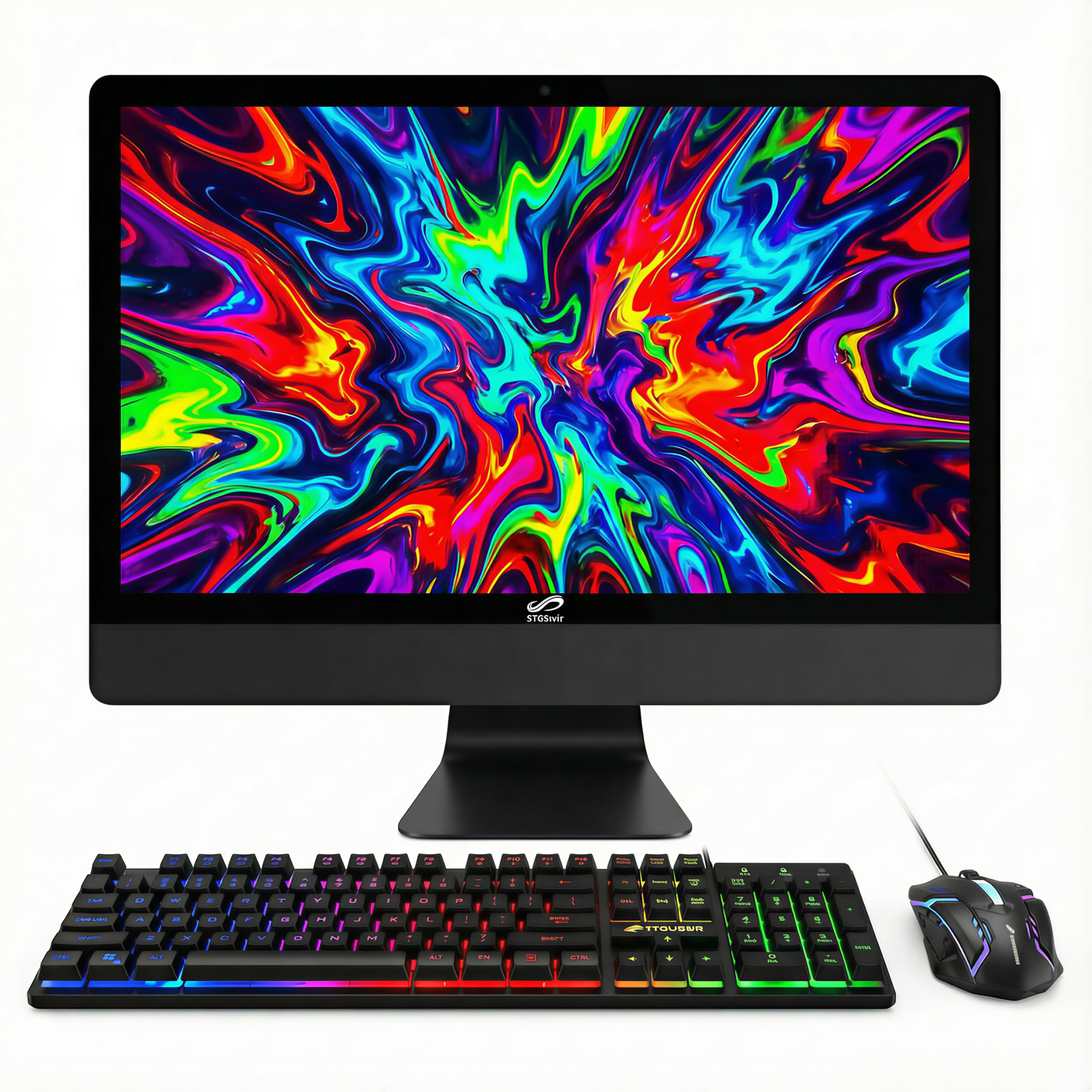
An all-in-one with a huge 1TB drive for all your files.
The STGSivir is a straightforward all-in-one that appeals to families who need lots of local storage. It has a 24-inch 1920×1080 Full HD display, a 3.6 GHz Intel Core i5 processor, and 16GB of RAM. The standout feature is the 1TB solid state drive, compared with 512GB on many models. This is a big deal if you have a large photo library, music collection, or a kid who needs to save school projects locally.
Buyers have mixed feedback. One owner reported it is “a decent first pc for your kids overall,” but that “the pc is not meant for games like roblox.” Another had a speaker fail after a few weeks, writing, “the left side speaker went out.” The included RGB keyboard and mouse are a fun touch, but several users report build quality concerns.
The Best Part
- 1TB SSD is a generous amount of local storage for documents and media
- 16GB RAM ensures smooth performance for everyday tasks
- The 24″ FHD screen is a good size for home use
The Downsides
- Several users report component failures like broken speakers shortly after purchase
- Not suitable for gaming, even lighter titles like Roblox
- Customer support experiences may not always be helpful
This is a good match if: You have a lot of files and want them all stored on the computer itself, and you prioritize storage capacity over raw processing power or gaming capability.
Look for something else if: You expect high reliability from every component; the speaker and other quality control issues are a recurring theme in reviews.
8. TechMagnet All in one Desktop Computer, Cheetah 4
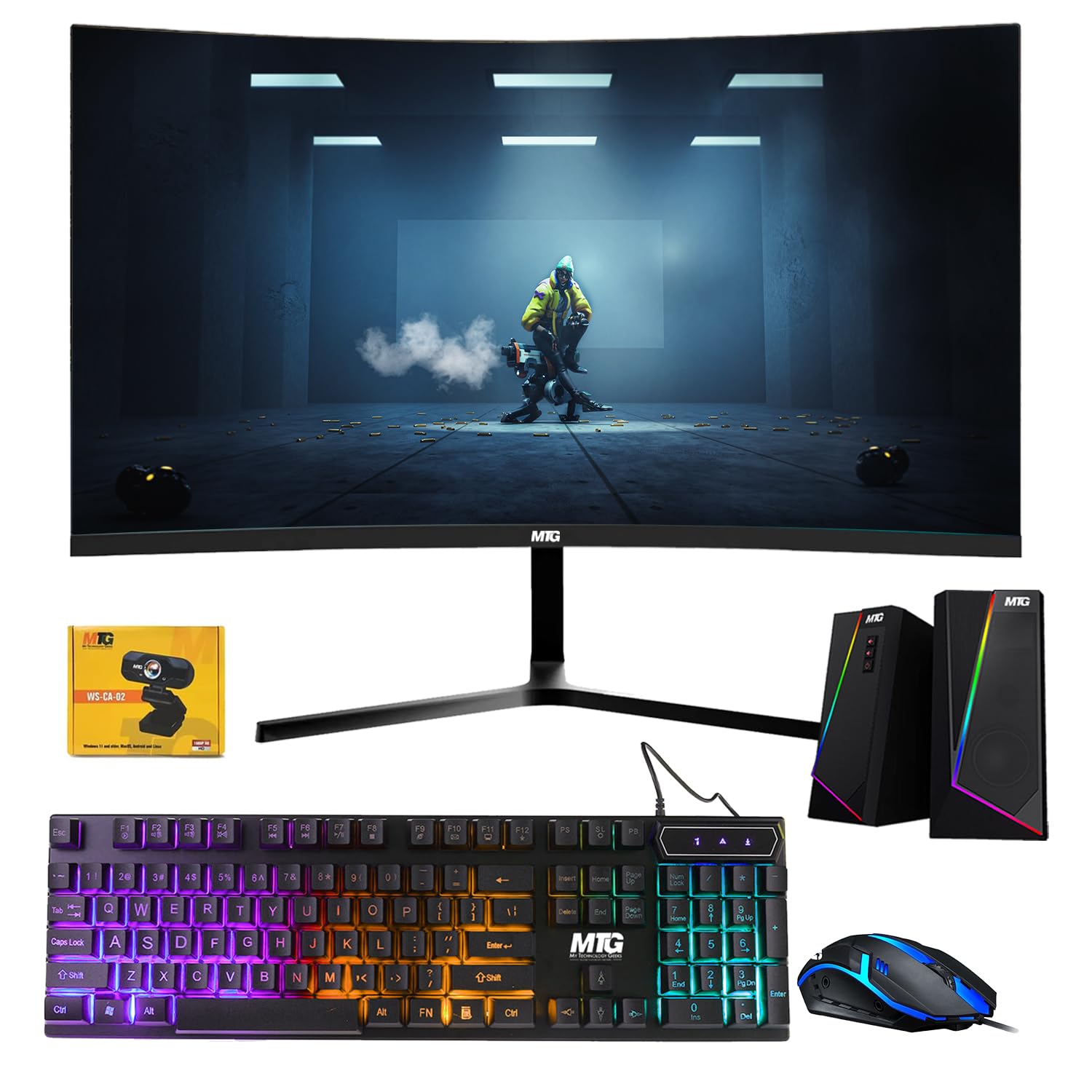
A budget entry with a curved screen, but with several trade-offs.
The TechMagnet Cheetah 4 is the cheapest way to get a curved monitor into your all-in-one setup. It features a 24-inch curved Full HD display, an Intel Core i5 4th Gen processor (3.2 GHz), 8GB of DDR3 RAM, and a 240GB SSD. Its memory and storage are significantly smaller than the premium picks—the DELL, for instance, has 32GB of RAM and a 512GB drive, versus 8GB of RAM and a 240GB drive here. The display resolution maxes out at 1920×1080, compared to the 3840×2160 of the DELL.
Buyer reviews are a concern. One customer observed, “I have a useless computer with a broken screen,” after being told by the company the warranty was only for 90 days and offering no support. Another noted, “It is not a true all in one computer. It is a mini computer attached to a monitor.” The included Wi-Fi dongle was also missing for some buyers, despite being advertised as included.
What You Get
- 24-inch curved display is an unusual feature at this price point
- Comes with RGB keyboard, mouse, and a 1080p webcam
- Windows 11 pre-installed
The Caveats Are Real
- Only 8GB of older DDR3 RAM and 240GB SSD
- Reviewers point out short warranty periods (90 days) and poor post-purchase support
- Not a true all-in-one—it is a mini PC bolted to the back of the monitor
This fits if: Your budget is tight and the curved screen is a must-have, and you accept the risk that customer support might be a dead end if something goes wrong.
skip it if: Long-term reliability and strong customer service are important to you; the review history suggests buying here is a gamble.
9. HP 2025 22″ FHD All-in-One Desktop Computer

A brand-name all-in-one that is simple, though the storage is limited.
This HP all-in-one is a solid entry from a well-known brand. It features a modern 13th Gen Intel N100 processor (up to 3.4 GHz), which is energy-efficient, and 8GB of DDR5 RAM. The 21.5-inch Full HD IPS display is anti-glare, making it comfortable to use near a window. A key benefit is the built-in HD webcam with a privacy shutter for secure video calls. It also has Wi-Fi 6 and Bluetooth 5.3 for the latest wireless connectivity.
Buyers generally like it. One review says it is “the best product for the money” and that it has “no problems at all.” Another buyer replaced an “off-brand computer” and loves that it “really works all the time.” The main limitation is the 128GB SSD, which fills up fast if you install many programs or save a lot of photos locally.
Why It’s Popular
- Trusted HP brand with a simple, clean design that is easy to use
- Latest 13th Gen Intel N100 processor with 8GB DDR5 RAM is energy-efficient
- Anti-glare FHD screen and a webcam with a privacy shutter
Its Limitation
- 128GB SSD is very small—you will likely need to rely on cloud storage or an external hard drive
- The 21.5″ screen, while a good size, is smaller than 24″ models
- The included keyboard is reported to be basic
Great for: Someone who wants a straightforward, reliable computer from a major brand for basic tasks like web surfing, email, and video calls, and who uses cloud storage.
Not for you if: You download a lot of programs or save a ton of files locally—you will run out of space quickly on that 128GB drive.
10. Lenovo IdeaCentre 24″ All-in-One Desktop
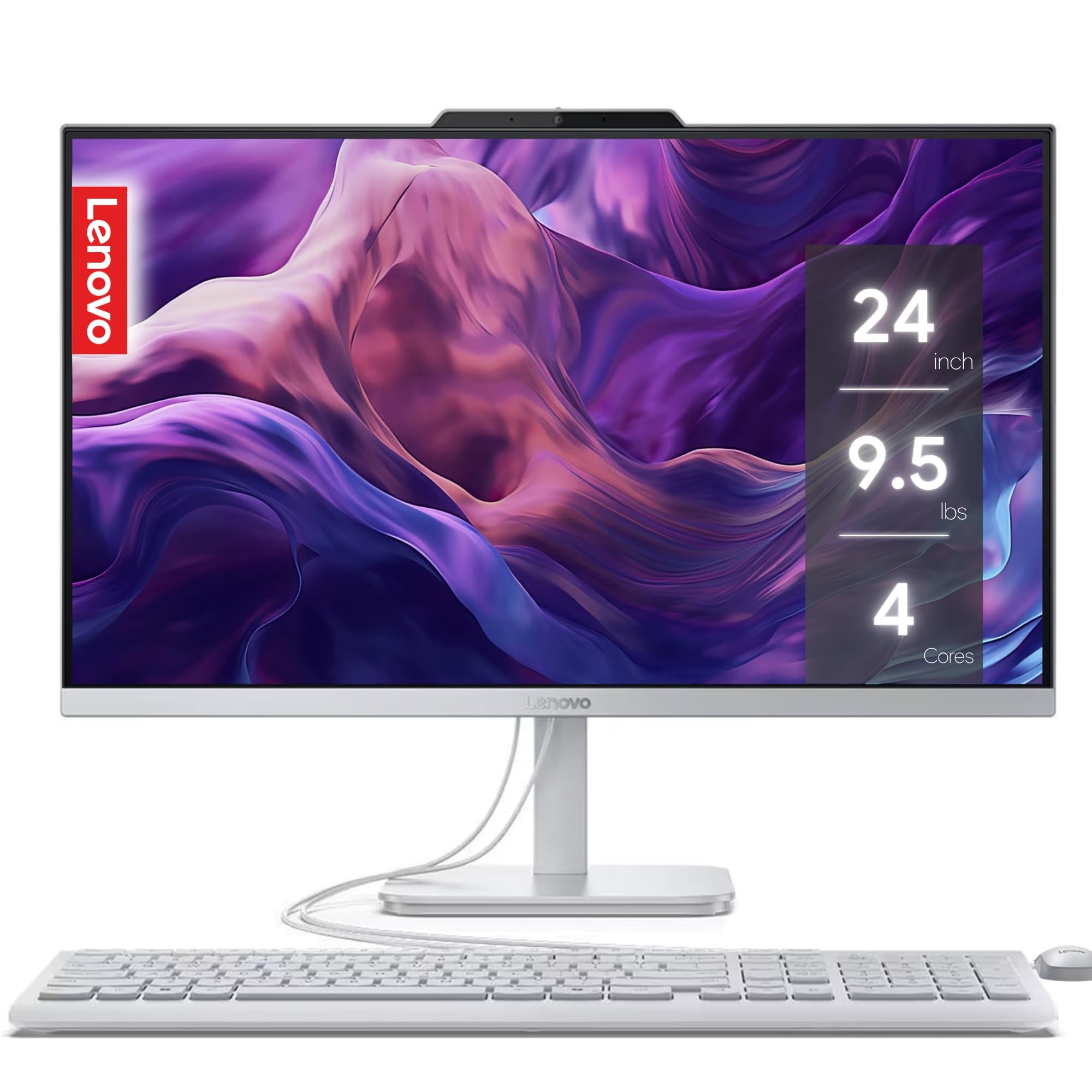
A modern all-in-one focused on comfort for long work sessions.
The Lenovo IdeaCentre is another strong option if you want a tidy, single-unit computer. It has a 24-inch Full HD display and features low blue light technology (which reduces strain on your eyes) and Harman audio-enhanced speakers for better sound than most all-in-ones. It is powered by a 4-core Intel processor with 8GB of RAM and a 256GB SSD. A standout feature is the 5MP AI camera with a privacy e-shutter, which is a much higher resolution than the standard 720p or 1080p webcams found on other computers.
Buyer feedback is very positive. One called it a “smart purchase” that was “easy to install with all the latest updates.” Another user said it was “highly recommended by an IT professional.” However, one reviewer had a bad experience, reporting the computer “doesn’t turn on” and that the customer service was “trash.”
Why It Stands Out
- 5MP webcam with AI noise cancellation and privacy shutter is excellent for video calls
- Low blue light technology helps reduce eye fatigue during long work sessions
- Harman audio speakers offer better sound quality
Things to Note
- 8GB RAM is workable but limits multitasking with many heavy applications open
- 256GB SSD is fine for light use but may fill up faster than larger drives
- Some shoppers say units failing completely after a short time
Reach for this if: You spend long hours on your computer for work or study and want a sharp webcam and eye-friendly features in a clean all-in-one package.
Consider something else if: You need a lot of local storage or plan to keep many large programs installed at the same time.
11. Core Innovations 24″ All-in-One Desktop PC

A budget-friendly machine for the absolute basics, with clear limits.
The Core Innovations all-in-one is the most affordable option here, making it accessible for very light use. It has a 24-inch 1920×1080 FHD IPS display, a 2.9 GHz Intel Celeron N5095 processor, 4GB of RAM, and 128GB of storage. It runs on Windows 11. At this price, the trade-offs are substantial. The 128GB of eMMC storage (a cheaper, slower type of storage than an SSD) will fill up fast.
Reviews are starkly divided. One buyer calls it “the best” and says it works “perfectly,” while another warns to “STAY AWAY FROM THIS PRODUCT,” stating that all four units they bought were defective within 8 months. Another common complaint is the screen stand does not tilt, coming at an awkward angle.
What It Offers
- Lowest price entry point for a 24-inch all-in-one with Windows 11
- The FHD IPS screen is decent for the price
The Hard Truths
- 4GB RAM is severely limiting; expect lag with even moderate multitasking
- 128GB of storage is minimal and uses slower eMMC technology
- Reliability is a major concern—many units have failed or had constant issues
This is only an option if: Your budget is extremely tight and you only need a computer for single-task use, like checking one email or reading one webpage at a time.
Avoid this if: You want a computer to grow with your family or to handle even light multitasking; the reviews suggest a high risk of frustration and failure.
Understanding the Specs
Memory (RAM)
RAM is your computer’s short-term memory. It keeps your open programs and browser tabs ready to go. For a basic home computer, 8GB is the minimum you should aim for to get smooth, stutter-free daily use. If you often have many tabs open, step up to 16GB for a more relaxed experience. RAM has different generations (DDR3, DDR4, DDR5), with newer generations being faster and more power-efficient.
Storage (SSD vs. HDD)
A solid-state drive (SSD) is the single best upgrade for speed. An SSD has no moving parts, so it boots your computer in seconds and launches programs almost instantly. An old hard drive (HDD) is slow and makes your computer feel sluggish. All the computers on this list use SSDs, but the size matters: 128GB is tight, 256GB is okay, and 512GB to 1TB is comfortable for most homes.
Processor (CPU)
The CPU is the brain of the computer. For web surfing, email, and Office work, an Intel Core i3 or i5 from recent generations, or an AMD Ryzen 5, is perfectly fine. The generation number (like “13th Gen”) matters more than the name—a new i3 is often faster than a very old i7. Processor speed, measured in GHz (gigahertz), tells you how fast each core works, but the architecture and number of cores also matter for smooth operation.
Form Factor
This simply means the shape and size of the computer. A “Tower” is a separate box you connect to a monitor. An “All-in-One” builds the computer into the back of the monitor, saving a lot of desk space. A “Mini PC” is a tiny box you can mount behind a monitor, freeing up the most space. A tower is easiest to upgrade later; an all-in-one is the cleanest look but harder to fix or upgrade.
FAQ
How much RAM do I really need for basic home use like web browsing and email?
What is the difference between a 240GB SSD and a 512GB SSD?
Is an older i7 processor better than a newer i3 processor?
What does “refurbished” or “renewed” mean for a computer?
Can I use any basic home computer for Zoom and video calls?
What is the best way to keep my basic computer fast over time?
Will an All-in-One computer be slower than a tower?
Why is a 4K resolution (3840×2160) mentioned for some basic computers?
How do I transfer my files from my old computer to a new one?
What does an 8-core processor mean in simple terms?
Final Thoughts: The Verdict
For the majority of shoppers, the basic computer for home use winner is the DELL Optiplex 7060 SFF because it offers a rare combination of 32GB RAM and a 512GB NVMe SSD in a compact, powerful package at a fair price. If you want a clean, no-tower setup with modern features, the Lenovo 24 All-in-One is the top choice with its sharp borderless screen and ample 16GB of RAM. And for the ultimate space-saver that you can hide behind your monitor, the GEEKOM A5 Mini PC delivers a modern, quiet experience backed by a 3-year warranty.
How We Picked
We do not accept paid placement. Every pick is matched to a real buyer and a real use-case; we do not hands-on test units.
Sources & Methodology
Specifications: manufacturer listings and product documentation. Review insights: verified customer reviews, as of July 2026. Pricing: not shown on this page (it changes often); check the current price via the retailer link.
As an Amazon Associate, FitlyFast earns from qualifying purchases. This does not affect which products we feature.