
Our readers keep the lights on and the weekend projects moving. As an Amazon Associate, I earn from qualifying purchases.
Stepping into laser engraving feels like unlocking a superpower — until you open the box and face a tangle of wires, baffling software, and a laser diode that could ruin your first project. The difference between a drawer full of burnt coasters and a thriving small business often comes down to one decision: choosing a machine that teaches you instead of punishing you.
I’m Rikta — the co-founder and writer behind FitlyFast. I’ve spent hundreds of hours cross-referencing laser diode power curves, motion system rigidity, and software ecosystem maturity to find the machines that turn beginners into makers without the usual frustration.
Whether you’re engraving rustic signs for your Etsy shop or personalizing gifts for friends, finding the right beginner laser engraver saves you from wasted materials, smoked components, and the sinking feeling of watching your laser head drift mid-job.
How To Choose The Best Beginner Laser Engraver
Every new laser engraver buyer makes the same mistake: focusing on “maximum power” without understanding beam quality, motion stability, and software ease. A 10W laser with a loose belt will engrave a distorted logo every time. Here is what actually matters when you are learning.
Diode Laser Power and Spot Size
Output power — measured in milliwatts (mW) — determines how deep and fast you can cut. A 5W (5000mW) diode handles wood and leather engraving well but struggles to cut through more than 3mm plywood. A 10W (10000mW) diode cuts through 5-8mm wood and dark acrylic in fewer passes. But raw power is useless without a small spot size: a compression lens that delivers a 0.06mm to 0.08mm focus lets you engrave fine text and photo details that a larger spot would blur into a smudge.
Motion System and Frame Rigidity
An aluminum alloy frame with dual Y-axis motors and linear guide rails keeps the laser head stable during fast passes. Open-frame machines with single motors and standard belts can produce wavy lines on curves or across long horizontal strokes. For beginners, a rigid frame and a linear X-axis slide rail translate to fewer failed projects and less material waste.
Software Compatibility and Control Options
LightBurn is the industry standard, offering intuitive design, material presets, and power/speed calibration. All machines on this list support LightBurn or LaserGRBL. An enclosed touchscreen or app-based interface (AlgoOS, ORTUR App) lets you run jobs without tethering to a laptop. Offline TF card support is crucial for small workshops where a dedicated PC is not always available.
Safety: Enclosures, Filters, and Certifications
A Class 1 enclosed laser system — where the laser stops immediately when the lid opens — removes the risk of accidental eye exposure. Flame sensors, emergency stop buttons, and tilt detection add layers of fire prevention. Beginners should prioritize machines with these safety features over open-frame designs that demand safety glasses at all times.
Quick Comparison
On smaller screens, swipe sideways to see the full table.
| Model | Category | Best For | Key Spec | Amazon |
|---|---|---|---|---|
| Ortur Laser Master 3 | Premium Open | Detail Work Hobbyists | 0.05×0.1mm spot, 20000mm/min | Amazon |
| Creality Falcon Pro 10W | Premium Open | Included Rotary Roller | 0.06mm spot, 72000mW peak | Amazon |
| Woxcker L2 MAX 10W | Enclosed Safety | New Users / Home Use | Fully enclosed, flame sensor | Amazon |
| AlgoLaser Pixi 10W | Smart Enclosed | No-Laptop Engraving | AlgoOS, 3.5in touchscreen | Amazon |
| SCULPFUN S10 10W | Mid-Range Open | Linear Rail Precision | X-axis linear slide, 0.08mm | Amazon |
| LONGER RAY5 10W | Mid-Range Open | Expandable Work Area | 3.5in touch, 400x400mm | Amazon |
| KENTOKTOOL LE400PRO 5.5W | Budget Enclosed | Stainless Steel Marking | 0.08mm fixed focus, 400x400mm | Amazon |
| Twotrees TTS-10 Pro 10W | Budget Open | First DIY Projects | 32-bit dual-core MCU, 300x300mm | Amazon |
| AlgoLaser Pixi 5W | Smart Enclosed | Compact / Portable Use | AlgoSketch draw, 4.4 lbs | Amazon |
In-Depth Reviews
1. Ortur Laser Master 3 10W
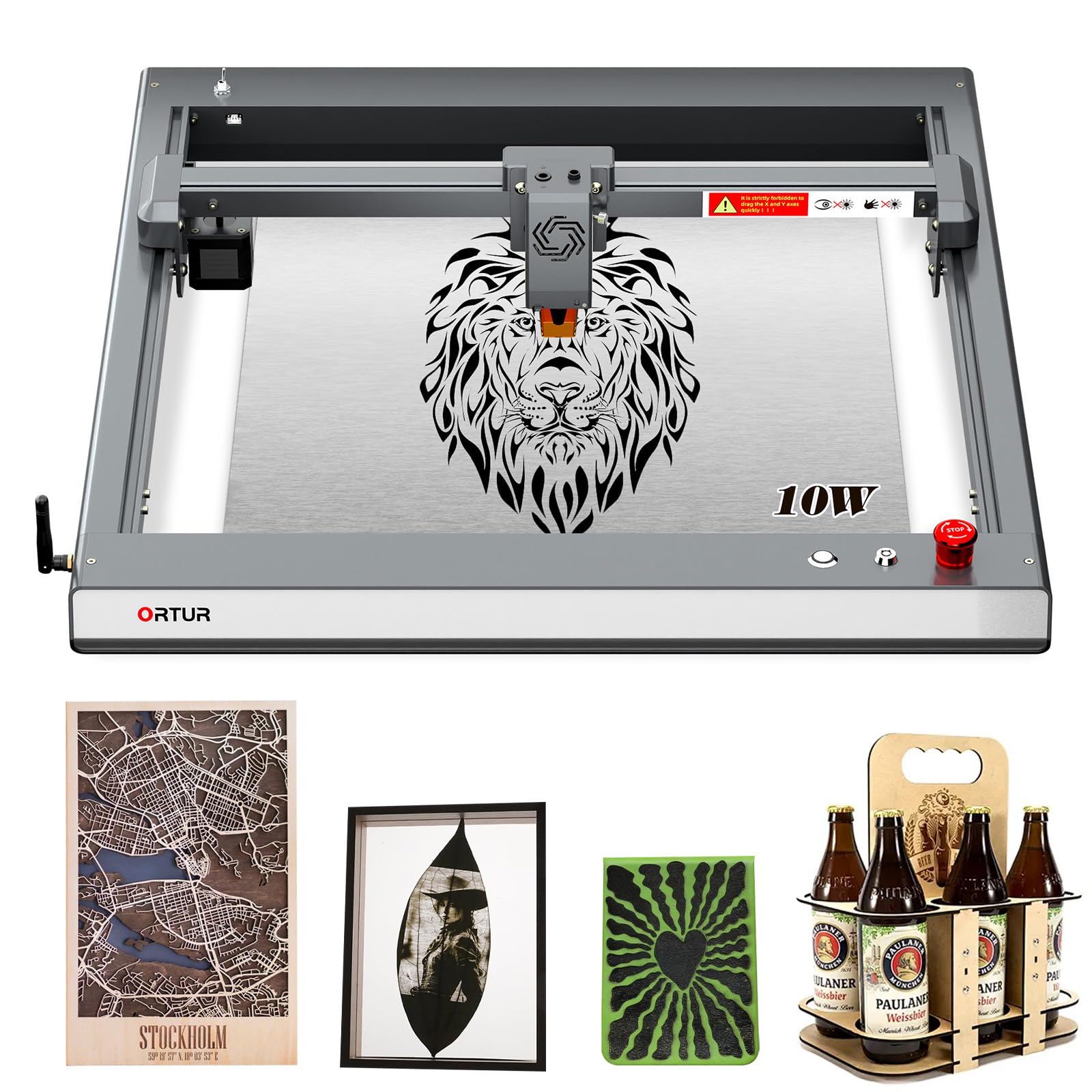
The Ortur Laser Master 3 brings a 0.05 x 0.1mm compression spot — the tightest focus in this roundup — which translates to exceptionally clean photo engraving on wood and glass. Its 20,000mm/min travel speed combined with 8 built-in safety systems (tilt detection, motion monitor, emergency stop) makes it a strong choice for detail-oriented beginners who plan to graduate from coasters to intricate art pieces.
The open-frame design demands that you always wear safety glasses, and the dedicated ORTUR App provides both simple and professional modes. Assembly takes about 20 minutes with the guided setup. The 10W module cuts 12mm plywood in a single pass and handles 30mm black acrylic with multiple passes, giving you serious material scope from day one.
Some users report that the maximum 20,000mm/min speed introduces chatter on complex curves, so you may dial speeds down for precision jobs. The app-based Wi-Fi control works reliably once configured, but the initial connection can test your patience. For the combination of spot quality and raw speed, this machine earns its premium spot.
Why it’s great
- Tightest spot size for photo-grade detail
- 8-layer safety system protects against tilt and crash
- Cuts 12mm plywood in one pass
Good to know
- Open-frame requires constant safety glasses
- Speed chatter on tight curves at max rate
- Wi-Fi setup can be finicky
2. Creality Falcon Pro 10W
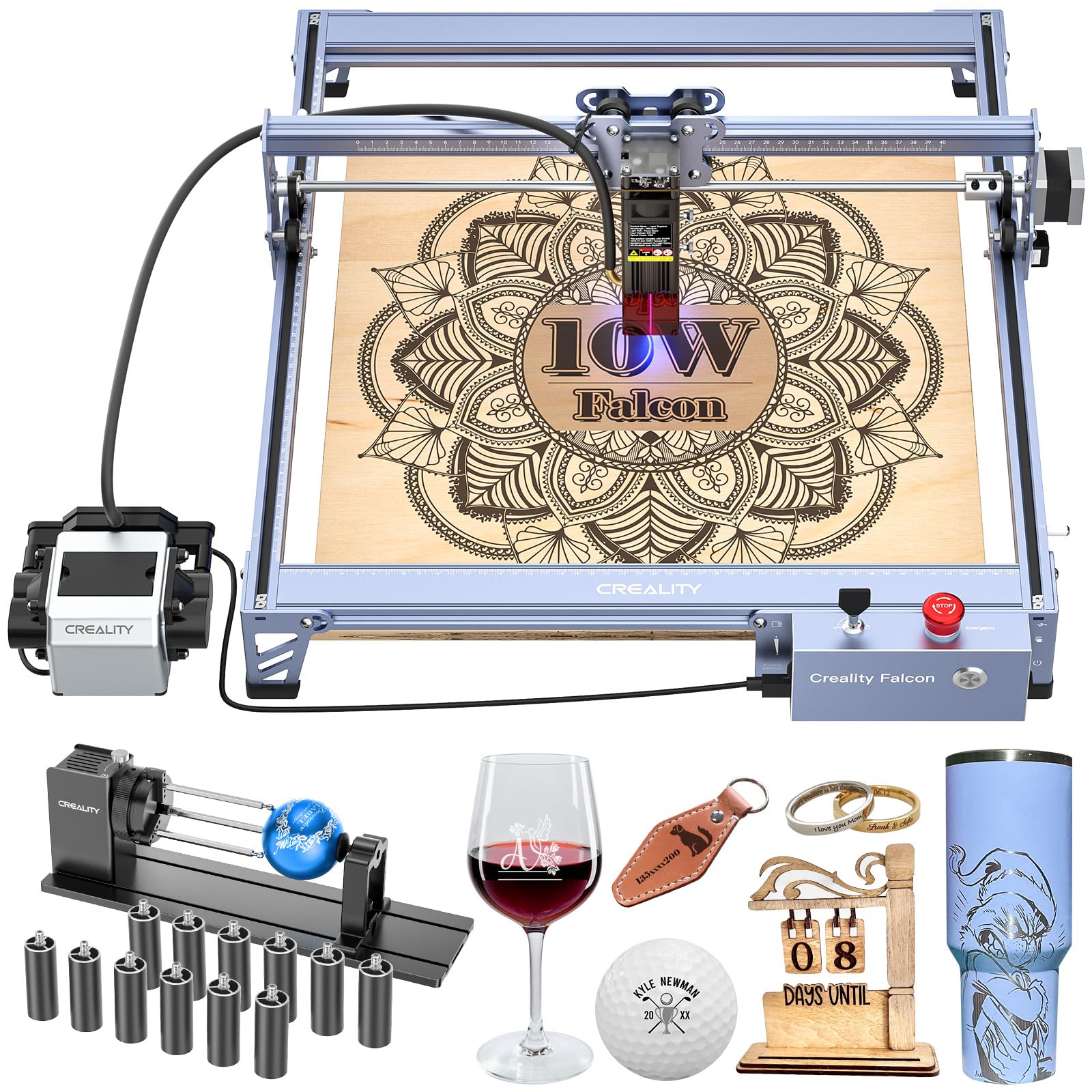
Creality’s Falcon Pro 10W arrives with a 3-in-1 rotary roller kit and a built-in air-assist nozzle right in the box — two add-ons that other brands sell separately. The improved 6-lens array delivers a 0.06mm spot for fine detail, and the 72000mW peak output (burst rating) lets it cut through dense materials faster than standard 10W diodes.
The control box adds one-button operation for preview, start, pause, and stop in offline mode, plus an LED indicator for status monitoring. It ships with a TF card slot and a free 30-day LightBurn trial, so you can start engraving immediately without buying extra software. The protective laser cover, emergency stop, and safety lock combine for solid beginner safety.
Assembly instructions are sparse — most users rely on the Amazon product video. A metal base pad is recommended to protect your work surface. Some units have reported fuse failures after limited use, so Creality’s warranty response time matters if you buy this model. For the package value, the included rotary roller alone justifies the premium price.
Why it’s great
- Rotary roller and air assist included in box
- 0.06mm spot for detailed engraving
- One-button offline operation
Good to know
- Flimsy assembly instructions
- Some units reported early fuse failure
- Open-frame requires dedicated vent space
3. Woxcker L2 MAX 10W

For anyone who wants “close the lid and forget it” safety, the Woxcker L2 MAX delivers a fully enclosed Class 1 system. The laser automatically stops when the lid opens. A built-in flame sensor detects unusual heat and halts operation. An emergency stop button, safety lock, and 15-degree tilt detection reinforce the safety net. This machine is built for home environments where pets or children might wander past.
The 0.01mm ultra-fine compression focus is the smallest spec claim in this group, producing razor-sharp text and line art. The 300 x 300mm work area feels tight for large signs, but the modular 5-component assembly saves 30-40 minutes compared to open-frame kits. It supports Wi-Fi, USB, APP, and TF card connections with full LightBurn compatibility.
The enclosed design restricts visibility of the workpiece during operation, and the orange chassis may not suit every workshop aesthetic. Some users note that the internal smoke extraction requires an external fan to be fully effective. For a beginner who values containment and safety above maximum bed size, this is the most reassuring option.
Why it’s great
- Full Class 1 enclosure with auto-pause lid
- Flame sensor and tilt detection built in
- 0.01mm ultra-fine focus for sharp detail
Good to know
- 300x300mm bed limits large projects
- Internal smoke extraction needs upgrade
- Limited workspace visibility while running
4. AlgoLaser Pixi 10W
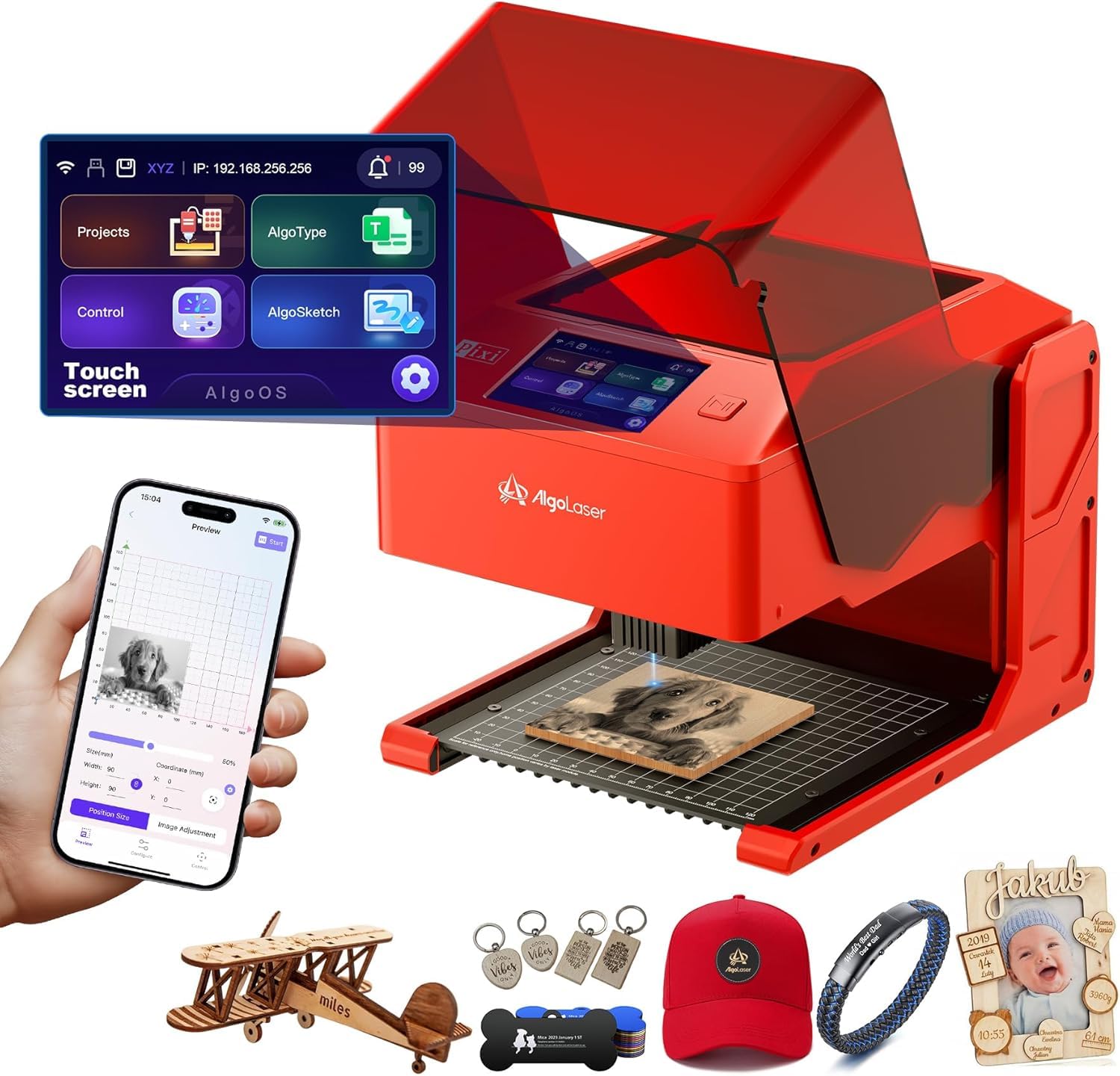
The AlgoLaser Pixi 10W is the standout choice for computer-free operation. Its AlgoOS system runs directly on the 3.5-inch color touchscreen, letting you draw (AlgoSketch), type text (AlgoType), or upload images via Wi-Fi or USB-C — no laptop required. The sealed Class 1 enclosure with auto-pause safety door makes it safe for home and classroom use straight out of the box.
Despite weighing only 4.4 pounds, the 10W diode delivers strong performance on wood, leather, acrylic, and thin metal. The 0.08mm spot size produces crisp details suitable for custom phone cases, leather wallets, and small signage. Preloaded templates and step-by-step tutorials help complete beginners finish their first engraving within minutes of unboxing.
Some users report that the safety door interlock can be finicky, causing false stops, and smoke leakage around the door seal is a minor issue. The base markings misalign slightly with the actual engraving area, requiring a calibration test. The 5W variant (reviewed below) is a budget alternative, but the 10W model gives you the cut depth needed for small business production.
Why it’s great
- Full standalone operation via touchscreen AlgoOS
- Compact 4.4 lb design with Class 1 safety
- Preloaded templates for instant starts
Good to know
- Safety door interlock can trigger false stops
- Smoke leakage around door seal
- Base markings misaligned with engrave area
5. SCULPFUN S10 10W

The SCULPFUN S10 stands out for its industrial-grade X-axis linear slide rail, which eliminates the wave-line artifacts common on belt-driven machines. The 0.08mm fixed-focus diode delivers consistent burn width across the full 400 x 400mm work area. The included high-speed air assist nozzle (rated at 14.5 m/s with an optional compressor) improves cut edge quality on wood and acrylic.
The adjustable laser eye shield lets you tilt or remove the filter panel depending on your viewing angle. A 32-bit chipset handles faster computation for complex vector files. It supports LightBurn and LaserGRBL on both Windows and macOS. The 10W diode cuts through MDF and walnut with noticeably less charring than lower-power competitors.
The X-axis linear rail requires periodic cleaning to maintain smooth travel, and the open frame means you need dedicated ventilation. Some users report that the diode struggles to cut clear acrylic and does not achieve the advertised 15mm depth on plywood without multiple passes. For a tight-budget buyer who prioritizes motion accuracy over raw power, this is a solid mid-range choice.
Why it’s great
- Linear X-axis rail eliminates wavy lines
- 0.08mm fixed focus for consistent burn
- Air assist nozzle included for cleaner cuts
Good to know
- Struggles with clear acrylic cutting
- Rail requires periodic cleaning and lubrication
- Open-frame setup needs fume extraction
6. LONGER RAY5 10W
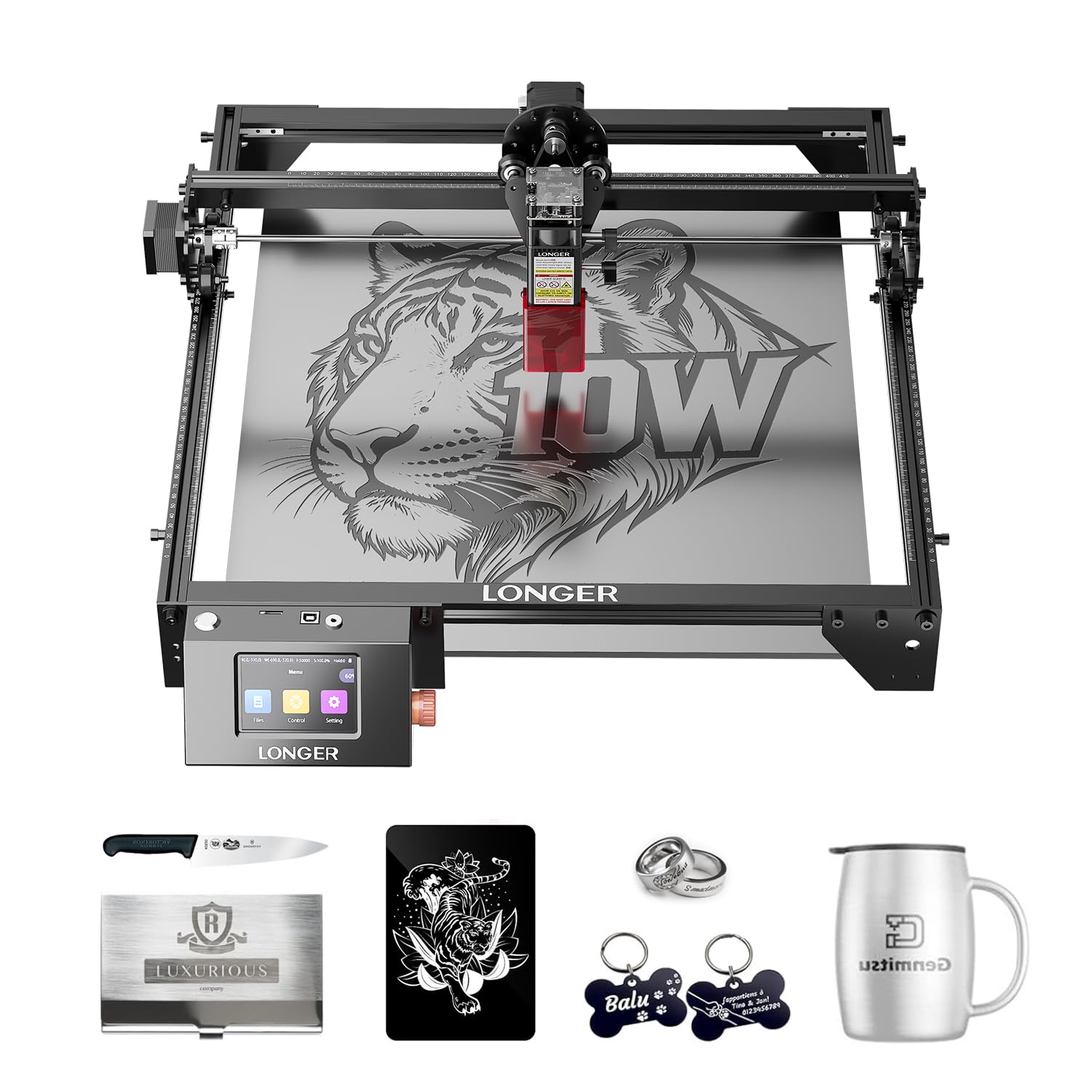
The LONGER RAY5 10W offers the largest base working area in this roundup at 400 x 400mm, expandable to 850 x 400mm with a separately sold extension kit. The 3.5-inch color touchscreen allows offline file selection and preview. It supports four data transfer methods — Wi-Fi, USB, APP, and TF card — giving you maximum flexibility if your laptop stays in another room.
The dual-beam diode cuts 20mm wood and 30mm acrylic, making it suitable for thicker materials right out of the box. The built-in abnormal shaking and suspension program automatically stops the machine if it detects instability. The 32-bit core motherboard ensures smooth operation even during long engraving sessions.
Assembly is straightforward but the instruction manual is poorly translated, and some users report needing to manually calibrate the laser head position after initial setup. The touchscreen interface is functional but not as responsive as the AlgoOS system on Pixi models. For anyone planning to scale up to large signage or bulk production, the expandable bed makes the RAY5 a future-proof foundation.
Why it’s great
- Expandable from 400x400mm to 850x400mm
- Cuts 20mm wood and 30mm acrylic
- Touchscreen with offline file preview
Good to know
- Poorly translated instruction manual
- Touchscreen less responsive than some rivals
- Requires manual head calibration after assembly
7. KENTOKTOOL LE400PRO 5.5W

The KENTOKTOOL LE400PRO offers a 400 x 400mm work area with a fixed-focus 0.08mm spot, giving you a large canvas for the price. The 5.5W optical power is lower than the 10W class leaders, but it handles wood, leather, and stainless steel marking effectively. The magnetic protective cover filters 97% of UV rays and detaches instantly for workpiece access.
The all-metal frame provides stable motion, and the knob adjustment system sets focus without tools. It supports LightBurn and LaserGRBL with file formats including NC, BMP, JPG, PNG, and DXF. The knob design keeps focus locked during long jobs, eliminating the drift that plagues spring-loaded modules on some budget machines.
The 5.5W output will not cut wood thicker than 5-6mm, and the cutting speed on 3mm plywood is noticeably slower than a 10W machine. Some users note that the included instructions are minimal, requiring reliance on online video tutorials. For users who primarily engrave (rather than cut) and want a large bed without paying for full 10W power, this is a well-built entry-level option.
Why it’s great
- Large 400x400mm work area at entry-level price
- Fixed-focus knob stays locked during runs
- Magnetic cover for quick UV protection
Good to know
- 5.5W limits cutting to thin woods
- Slow cutting speed on thicker materials
- Minimal included documentation
8. Twotrees TTS-10 Pro 10W
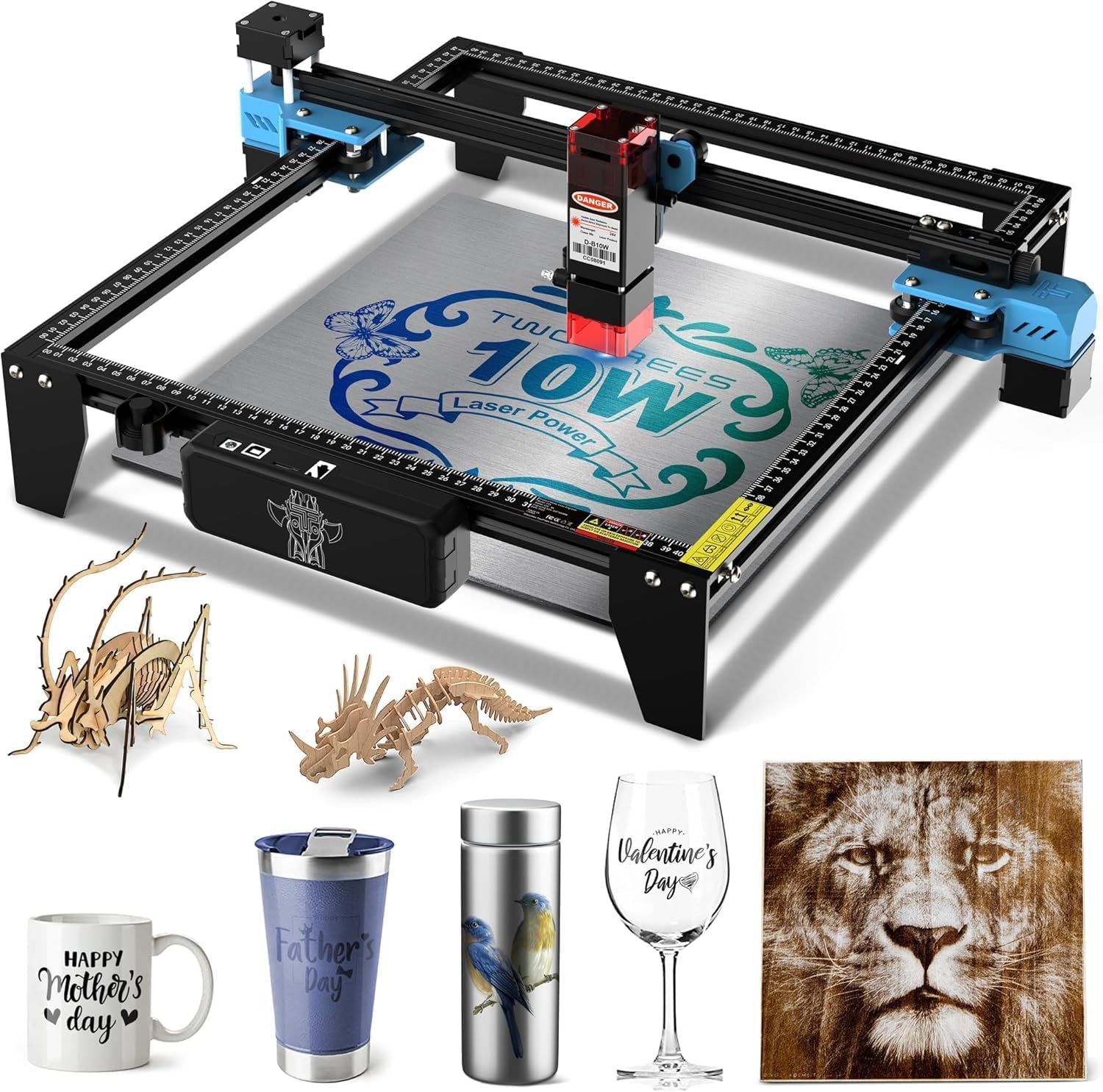
The Twotrees TTS-10 Pro brings full 10W optical power to the budget tier with a 300 x 300mm work area and a 32-bit dual-core mainboard. It engraves online via USB or offline through TF card — the package includes a 4GB card and card reader, so you can start without buying anything extra. The full aluminum alloy frame with dual Y-axis motors reduces vibration during fast passes.
The 450nm blue light diode works on wood, bamboo, acrylic, leather, dark glass, and coated metal. It explicitly does not engrave bare stainless steel without marking spray, which is an honest spec limitation worth noting. The machine carries CE, FCC, ROHS, FDA, and UL62368 certifications, unusual at this price level.
Assembly requires patience with small screws, and some users report that the included manual is not detailed enough for absolute beginners. The software supports LightBurn and LaserGRBL, but the LightBurn configuration requires manual adjustment of the parameter for home positioning. For the price, you get 10W cutting capability with an established ecosystem — the best dollar-to-power ratio on this list.
Why it’s great
- Full 10W power at budget-friendly price
- TF card offline operation with included card
- Multi-certification (CE, FCC, FDA, UL)
Good to know
- Does not engrave bare stainless steel
- Assembly requires small-screw precision
- LightBurn config needs manual parameter tuning
9. AlgoLaser Pixi 5W
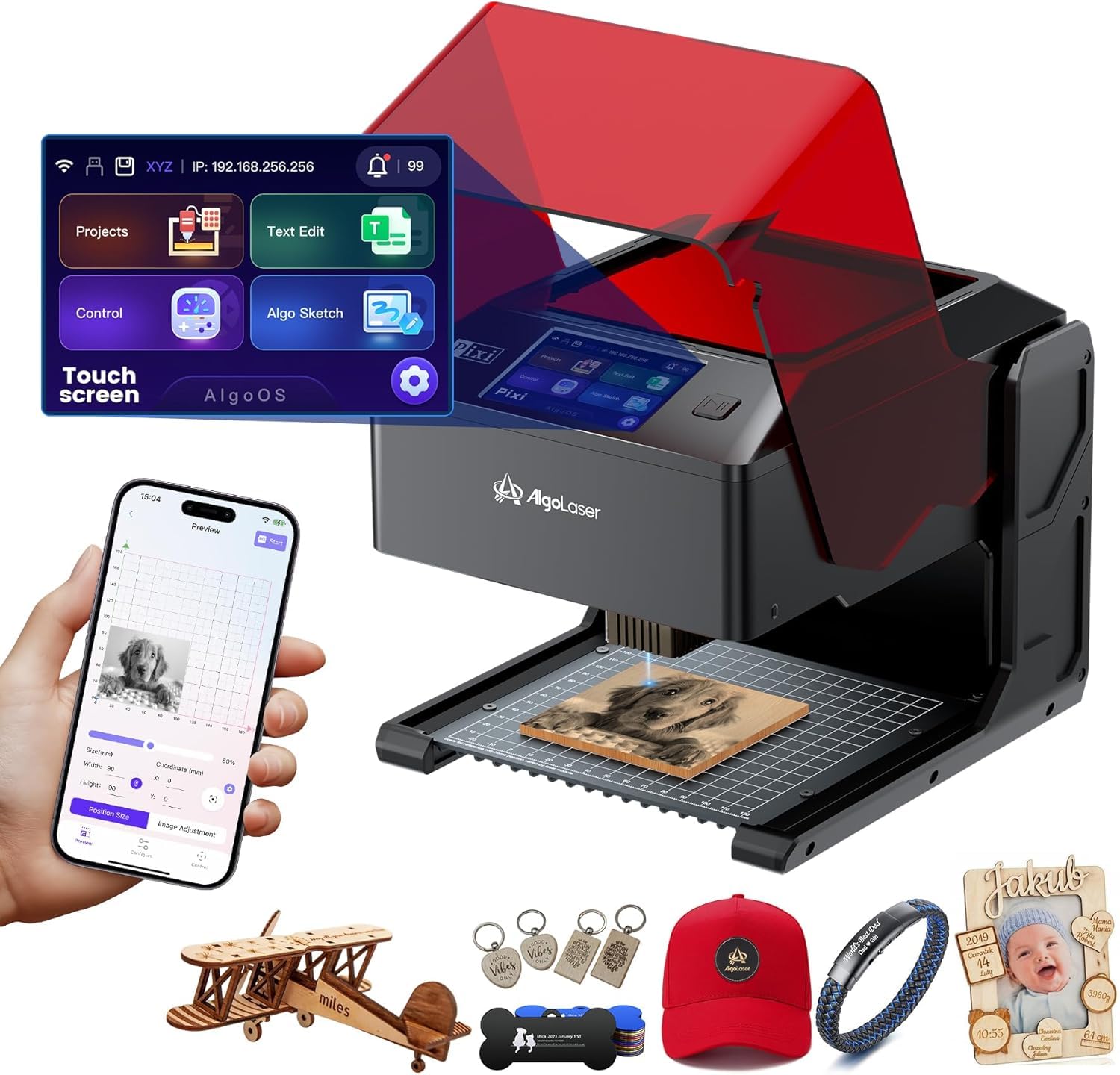
The AlgoLaser Pixi 5W shares the same smart AlgoOS platform and compact 4.4-pound body as its 10W sibling but at a lower power threshold. It is the most portable option in this guide — small enough to move between a desk and a workshop shelf in seconds. The 3.5-inch touchscreen lets you sketch, type, and upload designs without a computer.
The enclosed Class 1 safety system with auto-pause door makes it suitable for classrooms or small apartments where children or pets share the space. The 5W diode engraves wood, leather, acrylic, and thin metal effectively, though cut depth is limited to approximately 3mm on soft woods. Preloaded templates and the AlgoSketch draw feature let you create custom pieces within minutes of opening the box.
The lower power ceiling means you cannot cut thicker materials, and the 108 x 122mm effective engraving area is significantly smaller than open-frame machines. Some users also report smoke leakage around the door seal. For pure beginners who want the safest, easiest, and most portable engraving experience — and do not need to cut thick wood — this machine removes every barrier to entry.
Why it’s great
- Most portable engraver at 4.4 lbs
- Full AlgoOS touchscreen, no laptop needed
- Class 1 safety for worry-free home use
Good to know
- Limited to engraving, not cutting thicker woods
- Small 108x122mm effective engraving area
- Smoke can leak around door seal
FAQ
Can a beginner laser engraver cut through metal?
What software do most beginner machines use?
Final Thoughts: The Verdict
For most users, the beginner laser engraver winner is the Ortur Laser Master 3 10W because its 0.05 x 0.1mm compression spot and 20,000mm/min speed deliver the highest detail and throughput for under , backed by 8 safety systems that protect you while you learn. If you want the safety and convenience of a fully enclosed system with a computer-free touchscreen, grab the AlgoLaser Pixi 10W. And for the best dollar-to-power ratio with a rotary roller included out of the box, nothing beats the Creality Falcon Pro 10W.