
Our readers keep the lights on and the weekend projects moving. As an Amazon Associate, I earn from qualifying purchases.
A monochrome printer for photos is a specialized tool. Most color printers struggle to produce a true neutral gray, often leaving a subtle color cast that ruins the purity of a black-and-white image. The right dedicated black-and-white printer delivers deep, rich blacks and smooth, grain-free tonal transitions that make your prints look like they came from a traditional darkroom.
I’m Rikta — the co-founder and writer behind FitlyFast. I’ve spent hundreds of hours analyzing printer specifications, reading through user reports, and comparing the output quality of laser engines against pigment and dye-based ink systems to understand what actually matters when the goal is a perfect monochrome print.
Whether you’re printing fine art, tattoo stencils, or archival documents, choosing the wrong machine wastes time and money. This guide breaks down the best options across inkjet and laser technologies to help you find the ideal black white photo printer for your specific workflow.
How To Choose The Best Black White Photo Printer
Selecting the right monochrome printer depends entirely on what you are printing. A tattoo artist needs sharp, dense blacks on stencil paper, while a fine art photographer requires smooth gradients across a range of gray values. Understanding the core technology — laser versus inkjet — is the first and most important decision.
Ink Technology: Laser vs. Inkjet for Monochrome
Laser printers use toner fused to the paper with heat. They are unmatched for speed and sharp text, but the single black toner can produce only one dot size, limiting the number of distinct gray shades. This makes them excellent for documents and line art but less ideal for photographic prints with subtle tonal variations. Inkjet printers, especially those with multiple gray or black ink cartridges, can place varying amounts of ink to create continuous-tone grayscale prints with much finer detail and smoother transitions.
Ink Type: Pigment vs. Dye
Pigment-based inks consist of solid particles suspended in a carrier liquid. They sit on top of the paper, resulting in superior scratch resistance and longevity, often rated for decades or even centuries when used with archival media. Dye-based inks absorb into the paper fibers, producing vibrant colors and a wider color gamut, but they are generally less resistant to fading from UV light and ozone. For black-and-white prints meant to last, a pigment-based system is the clear winner.
Resolution and Print Speed
Resolution, measured in dots per inch (dpi), determines the level of detail a printer can reproduce. For photo-quality monochrome prints, look for a printer with a maximum resolution of at least 4800 x 1200 dpi. However, print speed is a trade-off: high-resolution inkjet photo printers typically output a few pages per minute, while monochrome laser printers can easily exceed 30 pages per minute. Your choice should balance the need for quality against the volume of prints you produce.
Quick Comparison
On smaller screens, swipe sideways to see the full table.
| Model | Category | Best For | Key Spec | Amazon |
|---|---|---|---|---|
| Canon PRO-310 | Premium Inkjet | Gallery-quality fine art | 9-color pigment + Chroma Optimizer | Amazon |
| Canon PIXMA PRO-200S | Mid-Range Inkjet | Vibrant photo prints at 13″x19″ | 8-color dye-based ink | Amazon |
| Epson EcoTank ET-M1170 | Supertank Inkjet | High-volume, low-cost printing | 20 ppm / 120 mL ink bottle | Amazon |
| HP LaserJet Pro 3101sdw | All-in-One Laser | Small office productivity | 40 ppm / 50-sheet ADF | Amazon |
| Brother DCP-L2640DW | All-in-One Laser | Compact 3-in-1 office work | 36 ppm / 50-sheet ADF | Amazon |
| Lexmark MS431dw | Laser | Durable high-speed printing | 42 ppm / 800-8000 pages monthly | Amazon |
| Xerox B310DNI | Laser | Fast wireless printing | 42 ppm / 2400×2400 dpi | Amazon |
| Brother HL-L2480DW | Renewed Laser | Budget-friendly all-in-one | 36 ppm / 2.7″ touchscreen | Amazon |
| HP Laserjet Pro 3001dw | Laser | Entry-level office print | 35 ppm / Auto duplex | Amazon |
In‑Depth Reviews
1. Canon imagePROGRAF PRO-310

The Canon imagePROGRAF PRO-310 is the definitive choice for photographers and artists who demand gallery-quality monochrome prints. Its 9-color Lucia PRO II pigment ink system includes a dedicated Chroma Optimizer that improves gloss uniformity and scratch resistance, ensuring prints look pristine even under harsh gallery lighting. The matte black ink delivers exceptional density, allowing for deep, velvety shadows that are critical for fine art black-and-white work.
Setup is straightforward, and the wireless connectivity works reliably out of the box. Early user reports indicate that after a moderate print run of 10 sheets of 8.5×11, 20 sheets of 5×7, and 15 sheets of 13×19, ink levels showed only a modest decline, suggesting reasonable running costs for a printer in this class. The print quality matches calibrated monitors closely when paired with Canon’s ICC profiles, making the color-to-monochrome conversion predictable and accurate.
The PRO-310 is a significant investment, but its output quality justifies the price for any serious monochrome printer. It is large and heavy, so ensure your workspace can accommodate its footprint. For anyone seeking archival-grade black-and-white prints with smooth tonal transitions, this is the undisputed leader.
Why it’s great
- 9-color pigment system produces unmatched grayscale depth and archivability
- Anti-clogging system and skew correction improve reliability
- Wireless setup is quick and prints match calibrated monitors closely
Good to know
- Large and heavy, requiring a dedicated workspace
- Does not support duplex printing
- Driver software can have limitations on custom paper sizes
2. Canon PIXMA PRO-200S

The Canon PIXMA PRO-200S uses an 8-color dye-based ink system that excels at producing vibrant, saturated prints. While dye inks are generally less archival than pigments, they offer a wider color gamut, which can be beneficial if you occasionally print color images alongside your black-and-white work. The PRO-200S delivers borderless prints from 3.5×3.5 inches up to 13×19 inches, and the print speed of 53 seconds for an 8×10 is respectable for a photo-focused inkjet.
User reports highlight the outstanding print quality, describing it as perfect for photographers and artists who want pro-level results. The printer is quiet during operation, and the setup, while a bit confusing initially due to the phone-based installation process, becomes straightforward once the printer is connected. The 3.0-inch color LCD monitor makes checking ink levels and printer status simple.
The main drawback is ink consumption. Multiple users note that the cartridges run out faster than expected, particularly the black cartridge, which can be half-depleted after just 30 prints. The printer is also incompatible with third-party cartridges, locking you into Canon’s relatively expensive consumables. It is best suited for those who prioritize print quality over the lowest cost per page.
Why it’s great
- Vibrant, high-quality prints with deep colors and sharp detail
- Supports borderless printing up to 13″x19″
- Quiet operation and a clear 3.0-inch LCD screen
Good to know
- Ink cartridges are expensive and deplete quickly
- Setup process can be confusing with its phone-based install
- No support for third-party or refillable cartridges
3. Epson EcoTank ET-M1170
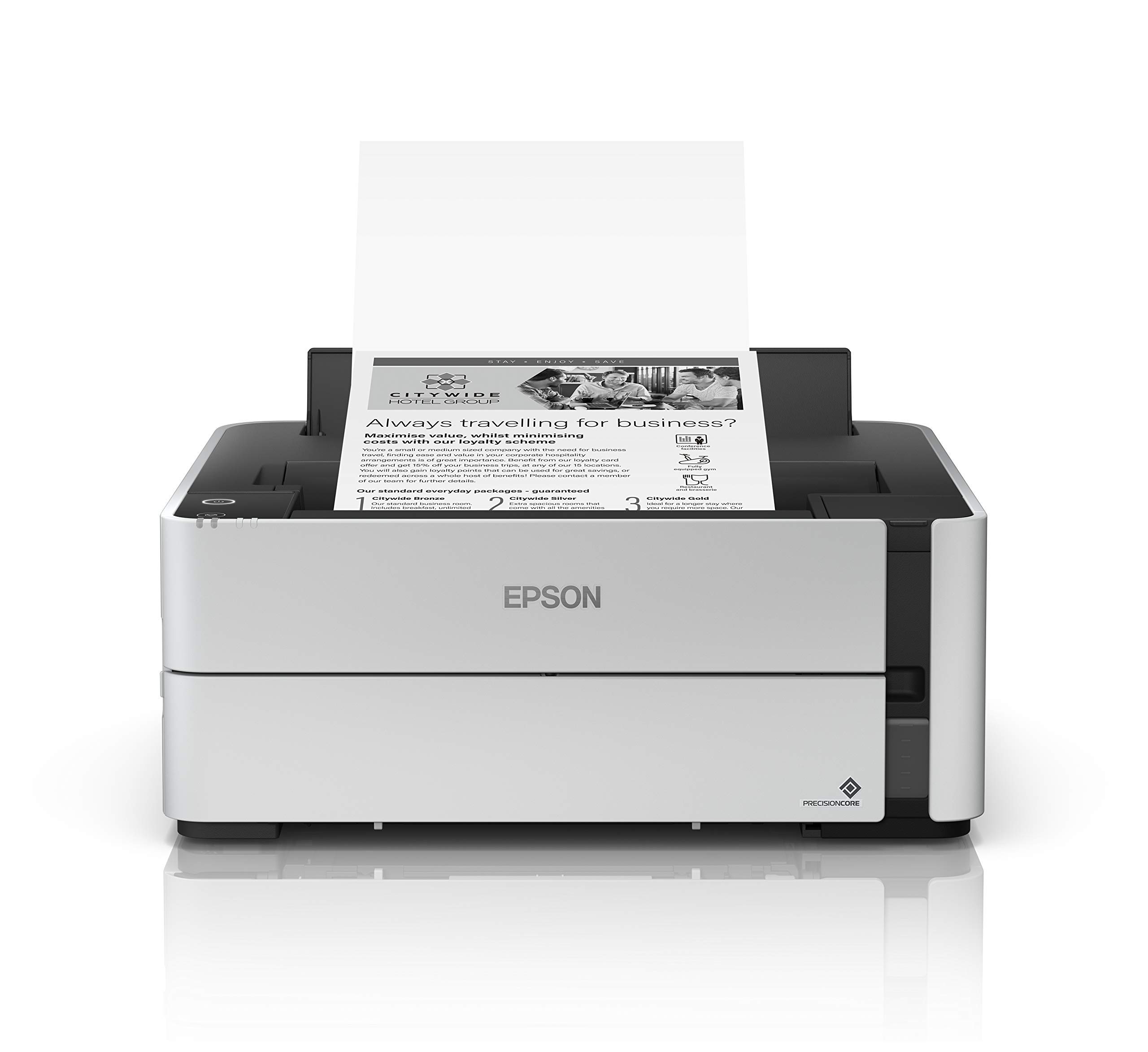
The Epson EcoTank ET-M1170 is a cartridge-free monochrome printer that uses refillable ink tanks, dramatically reducing the cost per page compared to traditional inkjets or lasers. The included 120 mL bottle of black ink provides a massive yield, making this printer ideal for high-volume environments like a small office or a tattoo studio where stencil output is constant. Its PrecisionCore print head delivers crisp, clear results, and the pigmented ink sits on the surface of the paper, producing dense blacks that are excellent for stencil work.
Users report that the printer is fast and network-connected, and the duplex printing works well. The refillable system allows for the use of cheaper third-party ink, further reducing costs, though the printer’s internal ink consumption can be higher than some older models. Wireless printing via the Epson iPrint app is functional, but the app is sometimes described as outdated, and the printer may occasionally require cleaning cycles to maintain print quality.
The build quality has been questioned by some users who experienced mechanical failures after a few months, though others report printing over 150,000 pages without issue. The key trade-off is that the ET-M1170 prints at 20 ppm, which is slower than many laser printers. It is the best choice for users who value low running costs and ink refill convenience over raw speed.
Why it’s great
- Extremely low cost per page with its refillable ink tank system
- Pigmented black ink produces dense blacks ideal for stencils
- Fast network printing with easy duplex functionality
Good to know
- Slower print speed (20 ppm) compared to laser alternatives
- Mobile app can be outdated, and wireless setup may be tricky
- Some reports of mechanical issues after several months of use
4. HP LaserJet Pro MFP 3101sdw

The HP LaserJet Pro MFP 3101sdw is an all-in-one monochrome laser printer built for small teams that need fast, professional-quality document output. With a print speed of 40 ppm and a 50-sheet automatic document feeder, it handles multi-page copying and scanning efficiently. The print quality is consistently sharp, making it suitable for contracts, reports, and any black-and-white document that needs to look its best.
User feedback highlights the effortless setup and reliable wireless connectivity, with the printer reconnecting to the network automatically after a power outage. The HP Smart app generally works well, and there are reports of users buying multiple units due to their dependability. The auto-duplex printing saves paper, and the 250-sheet input tray is adequate for most small offices.
The main concern is HP’s firmware policy, which can block non-HP toner cartridges. Users advise declining firmware updates to maintain the option of using cheaper generic toner. Some users also experienced occasional WiFi drops. It is a strong choice for a busy office that needs a fast, reliable workhorse and doesn’t mind the potential cost of proprietary consumables.
Why it’s great
- Fast 40 ppm print speed with professional-quality output
- Reliable wireless connection that reconnects after outages
- Includes a 50-sheet ADF for efficient scanning and copying
Good to know
- Firmware updates can block third-party toner cartridges
- WiFi connection may occasionally drop and need reconnection
- Initial toner yield is good but not exceptional for high volume
5. Brother DCP-L2640DW

The Brother DCP-L2640DW is a compact 3-in-1 monochrome laser printer that offers an excellent balance of features for a home office or small business. It prints at speeds up to 36 ppm and includes a flatbed scanner and copier with a 50-sheet auto document feeder. The dual-band wireless and Ethernet connectivity ensure flexible network integration, while the automatic duplex printing helps reduce paper consumption.
Users consistently praise the printer’s reliability and ease of setup. The print quality is sharp and clear, and the toner, especially the high-yield TN830XL cartridge, offers a long service life. The scanner works well for basic document digitization, but the bundled PaperPort software is not well-regarded; users often recommend using a third-party application like VueScan for a better experience. The LCD display and physical buttons are functional, though basic.
A common point of frustration is the cumbersome scanning software, which some users report freezing during the save process. Additionally, updating the firmware can be an arcane process. Despite these software quirks, the hardware itself is considered robust and trustworthy, with many users replacing older Brother models with this one because of its proven track record.
Why it’s great
- Reliable Brother build quality with a compact footprint
- Fast 36 ppm print speed and affordable high-yield toner
- Easy setup and stable wireless connectivity
Good to know
- Included scanning software (PaperPort) is poor and often freezes
- Firmware update process can be frustratingly complex
- Basic LCD display and physical buttons could be more intuitive
6. Lexmark MS431dw
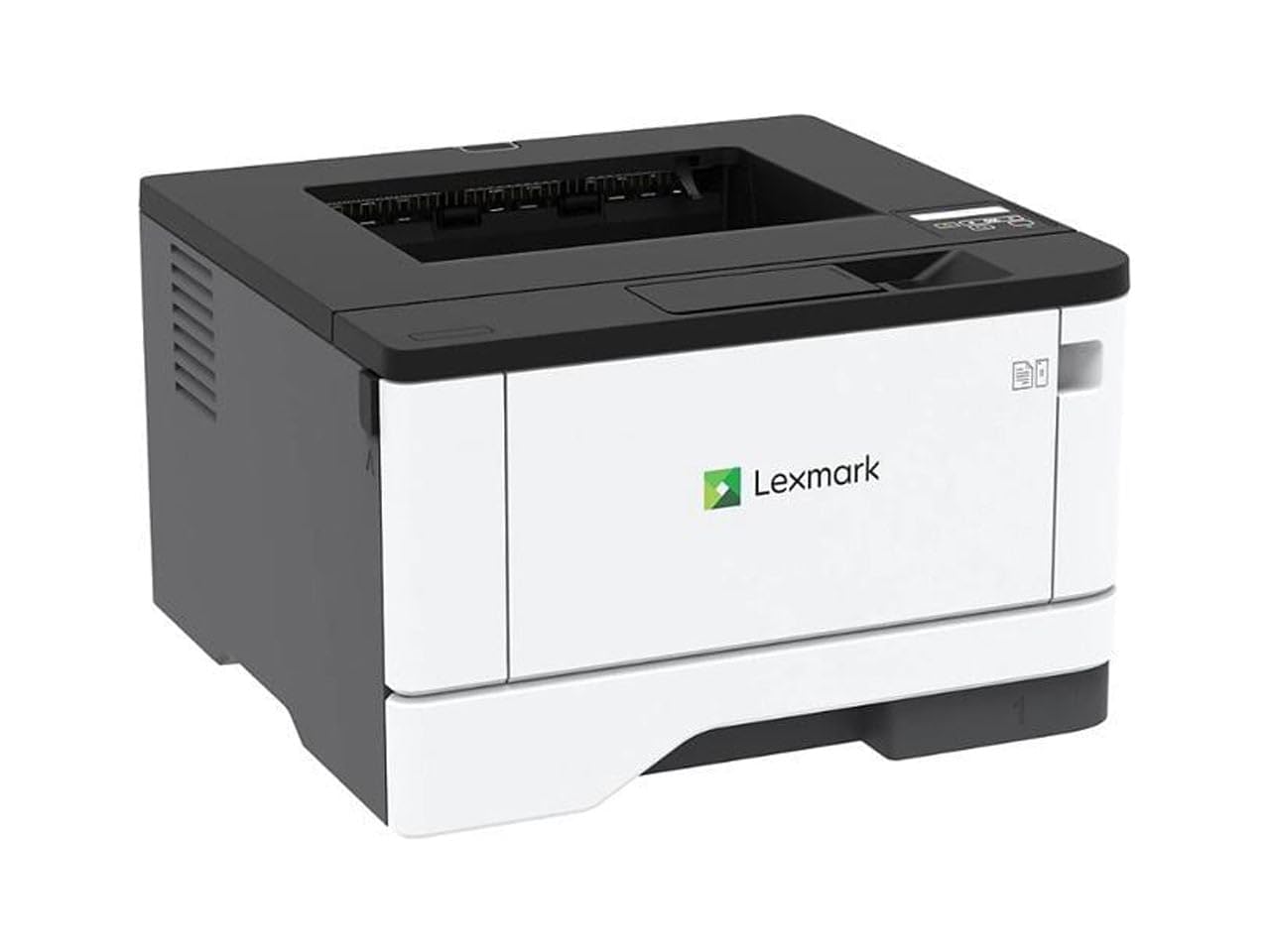
The Lexmark MS431dw is a durable, compact monochrome laser printer built for high-volume environments. With a steel frame and a recommended monthly page volume of 800 to 8,000 pages, it is designed to withstand heavy use. It prints at a fast 42 ppm and includes automatic duplex printing, a 250-sheet input tray, and a two-line LCD display for easy configuration. The printer is Energy Star and Epeat Silver certified, reflecting its sustainable design.
Users report that the printer is easy to set up wirelessly and delivers excellent print quality on both Windows and Linux systems. The ability to use third-party toner without issues is a significant advantage, as it keeps running costs low. The compact size is appreciated by those replacing older, larger laser printers. The print speed of 42 ppm means it can breeze through large jobs quickly.
Some users have reported paper jam issues that rendered the printer unusable, which is a risk with any mechanical device. The MS431dw is a print-only unit, meaning it lacks scanning and copying capabilities, so it is best for users who already have a separate scanner or do not need those functions. It is a solid, no-nonsense printer for a busy office that prioritizes speed and durability.
Why it’s great
- Steel frame construction for exceptional durability
- Fast 42 ppm print speed with a high monthly duty cycle
- Works well with third-party toner, keeping costs down
Good to know
- Print-only model; no scan or copy functions
- Some users experienced persistent paper jam issues
- Compact size means a smaller paper tray capacity
7. Xerox B310DNI
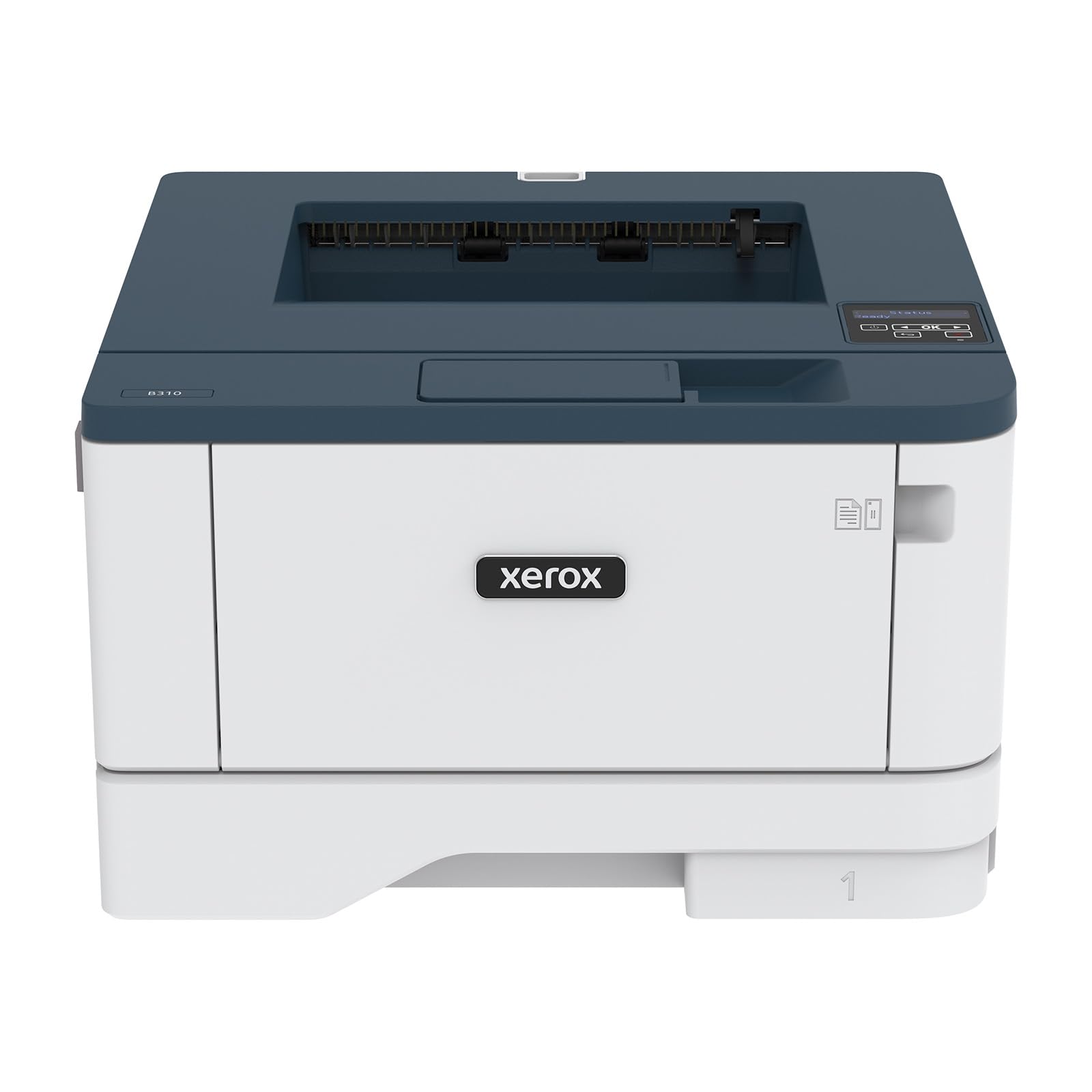
The Xerox B310DNI is a compact, fast monochrome laser printer that is ideal for small teams or home offices. It prints at speeds up to 42 A4-sized pages per minute, with a high resolution of 2400×2400 dpi for sharp text and graphics. The printer includes automatic duplex printing, a 250-sheet input tray, and supports a variety of media including envelopes and labels. Its built-in Wi-Fi supports Apple AirPrint, Mopria, and Chromebook printing, making it versatile for different devices.
Users report that the printer is blazing fast and produces excellent print quality. Setup is generally a breeze, especially on Mac and Linux systems using CUPS, and the wireless connectivity works seamlessly once configured. The starter toner is capable of printing 2,500 pages, which is generous for a starter cartridge. The compact size helps it fit easily into smaller workspaces.
Some users found the wireless setup process to be complex and the printer to be relatively loud during operation. It is also a print-only device, so users who need scanning or copying will need a separate machine. While the print speed is excellent, the cost of replacement toner is on the higher side compared to some competitors. It is a great pick for those who prioritize speed and print quality above all else.
Why it’s great
- Fast 42 ppm speed with a high 2400×2400 dpi resolution
- Compact size that fits well in tight spaces
- Starter toner yields a generous 2,500 pages
Good to know
- Wireless setup can be complex for some users
- Loud operation compared to some competitors
- Print-only model with no scan or copy functions
8. Brother HL-L2480DW (Renewed Premium)
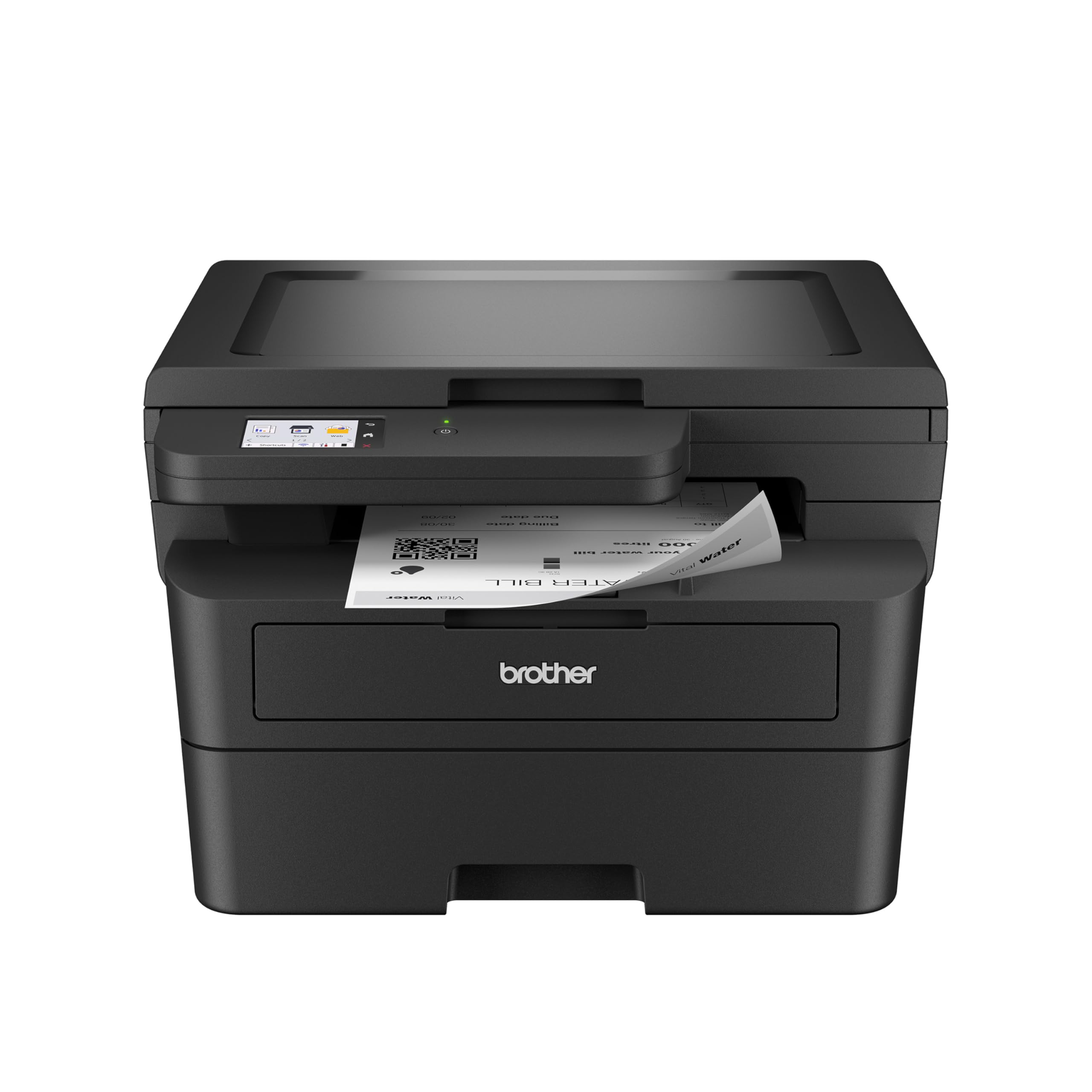
The Brother HL-L2480DW is a compact 3-in-1 monochrome laser printer that offers excellent value, especially in its renewed premium version. It prints at speeds up to 36 ppm and includes a flatbed scanner and copier, making it a versatile tool for a home office. The standout feature is the intuitive 2.7-inch touchscreen, which allows for easy navigation and direct printing from cloud-based apps like Google Drive and Dropbox. The 250-sheet paper tray and manual feed slot provide flexible paper handling.
Users praise the printer for its fast, sharp text output and quiet operation. The touchscreen is a major upgrade over button-based interfaces, and it provides clear information on toner levels. Wireless setup is straightforward, and the printer works reliably with both Apple and Android devices. Many users consider the Brother brand to be the most reliable in the printer market, especially when compared to HP.
The renewed model is reported to be in great condition and offers significant savings compared to buying new. However, it is important to note that this is a monochrome printer, so it will not handle color printing. The scanning software is not the best, but the printer itself is highly functional and dependable. It is an ideal entry-level choice for a small office or home that needs reliable black-and-white printing and scanning.
Why it’s great
- Intuitive 2.7-inch touchscreen for easy navigation
- Fast 36 ppm print speed and reliable Brother build quality
- Excellent value, especially in the renewed premium version
Good to know
- Printer is a bit noisy during operation
- Monochrome only, no color printing capability
- Included scanning software is not the best option available
9. HP Laserjet Pro 3001dw

The HP Laserjet Pro 3001dw is an entry-level monochrome laser printer designed for small teams that need fast, professional-quality black-and-white documents. It prints at speeds up to 35 ppm and includes automatic duplex printing. The printer features intelligent Wi-Fi that seeks the best connection, and it is compatible with a wide range of devices including Microsoft, Mac, AirPrint, Android, and Chromebook. HP Wolf Pro Security provides customizable security settings to protect data.
Users generally report that the printer is easy to set up and provides excellent print quality, even on draft mode. The large paper tray and auto-duplex feature are appreciated for saving time and paper. Many users have had a positive experience with the printer, praising its speed and reliability for personal business needs. The cartridges are noted to last a long time, often over a year for moderate use.
The major downside is the printer’s reliance on HP’s Dynamic Security, which can block the use of non-HP toner cartridges through firmware updates. A significant number of users report the printer becoming a brick after a firmware update or after about 10 months of use. This issue is a common complaint that undermines the long-term value of the printer. It is a decent option for those who plan to stick exclusively with HP toner and are comfortable with the risk of planned obsolescence.
Why it’s great
- Fast 35 ppm print speed with professional-quality output
- Easy setup and stable wireless connectivity
- Large paper tray and auto-duplex printing for efficiency
Good to know
- HP firmware updates can block third-party toner cartridges
- Some users report the printer failing after a few months of use
- Compatible only with cartridges using original HP chips
FAQ
Can a black and white laser printer produce good photo-quality prints?
What is the difference between dye and pigment ink for black and white photos?
Why do some photo printers use multiple black ink cartridges?
Final Thoughts: The Verdict
For most users, the black white photo printer winner is the Canon imagePROGRAF PRO-310 because its 9-color pigment system offers unmatched grayscale depth and archival quality for serious fine art. If you want low running costs and a versatile all-in-one for high-volume document printing, grab the Epson EcoTank ET-M1170. And for a fast, dependable office workhorse that handles text and forms with ease, nothing beats the Brother DCP-L2640DW.