
Our readers keep the lights on and the weekend projects moving. As an Amazon Associate, I earn from qualifying purchases.
Borderless printing — the ability to run ink to the very edge of a sheet — is the single feature that separates a document printer from a true creative tool. Without it, every photo, flyer, and presentation slide arrives with a white margin that screams “home office compromise.” For photographers, small-business owners, and anyone who designs marketing materials, a printer that delivers full-bleed output at the sizes you actually use is not a luxury; it is the baseline.
I’m Rikta — the co-founder and writer behind FitlyFast. I’ve spent hundreds of hours analyzing inkjet hardware specifications, comparing 6-color vs. 8-color dye systems, measuring borderless speed at common sizes, and reading thousands of verified owner experiences to build this guide around the specific demands of full-bleed printing.
Whether you need vivid 4 x 6 inch snapshots, professional 13 x 19 inch portfolio sheets, or efficient everyday documents without margins, this roundup of the best borderless printer options gives you the data to match the right machine to your specific output needs.
How To Choose The Best Borderless Printer
Not every printer labeled “borderless” handles every paper size or every media type the same way. The maximum paper width your printer accepts — typically 8.5 inches, 11 inches, or 13 inches — determines whether you can print a full-bleed 11 x 17 inch marketing one-sheet or are limited to letter-sized borderless. Color channel count is equally decisive: a standard four-ink system (CMYK) produces acceptable graphics, but six- or eight-ink systems add light cyan, light magenta, gray, or photo black to eliminate banding and deliver smooth tonal transitions in skies and skin tones. Finally, consider the ink architecture. Cartridge-based printers have a lower upfront cost but higher per-page expense; supertank printers slash per-page cost dramatically but often use a simpler four-color dye set that may fall short for gallery-grade borderless photos.
Paper Size & Media Path
The maximum borderless print size a printer can produce is defined by its widest paper path. Most home all-in-ones top out at 8.5 x 14 inches. Dedicated photo printers, such as the Epson Expression Photo XP-980, accept paper up to 11 x 17 inches. Professional models like the Canon PIXMA PRO-200S extend that to 13 x 19 inches. Also examine the paper path design: a rear straight-through feed is ideal for heavy cardstock or fine-art paper, while a front cassette is best for standard office paper and glossy photo paper in common sizes.
Ink Color Count vs. Cost Per Print
The number of ink colors in a printer directly correlates to how smoothly it renders gradients. A four-color printer prints borderless but may show visible dots or banding in large areas of solid color. A six-color system adds light cyan and light magenta for finer halftoning. An eight-color system introduces gray, photo black, or a chroma optimizer for neutral grays and deep blacks. The tradeoff is cost: more colors usually mean more cartridges to replace, driving up per-print expense. Supertank systems like the Epson EcoTank ET-4950 deliver extremely low per-page costs — ideal for high-volume borderless document printing — but typically rely on a four-color dye set that yields adequate rather than exceptional photo quality.
Connectivity & Workflow
Borderless printing is often a creative workflow that benefits from wireless convenience. Most modern printers support Wi-Fi, Apple AirPrint, and the HP Smart or Epson Smart Panel app. If you print borderless graphics from a design program on a desktop, an Ethernet or USB 2.0 connection provides the most reliable data throughput. For mobile-only users, a printer that allows direct camera-roll printing through its companion app — and which retains borderless paper-size settings between sessions — reduces the most common point of frustration: the printer silently reverting to bordered mode on the next job.
Quick Comparison
On smaller screens, swipe sideways to see the full table.
| Model | Category | Best For | Key Spec | Amazon |
|---|---|---|---|---|
| Epson XP-980 | Photo All-in-One | 11×17 borderless photos | 6-color Claria HD inks | Amazon |
| Canon PRO-200S | Professional Photo | 13×19 gallery prints | 8-color dye-based system | Amazon |
| Epson ET-4950 | Supertank All-in-One | High-volume borderless docs | 18 ppm black / 9 ppm color | Amazon |
| Epson ET-2980 | Budget Supertank | Home borderless documents | 15 ppm black / 8 ppm color | Amazon |
| HP Envy Photo 7975 | Photo All-in-One | 4×6 borderless snapshots | Separate photo tray | Amazon |
| HP OfficeJet Pro 8138e | Office All-in-One | Business borderless graphics | 20 ppm black / 10 ppm color | Amazon |
| HP OfficeJet Pro 8125 | Office All-in-One | Home office borderless | 225-sheet input tray | Amazon |
| Canon PIXMA TR7820 | Compact All-in-One | Small-space borderless | 2.7″ touchscreen | Amazon |
| Canon PIXMA TS7720 | Entry-Level All-in-One | Budget borderless prints | Auto duplex printing | Amazon |
In‑Depth Reviews
1. Epson Expression Photo XP-980

The Epson Expression Photo XP-980 is a borderless specialist that delivers true 11 x 17 inch edge-to-edge printing in as fast as 11 seconds for a 4 x 6 inch print. Its six-color Claria Photo HD ink system — adding light cyan and light magenta to the standard CMYK set — produces smooth, grain-free skies and skin tones that four-color printers cannot match. The 5760 x 1440 dpi print resolution means text remains sharp while photo gradients are free of visible banding.
Paper handling is equally thoughtful: separate trays for plain paper and photo paper let you keep both loaded, while the rear specialty-feed accepts fine-art paper or cardstock up to 1.3 mm thick. The 4.3 inch color touchscreen is large and responsive, making paper-size changes quick. Wi-Fi Direct and the Epson Smart Panel app allow router-free printing from a phone or tablet, and the flatbed scanner copies up to 8.5 x 11.7 inches with 48-bit color depth. The six starter ink cartridges are included, and genuine Epson replacements are widely available in standard and XL capacities.
Owner feedback consistently praises the print quality on glossy and luster media, noting that colors appear accurate straight from the box without manual calibration. A few users report that the rear photo tray can be fiddly for thick paper and that the scanner’s auto-correction may darken originals unexpectedly. Ink consumption is reasonable for the quality delivered: after a dozen 8 x 10 inch prints, cartridges still showed usable life. The printer is not especially fast for text documents — 8.5 ppm black — but as a dedicated borderless photo machine, it outperforms every general-purpose all-in-one in its price tier.
Why it’s great
- True 11×17 borderless with 6-color ink system produces gallery-quality prints
- Fast 4×6 borderless output in ~11 seconds
- Separate plain and photo paper trays keep workflows seamless
Good to know
- Rear photo tray design can be cumbersome for thick media
- Scanner auto-correction may need manual adjustment for accurate color reproduction
2. Canon PIXMA PRO-200S

The Canon PIXMA PRO-200S is the professional-grade borderless printer for users who need full-bleed output up to 13 x 19 inches. Its eight-color dye-based ink system — cyan, magenta, yellow, black, gray, photo blue, photo magenta, and a chroma optimizer — delivers tonal range that rivals the wet-process labs you find at professional photo houses. The printer handles paper sizes from 3.5 x 3.5 inches up to 13 x 19 inches, making it suitable for art prints, proof sheets, and portfolio pages.
Print speed is calibrated for quality rather than volume: a bordered A3+ print finishes in about 90 seconds, and an 8 x 10 inch print takes roughly 53 seconds. The 3.0 inch color LCD monitor gives access to ink levels and printer status without needing a computer. Canon includes a full set of eight starter ink cartridges in the box, and the print head is a separate consumable that can be replaced independently. Ethernet and USB 2.0 connectivity ensure stable data transfer for large file sizes — critical when printing 300 DPI TIFFs at 13 x 19.
User reviews consistently praise the PRO-200S for producing vibrant, sharp prints with zero banding and excellent shadow detail. The printer is notably quiet during operation. However, the machine is large and heavy at 32 pounds, and phone-based setup has been reported as finicky with WiFi disconnections. A minority of customers note that the black ink cartridge empties relatively quickly — after approximately 30 full-page prints — and that the replacement cartridges are expensive. There is no scanner, no ADF, and no fax: this is a pure photo printer for users who already own a separate document scanner.
Why it’s great
- 8-color dye system produces exceptional color accuracy and smooth gradients up to 13×19 inches
- Quiet operation and separate print head for long-term maintainability
- Rear straight-through paper path supports thick fine-art media
Good to know
- Large and heavy (32 pounds) — needs dedicated desk space
- Black ink cartridge depletes faster than other colors; replacement cost is high
3. Epson EcoTank ET-4950

The Epson EcoTank ET-4950 is the high-volume borderless productivity machine for offices and home businesses that print dozens of full-bleed documents every day. Its cartridge-free supatank system ships with enough bottle ink for up to 6,600 black pages and 5,500 color pages, eliminating the cost anxiety that comes with every cartridge-based printer. Borderless printing is supported up to 8.5 x 14 inches, and the printer handles common photo sizes including 4 x 6, 5 x 7, and 8 x 10 via the intuitive color touchscreen.
Print speeds are genuinely fast for its class: 18 ISO ppm black and 9 ISO ppm color with zero warmup time. The 250-sheet paper tray, 30-sheet auto document feeder, and automatic duplex printing make light work of multi-page borderless reports and flyers. The printer also includes fax capability and Ethernet connectivity, making it suitable for wired office networks. The seventh-generation EcoTank design uses keyed EcoFit bottles that cannot be inserted into the wrong tank, preventing accidental cross-filling.
Owner satisfaction is high for document-quality borderless printing, with users reporting flawless wireless performance, clear text, and acceptable color graphics. Photo quality on glossy paper is good but not at the level of a six- or eight-color printer — some users note slight banding in large solid areas. The setup process includes a 15-minute ink charging cycle and paper alignment, which some find lengthy. A handful of users report that the output tray automatically closes and requires navigating menus to reopen, which slows down repeat jobs. Overall, the ET-4950 is the best value for users who need low-cost per-page borderless output in an all-in-one package.
Why it’s great
- Extremely low per-page cost with bottle ink — equivalent to 80+ cartridges per set
- Fast print speeds (18 ppm black) with zero warmup time
- Auto document feeder, fax, and Ethernet make it office-ready
Good to know
- Four-color dye system produces adequate but not exceptional photo quality
- Setup requires 15-minute ink charging cycle and alignment
4. HP Envy Photo 7975

The HP Envy Photo 7975 is a dedicated home photo printer that puts borderless output front and center. Its separate photo paper tray keeps 5 x 7 or 4 x 6 glossy media loaded while the main paper cassette holds letter-sized plain paper for documents, meaning you can switch between borders and borderless without reconfiguring the input source. The printer uses a four-color dye system (HP 64 cartridges: black, cyan, magenta, yellow), which delivers vibrant colors on HP glossy photo paper.
Setup through the HP Smart app is streamlined, with most users reporting a sub-ten-minute experience. The 2.7-inch color touchscreen provides straightforward navigation for paper-size and borderless settings. The printer also includes a 35-sheet auto document feeder, making it useful for scanning multi-page borderless documents. AI-powered print optimization in the HP Smart app automatically crops and reformats web pages and emails to fit borderless layouts without awkward white strips.
Owner feedback is largely positive, with praise for the easy wireless setup, quiet operation, and crisp print quality. A minority of users report that the printer can be noisy in quiet print mode and that some units develop paper feed errors within weeks. The included tri-color and black starter cartridges have relatively low page yields, so a switch to XL cartridges or an Instant Ink subscription is recommended for regular use. For families who want a simple borderless photo printer that also handles homework and office documents, the Envy Photo 7975 hits a comfortable sweet spot.
Why it’s great
- Separate photo tray keeps borderless snapshot media always ready
- Easy wireless setup via HP Smart app in under 10 minutes
- AI-powered print optimization reduces wasted pages
Good to know
- Starter cartridges have low yield — upgrade to XL cartridges for regular use
5. Epson EcoTank ET-2980

The Epson EcoTank ET-2980 is the entry-level supertank printer that brings ultra-low-cost borderless printing to the home user. It ships with enough ink in the box — one 127 mL black bottle and three 70 mL color bottles — to print up to 6,600 black pages or 5,500 color pages. For borderless 4 x 6 inch photo prints and letter-sized flyers, that translates to years of full-bleed output before you need to buy a single replacement bottle. The four-color dye system is adequate for school projects, family newsletters, and occasional snapshots.
The printer supports automatic duplex printing, a color touchscreen, and wireless connectivity via the Epson Smart Panel app. Print speeds are 15 ISO ppm black and 8 ISO ppm color — more than sufficient for home workloads. The EcoFit bottles are keyed to prevent accidental mixing, and the ink-fill process is genuinely mess-free: the bottle nozzle only releases ink when correctly inserted into the tank, and it stops automatically when the tank is full.
User feedback highlights the value proposition: fast-drying smudge-resistant prints, easy refills, and dramatically lower ongoing costs compared to cartridge-based competitors. Some owners caution that setup can be time-consuming — especially on Windows 11 where driver extraction from ZIP files is required. A few users note that print quality at 600 DPI is acceptable but not crisp enough for very detailed graphics, and that the duplex printing function occasionally misbehaves. For the budget-conscious user who prints mostly text documents with occasional borderless color pages, the ET-2980 is hard to beat.
Why it’s great
- Ultra-low per-page cost with ink bottles — years of printing included in the box
- Mess-free keyed bottle design with automatic stop filling
- Automatic duplex printing saves paper
Good to know
- Setup on Windows can be more involved than expected
- Print quality at 600 DPI is okay for documents but not photo-grade
6. HP OfficeJet Pro 8125

The HP OfficeJet Pro 8125 is designed for home offices that produce professional borderless marketing materials, reports, and presentations. It prints up to 20 pages per minute in black and 10 pages per minute in color, with a 225-sheet input tray and automatic duplex printing. The printer includes a 35-sheet auto document feeder, making it efficient for scanning multi-page borderless documents. The HP Smart app and dual-band Wi-Fi provide reliable wireless printing from any device in the home or office.
The 2.7-inch color touchscreen is responsive and straightforward for selecting borderless paper sizes and managing print jobs. The printer supports borderless printing on both plain and glossy paper up to 8.5 x 14 inches, and the included HP 923 setup cartridges provide enough ink to get started. HP’s AI-powered print optimization automatically removes unnecessary whitespace from web pages and emails, which is especially useful for borderless output. The printer also includes HP Wolf Essential Security for network protection and is made with more than 45% recycled plastic.
Owner reviews praise the easy setup process and reliable print quality. A majority of users report that the printer connected quickly via the HP Smart app and that print quality exceeded expectations for a mid-range office all-in-one. Some users note that the instruction manual is minimal and that the front panel display can feel small for navigating more detailed settings. A few customers experienced connectivity issues during setup that required multiple retries, but once connected, the printer operated reliably. The Instant Ink trial is included, but the printer locks to original HP cartridges — third-party ink is blocked by firmware.
Why it’s great
- Fast print speeds (20 ppm black) with 225-sheet input tray for high-volume jobs
- AI web-page optimization reduces wasted paper for borderless outputs
- Reliable dual-band Wi-Fi with automatic connection troubleshooting
Good to know
- Firmware blocks non-HP cartridges — ongoing ink cost is higher than supertank alternatives
- Setup may require multiple attempts for some network configurations
7. HP OfficeJet Pro 8138e
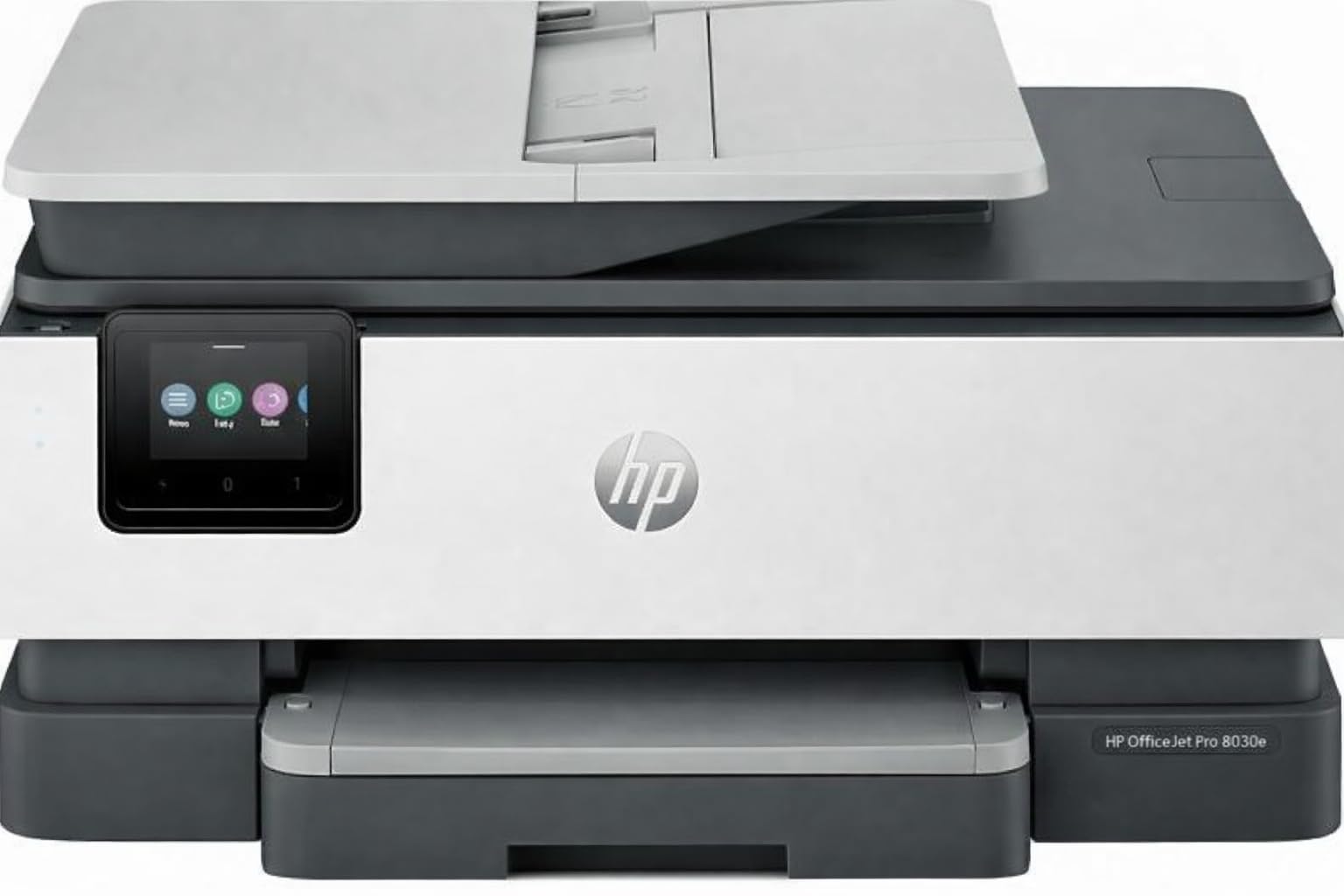
The HP OfficeJet Pro 8138e is a renewed version of HP’s business-grade all-in-one — ideal for users who want premium borderless capabilities at a reduced cost. The printer offers print, scan, copy, and fax functionality with a 225-sheet input tray and automatic duplex printing. Borderless printing is supported on both plain paper and photo media up to 8.5 x 14 inches, with 4800 x 1200 dpi color resolution delivering sharp text and vivid graphics. Print speed is rated at 20 pages per minute black and 10 pages per minute color.
The printer supports Apple AirPrint, Wi-Fi Direct, the HP Smart App, Mopria, Bluetooth Low Energy, and dual-band Wireless-AC — making it one of the most connectivity-rich options at this tier. Ethernet and USB 2.0 ports are also available for wired connections. The 2.7-inch color touchscreen provides intuitive control for paper-size and borderless settings. The renewed unit from Amazon comes with a full set of HP 923 setup ink cartridges (black, cyan, magenta, yellow), power cord, and documentation.
Buyer feedback is mixed, as is common with renewed products. Many users report that the printer looks and functions like new, with excellent print quality and easy setup. Some negative reviews mention persistent paper jams, poor print quality after a few months, or that the renewed unit arrived with an Ethernet port that did not function. A minority of users strongly prefer this model because it accepts generic cartridges without forcing an HP ink subscription, giving them control over ongoing costs. The key caution is that renewed unit quality varies, and the return window is the main safety net.
Why it’s great
- Excellent connectivity options (Wi-Fi Direct, AirPrint, Mopria, Bluetooth LE)
- Renewed unit delivers premium specs at a fraction of new retail price
- Accepts generic cartridges without requiring HP ink subscription
Good to know
- Quality varies between individual renewed units — return policy is essential
- Some units arrive with non-functional Ethernet ports or paper feed issues
8. Canon PIXMA TR7820

The Canon PIXMA TR7820 is a space-saving all-in-one that delivers full borderless functionality in a compact footprint. It prints at 15 pages per minute black and 10 pages per minute color, with auto duplex printing and an auto document feeder that handles multi-page scanning efficiently. The printer uses Canon’s PG-285/CL-286 ink cartridges, which are widely available and affordable in standard and XL capacities. The 2.7-inch LCD touchscreen is intuitive and gives quick access to paper-size and borderless settings.
Wireless connectivity is stable for most users, with the Canon PRINT app providing remote printing and scanning from smartphones. The TR7820 supports borderless printing on 4 x 6, 5 x 7, and 8 x 10 inch photo paper, as well as letter-sized borderless for documents and presentations. The integrated auto document feeder keeps scanning workflows smooth, and the flatbed produces scans at up to 1200 x 1200 dpi. The printer also handles special media through a rear paper feed dedicated to photo paper, allowing you to keep plain paper in the cassette.
User reviews highlight the solid print quality and reliable performance for the price. Many owners appreciate that the printer does not jam frequently and that setup is quick when instructions are followed precisely. A few customers report that the touchscreen interface is not the most intuitive for advanced settings, and some mention that WiFi connection can be unstable if the printer is placed far from the router. Photos on Canon matte paper look somewhat washed out unless you select the glossy paper setting in the driver — a quirk that applies to several Canon models. For users who want a dependable, compact borderless all-in-one without supertank commitment, the TR7820 is a reliable pick.
Why it’s great
- Compact footprint with auto document feeder for efficient scanning
- Reliable wireless connectivity with Canon PRINT app support
- Rear paper feed for photo media keeps plain paper ready
Good to know
- Photos on matte paper appear washed out if glossy paper setting is not selected
- WiFi stability drops if printer is far from router
9. Canon PIXMA TS7720

The Canon PIXMA TS7720 is the most affordable entry point for borderless printing in this roundup. It prints at 15 pages per minute black and 10 pages per minute color, with automatic duplex printing and a 2.7-inch LCD touchscreen. The printer uses Canon’s two-cartridge system — a single PG-285 pigment black cartridge and a single CL-286 color cartridge — which keeps ink replacement simple and reduces the number of spares you need to stock. Borderless print support covers 4 x 6, 5 x 7, and letter-sized paper, making it suitable for family photos and school projects.
Setup is designed to be straightforward: iOS users report smooth connections via the Canon PRINT app, though Windows 8.1 users may need to download drivers manually. The TS7720 includes Wi-Fi connectivity and supports printing from smartphones and tablets. The flatbed scanner copies at up to 1200 x 1200 dpi and includes Canon’s Easy-PhotoPrint Editor software for creating borderless photo layouts. The compact white chassis fits easily on a small desk, and the touchscreen tilts for comfortable viewing.
Buyer reviews are generally favorable, with many praising the printer for being reliable and easy to use right out of the box. Print quality is described as crisp for text and colorful for photos, though some users note the scanner lacks an auto document feeder. Several owners mention the default auto power-off setting (after four hours) causes confusion — this can be disabled in the printer preferences. A small number of negative reviews report hazy photo output and high ink consumption, but most agree that the TS7720 delivers strong value for entry-level borderless needs. The bottom paper tray must be pulled out manually, and the printer must be turned on to accept print jobs, so check those details before purchase.
Why it’s great
- Lowest entry price for a borderless-capable all-in-one with auto duplex
- Simple two-cartridge system keeps ink replacement easy
- Compact footprint fits small desks
Good to know
- No auto document feeder — scanning multi-page documents is manual
- Default auto power-off after 4 hours can interrupt workflow if not changed
FAQ
Can any printer print borderless, or is it a specialized feature?
Why do my borderless prints sometimes have a thin white line at the edge?
Do supertank printers support borderless printing on thick cardstock?
Final Thoughts: The Verdict
For most users, the best borderless printer winner is the Epson Expression Photo XP-980 because its six-color Claria HD ink system delivers rich, band-free borderless prints up to 11 x 17 inches at a price that undercuts dedicated photo printers with comparable color depth. If your work demands 13 x 19 inch gallery prints, grab the Canon PIXMA PRO-200S for its eight-color dye system and professional-grade output. And for high-volume borderless document printing where per-page cost matters most, nothing beats the Epson EcoTank ET-4950 with its cartridge-free supertank and extremely low ongoing expenses.