
Our readers keep the lights on and the weekend projects moving. As an Amazon Associate, I earn from qualifying purchases.
The leap to a 4K curved gaming monitor changes how you see the map. You trade the flat, segmented view of a standard screen for an arc that wraps around your peripheral vision, matching the natural curve of the human eye. That 1500R or 1000R bend isn’t cosmetic — it reduces eye-strain during marathon sessions by keeping the corners of the screen at a consistent focal distance, and it pulls you into the game world rather than keeping you staring at a window.
I’m Rikta — the co-founder and writer behind FitlyFast. This guide draws from hours of comparing real-world panel performance, refresh-rate headroom, HDR brightness levels, and build quality across the most compelling 4K curved monitors on the market today.
Whether you prioritize OLED-perfect blacks, blistering 240Hz fluidity, or a dual-mode panel that lets you switch between 4K and high-frame-rate FHD, understanding the best 4k curved gaming monitor for your setup comes down to matching curvature, panel type, and connectivity to your GPU and gaming habits.
How To Choose The Best 4K Curved Gaming Monitor
A 4K curved gaming monitor is a significant investment, and the wrong choice — pairing a slow panel with a fast GPU or choosing a curvature that feels unnatural — can undermine the entire experience. Focus on these four pillars to cut through the marketing noise.
Curvature: 1000R, 1500R, or 1700R?
The curvature rating describes the radius of the circle the monitor would form if fully enclosed. A lower number means a tighter curve: 1000R wraps around you aggressively, matching the human field of view most closely, while 1500R and 1700R offer a gentler arc that works better for shared viewing or productivity alongside gaming. For single-player immersion and focused desk setups, a tighter 1000R or 1500R panel pulls you into the action. If you also edit video or run spreadsheets, a shallower curve like 1700R reduces distortion on straight lines.
Panel Type: VA, QD-OLED, or Mini-LED
VA panels dominate the affordable 4K curved segment because they deliver strong contrast ratios (3000:1) and decent black levels at a lower cost, but they suffer from slower pixel response and occasional black-level smearing in dark scenes. QD-OLED panels produce perfect blacks, near-instant 0.03ms response times, and vibrant color volumes, though they require burn-in precautions and are priced higher. Mini-LED VA panels, like Samsung’s Quantum Matrix, offer high brightness (up to 2000 nits peak) with local dimming zones that approach OLED contrast without the organic-panel longevity concerns. Your choice should match your budget tolerance for burn-in risk versus your need for absolute black-level depth.
Refresh Rate and Adaptive Sync
At 4K resolution, pushing 144Hz demands a powerful GPU — an RTX 4070 Ti or better for modern titles. A 240Hz 4K panel is future-proofing and benefits competitive shooters that can run at lower settings, but you’ll likely use it at 144Hz-160Hz for most AAA games. Dual-mode monitors (4K 160Hz / FHD 320Hz) give you flexibility: one display that handles both narrative-rich 4K gaming and high-frame-rate esports. Ensure your monitor supports both G-Sync Compatible and FreeSync Premium Pro so you’re covered regardless of your GPU brand, and confirm that the version of DisplayPort or HDMI 2.1 supports the full bandwidth for 4K at your target refresh rate without chroma subsampling.
Connectivity and Ergonomics
HDMI 2.1 is essential for console gaming at 4K 120Hz on PS5 or Xbox Series X, while DisplayPort 1.4 with DSC remains the standard for PC setups. A USB-C port with DP Alt mode and power delivery simplifies laptop connectivity and single-cable desk setups. For ergonomics, look for height adjustment, tilt, and swivel — a 32-inch curved panel without height adjustment forces an unnatural neck angle. VESA mount compatibility (100x100mm) gives you the option of a monitor arm, which is especially useful for ultrawide or heavy curved panels that strain desk stands.
Quick Comparison
On smaller screens, swipe sideways to see the full table.
| Model | Category | Best For | Key Spec | Amazon |
|---|---|---|---|---|
| ASUS ROG Swift PG32UCDM | QD-OLED | No-compromise 4K gaming & media | 32″ QD-OLED / 240Hz / 0.03ms | Amazon |
| Samsung Odyssey Neo G8 G85NB | Mini-LED VA | High-brightness HDR & competitive speed | 32″ Mini-LED VA / 240Hz / 2000 nits | Amazon |
| LG 32GX850A-B UltraGear | WOLED | Versatile dual-mode gaming | 32″ Glossy WOLED / 165Hz / 0.03ms | Amazon |
| Acer Predator X32 OLED | QD-OLED | Immersive 4K OLED on a budget | 31.5″ QD-OLED / 240Hz / 0.03ms | Amazon |
| ASUS ROG Strix XG32UCG | Fast IPS | Dual-mode 4K/FHD with fast response | 32″ Fast IPS / 160Hz 4K / 0.3ms | Amazon |
| ASUS ROG Strix XG27UCDMG | QD-OLED | Compact QD-OLED with burn-in protection | 26.5″ QD-OLED / 240Hz / 0.03ms | Amazon |
| Dell Alienware AW3225QF | QD-OLED | Refined QD-OLED with Dolby Vision | 31.6″ QD-OLED / 240Hz / 0.03ms | Amazon |
| Samsung Odyssey OLED G9 G91SD | QD-OLED | Ultrawide 32:9 immersion | 49″ QD-OLED / 144Hz / 0.03ms | Amazon |
| GIGABYTE M32UC | SS VA | Productivity & gaming with KVM | 32″ SS VA / 160Hz / 1ms MPRT | Amazon |
| CRUA 32″ Curved 4K | VA | Budget-friendly 4K entry point | 32″ VA / 240Hz / 1500R | Amazon |
| Gawfolk 49″ Ultrawide | VA | Affordable ultrawide 32:9 screen space | 49″ VA / 240Hz / 1500R | Amazon |
In‑Depth Reviews
1. ASUS ROG Swift PG32UCDM

The PG32UCDM is the benchmark for a 4K curved gaming monitor in 2025. It pairs a 32-inch QD-OLED panel with a 240Hz refresh rate and a 0.03ms response time, delivering perfect blacks, vibrant color volume (99% DCI-P3), and near-instantaneous pixel transitions that eliminate motion blur entirely. The custom heatsink and graphene film reduce burn-in risk, while the included 3-year warranty with burn-in coverage provides peace of mind for daily use.
In practice, this monitor handles both narrative-rich 4K gaming and competitive shooters with equal authority. The glossy screen enhances perceived contrast and clarity without being overly reflective in controlled lighting, and the 4K resolution at 32 inches gives a pixel density of roughly 140 PPI — sharp enough for text work without scaling headaches. HDR performance is excellent, with VESA DisplayHDR 400 True Black certification ensuring deep shadows alongside bright highlights.
Connectivity includes DisplayPort 1.4, HDMI 2.1, and a USB-C port with 90W power delivery for laptop setups. The ergonomic stand offers height, tilt, swivel, and pivot adjustments, and the 100x100mm VESA mount supports monitor arms. The only notable omission is DisplayPort 2.1, which means 4K at 240Hz relies on DSC compression — a non-issue for virtually all users, but spec purists should note it.
Why it’s great
- QD-OLED delivers inky blacks, wide color gamut, and zero backlight bleed
- 240Hz refresh rate with G-Sync Compatible and FreeSync Premium Pro
- USB-C with 90W PD simplifies laptop integration
- 3-year warranty includes burn-in coverage
Good to know
- No DisplayPort 2.1; 4K 240Hz requires DSC
- Glossy finish may reflect bright room lights
- Premium price reflects OLED technology
2. Samsung Odyssey Neo G8 G85NB

The Odyssey Neo G8 takes a different route than OLED by using Quantum Mini-LEDs for local dimming, achieving a peak brightness of 2000 nits in small HDR windows. This gives it a real advantage in brightly lit rooms or games with extreme dynamic range — sun-scorched landscapes in Elden Ring or muzzle flashes in Call of Duty look genuinely blinding, not washed out. The 1000R curvature is the tightest available, wrapping deeply into your peripheral vision for maximum immersion.
The VA panel delivers a native contrast ratio of 1,000,000:1 thanks to the Mini-LED array, though black levels can show some haloing around bright objects in high-contrast scenes. The 240Hz refresh rate with 1ms response time keeps motion crisp, and the matte display cuts reflections effectively. FreeSync Premium Pro and G-Sync Compatible support ensure smooth variable refresh rate operation on both AMD and NVIDIA GPUs.
Reliability reports are mixed — some users experience scan lines at 240Hz or the occasional divided-screen issue, though many of these appear to be resolved with proper power-on sequencing and firmware updates. The ergonomic stand offers tilt, swivel, and height adjustment, and the 100x100mm VESA mount is available. If you prioritize peak HDR brightness and a tight curve over OLED-perfect blacks, this is a compelling alternative.
Why it’s great
- 2000 nits peak brightness for stunning HDR impact
- 1000R curve delivers deepest immersion available
- Mini-LED provides excellent contrast without OLED burn-in risk
- 240Hz refresh rate with 1ms response time
Good to know
- Some users report scan lines at 240Hz
- Black-level haloing visible in high-contrast scenes
- Menu joystick is small and awkward to reach
3. LG 32GX850A-B UltraGear

LG’s 32GX850A-B uses a WOLED panel with Micro Lens Array+ technology that boosts typical brightness to 275 nits, a noticeable improvement over previous-gen LG OLED monitors. The glossy screen finish enhances color vibrancy and perceived contrast, making game worlds look punchy and rich. The dual-mode capability lets you switch from 4K at 165Hz to Full HD at 330Hz with a hotkey, a genuine advantage for the player who wants one monitor for both story-driven titles and competitive shooters.
The 0.03ms response time eliminates ghosting entirely, and the 1.5M:1 contrast ratio produces the inky blacks expected from OLED technology. VESA DisplayHDR True Black 400 ensures HDR content looks accurate and deep, and the monitor carries three UL certifications for anti-glare, flicker-free, and low blue light — useful for extended sessions. The stand offers tilt, height, swivel, and pivot adjustments, and connectivity includes HDMI 2.1 and DisplayPort 1.4.
Text clarity on the WOLED panel is generally good, though some users note minor banding in gradients at the high end. Overall, this is an excellent mid-to-premium choice that balances OLED image quality with practical gaming features at a price significantly below the flagship QD-OLED alternatives.
Why it’s great
- Glossy WOLED with Micro Lens Array+ for brighter OLED experience
- Dual-mode (4K 165Hz / FHD 330Hz) covers single-player and esports
- Excellent ergonomics with full adjustment range
- UL-certified low blue light and flicker-free
Good to know
- Glossy finish is reflective in bright rooms
- Text clarity lags slightly behind QD-OLED panels
- No HDMI 2.1 on all ports — check cable routing
4. Acer Predator X32

The Acer Predator X32 brings a true 10-bit QD-OLED panel with a 1700R curvature to a price point that undercuts many competitors. The DCI-P3 99% color gamut and VESA DisplayHDR True Black 400 deliver vibrant, accurate colors and deep blacks that make games like Cyberpunk 2077 and Alan Wake 2 look stunning out of the box. The 240Hz refresh rate and 0.03ms response time provide the speed expected from high-end OLED, with no visible ghosting or smearing during fast motion.
The 1700R curve is shallower than the 1500R or 1000R alternatives, which makes it a better fit for users who also do productivity work — the gentle arc reduces geometric distortion on spreadsheets and browser windows while still providing a wraparound feel during games. The ergonomic stand supports tilt, swivel, and height adjustment, and the built-in speakers are a rare inclusion that offers usable audio for casual gaming without cluttering the desk with external speakers.
Some users report that the out-of-box brightness is lower than expected, particularly in SDR mode, and the on-screen menu prompts can be frequent and require manual dismissal. The 1000 nits peak brightness is limited to small HDR highlights, which means the overall luminance isn’t as eye-searing as Mini-LED alternatives. Still, for the price, this is the most affordable entry point into QD-OLED 4K gaming currently available.
Why it’s great
- True 10-bit QD-OLED with 99% DCI-P3 color coverage
- 240Hz refresh rate at an accessible price point
- 1700R curve balances immersion and productivity
- Built-in speakers and full ergonomic stand
Good to know
- SDR brightness is modest out of the box — calibration helps
- On-screen menu prompts can be intrusive
- Peak HDR brightness only in small highlight areas
5. ASUS ROG Strix XG32UCG

The XG32UCG uses a Fast IPS panel with dual-mode switching: 4K at 160Hz or Full HD at 320Hz, giving you the flexibility to prioritize visual fidelity in story-driven titles and raw frame rates in competitive shooters. The 0.3ms minimum response time is among the fastest for IPS panels, and ELMB Sync technology eliminates ghosting and tearing simultaneously — a rare feature that marries variable refresh rate with motion blur reduction. The 32-inch 4K screen delivers sharp text and vibrant colors with 130% sRGB and 95% DCI-P3 coverage.
The stand offers full ergonomic adjustment — tilt, swivel, and height — and includes a tripod socket for streamers who mount cameras or microphones directly to the display. Connectivity is comprehensive: DisplayPort 1.4, HDMI 2.1, and USB-C with DP Alt mode for laptop users. The ROG Gaming A.I. technology adds crosshair overlays and shadow boost, features that competitive players will appreciate for training or ranked matches.
The downside of IPS is contrast ratio: the static 1000:1 ratio means blacks look gray in a dark room, a clear compromise compared to OLED or VA panels with local dimming. The monitor doesn’t include a USB-C port with power delivery, so laptops may need a separate charging cable. For the user who values raw responsiveness and dual-mode flexibility over black-level depth, this is a strong mid-to-premium pick.
Why it’s great
- Dual-mode (4K 160Hz / FHD 320Hz) covers all game types
- 0.3ms response time with ELMB Sync eliminates ghosting
- Full ergonomic stand with tripod socket for streamers
- USB-C with DP Alt mode for single-cable laptop connection
Good to know
- IPS contrast ratio means blacks appear gray in dark scenes
- No USB-C power delivery — separate charging cable needed
- HDR performance is limited by 600-nit peak brightness
6. ASUS ROG Strix XG27UCDMG

The XG27UCDMG is a 26.5-inch QD-OLED monitor that combines the latest 4th-gen QD-OLED panel technology with practical burn-in prevention features. The Neo Proximity Sensor detects when you leave the desk and automatically switches the screen to black — a useful layer of protection beyond standard pixel refresh cycles. The 240Hz refresh rate, 0.03ms response time, and 99% DCI-P3 gamut deliver the expected premium OLED experience: perfect blacks, vibrant colors, and motion clarity that flat-panel users will find transformative.
The smaller diagonal and 4K resolution combine for a pixel density of roughly 166 PPI — noticeably sharper than 32-inch 4K panels, making this an excellent choice for users who prioritize crisp text clarity alongside gaming performance. The stand offers height, tilt, swivel, and pivot adjustment, and connectivity includes DisplayPort 1.4, HDMI 2.1, and USB-C with 90W power delivery. The glossy screen enhances contrast but requires careful placement away from direct light sources.
The main trade-off is the 27-inch form factor itself: some users upgrading from 32-inch 4K monitors may find the smaller screen less immersive for single-player titles, and the pixel density is so high that Windows scaling is essential for comfortable text reading. The price is also premium for a 27-inch panel, though the QD-OLED performance and burn-in protection features justify the investment for competitive gamers with limited desk space.
Why it’s great
- 4th-gen QD-OLED with improved text clarity and longevity
- Neo Proximity Sensor for automatic burn-in protection
- High 166 PPI density for sharp text and images
- USB-C with 90W PD and full ergonomic stand
Good to know
- 27-inch screen may feel small compared to 32-inch alternatives
- Glossy finish reflects ambient light
- Windows scaling required for comfortable text size
7. Dell Alienware AW3225QF

The Alienware AW3225QF is a 31.6-inch QD-OLED monitor that supports both Dolby Vision and HDR10, making it one of the most filmic displays for gaming and streaming. The curved 1700R panel delivers the expected QD-OLED benefits — perfect blacks, 99% DCI-P3 color, and a 0.03ms response time — while Dolby Vision support ensures HDR content looks as the director intended, with dynamic metadata per scene. The 240Hz refresh rate keeps motion smooth across fast-paced games and the G-Sync Compatible certification guarantees tear-free operation with NVIDIA GPUs.
The design is classic Alienware clean, with a premium build that feels solid on the desk. The stand offers height, tilt, and swivel adjustments, and the 100x100mm VESA mount is supported. Connectivity includes DisplayPort 1.4 and HDMI 2.1, covering both PC and console setups. The included Alienware Command Center allows for easy calibration and OLED care functions, including manual pixel refresh scheduling.
One trade-off is the Dolby Vision implementation: in very dark rooms, it can introduce a subtle background light that some users find distracting, and the HDR 1000 mode can make SDR content appear too dark without contrast adjustment. The screen brightness at 250 nits typical is lower than the Mini-LED competition, so this monitor performs best in controlled lighting. Buyers should also verify they are purchasing from a reputable seller, as some customers report receiving refurbished units sold as new.
Why it’s great
- QD-OLED with Dolby Vision and HDR10 support
- 240Hz with 0.03ms response time
- Clean, premium build with full ergonomic stand
- Alienware Command Center for calibration and pixel refresh
Good to know
- Dolby Vision can introduce background light in dark rooms
- Typical brightness of 250 nits is modest for bright rooms
- Some customers have received refurbished units incorrectly labeled as new
8. Samsung Odyssey OLED G9 G91SD

The Odyssey OLED G9 is a 49-inch 32:9 ultrawide that effectively replaces two 27-inch monitors with a single seamless QD-OLED curve. The Dual QHD resolution (5120×1440) gives it 110 pixels per inch — less dense than a true 4K panel but still sharp for gaming and productivity. The QD-OLED panel delivers the deep blacks and vibrant colors you expect from Samsung’s OLED line, and the 144Hz refresh rate with 0.03ms response time ensures smooth motion in racing and flight simulators that benefit most from the ultrawide aspect ratio.
The 1800R curvature wraps the screen around you naturally, and the monitor includes burn-in protection features like logo and taskbar detection, automatic screen dimming after 10 minutes of inactivity, and a thermal modulation system that adjusts brightness to manage heat. G-Sync Compatible and FreeSync Premium Pro support eliminate tearing, and the Picture-in-Picture mode is genuinely useful for displaying a second input alongside your main PC, removing the need for a separate secondary monitor.
The main trade-off is the 144Hz refresh rate, which is lower than the 240Hz panels in this list, though the real-world difference is minimal for the ultrawide use case. Some units have been reported with a visible gradient band down the middle where two 27-inch panels meet — a manufacturing variance that affects dim gray tones. The stand is heavy and wide, and the monitor’s size requires a deep desk or a sturdy monitor arm (VESA 100x100mm supported).
Why it’s great
- 49-inch QD-OLED ultrawide provides massive immersive screen space
- Multitasking-friendly with Picture-in-Picture and KVM support
- Comprehensive burn-in protection features
- G-Sync Compatible and FreeSync Premium Pro coverage
Good to know
- 144Hz refresh rate is lower than competing 4K alternatives
- Some units show a gradient band down the screen center
- Large footprint requires a deep desk or monitor arm
9. GIGABYTE M32UC

The GIGABYTE M32UC is a 32-inch SS VA panel with a 160Hz overclocked refresh rate and a 1ms response time, designed for the user who demands both gaming performance and productivity features. The built-in KVM switch lets you control a desktop PC and a laptop from a single keyboard-and-mouse setup — a significant convenience for mixed work-gaming desks. The 4K resolution at 32 inches provides ample screen real estate for multitasking, and the VA panel’s 3000:1 contrast ratio delivers deeper blacks than typical IPS displays.
Color coverage reaches 123% sRGB and 93% DCI-P3, which is respectable for a non-OLED panel and more than adequate for gaming and media consumption. The OSD Sidekick software allows for mouse-based adjustment of monitor settings, and the tactical features — including crosshair overlays and black equalizer — are genuinely useful for competitive shooters. Connectivity includes DisplayPort 1.4, dual HDMI 2.1, and a USB-C port, though it lacks USB-C power delivery.
The main compromises are in HDR performance and panel consistency. The VESA DisplayHDR 400 certification means peak brightness is modest, and HDR content looks noticeably less impactful than on mini-LED or OLED alternatives. Some users have reported backlight failure and burn-in on multiple units, suggesting inconsistent quality control. For a mid-range monitor that prioritizes KVM functionality and a balanced spec sheet over HDR peak brightness, the M32UC is a solid choice — but budget for a quality DP cable and consider an extended warranty.
Why it’s great
- Built-in KVM switch for seamless multi-device control
- 160Hz refresh rate with 1ms response time
- VA panel provides 3000:1 contrast for better black depth
- OSD Sidekick software for mouse-based adjustment
Good to know
- Some users report backlight failure and burn-in defects
- HDR performance is limited by 400-nit peak brightness
- No USB-C power delivery for laptop charging
10. CRUA 32″ Curved 4K

The CRUA 32-inch monitor is the surprise of this list: it offers a 4K VA panel with a 240Hz refresh rate, 1500R curvature, and AMD FreeSync support at an entry-level price that undercuts almost every competitor. The 3000:1 contrast ratio provides deep blacks, and the 120% sRGB coverage delivers vibrant colors that look great for gaming and media. The white chassis design is a visual departure from the standard black gaming aesthetic, appealing to users building a lighter-toned setup.
Connectivity includes HDMI 2.1 and DisplayPort 1.4, which means you can run the full 4K 240Hz bandwidth without compression — a spec that many higher-priced monitors don’t offer at this level. The monitor includes built-in speakers (though users report they are cosmetic on some units), PiP/PbP support, RGB backlighting, and a 75x75mm VESA mount. The stand offers basic tilt adjustment but no height or swivel options, which is expected at this price tier.
The limitations are typical for budget-focused 4K panels: the VA panel can exhibit some black-level smearing in dark scenes, and the brightness of 300 cd/m² is adequate but not HDR-caliber. The stand assembly is fiddly with reported difficulty for larger hands, and the OSD menu system lacks a remote control. For the user who wants 4K resolution and a high refresh rate without spending for OLED or Mini-LED features, this is the most accessible entry point available today.
Why it’s great
- 4K 240Hz with HDMI 2.1 and DP 1.4 at a budget-friendly price
- 1500R VA panel with 3000:1 contrast ratio
- Unique white design for lighter-themed setups
- PiP/PbP and RGB backlighting included
Good to know
- VA black-level smearing can be visible in dark scenes
- Basic tilt-only stand — no height or swivel adjustment
- Built-in speakers may be non-functional on some units
11. Gawfolk 49″ Ultrawide
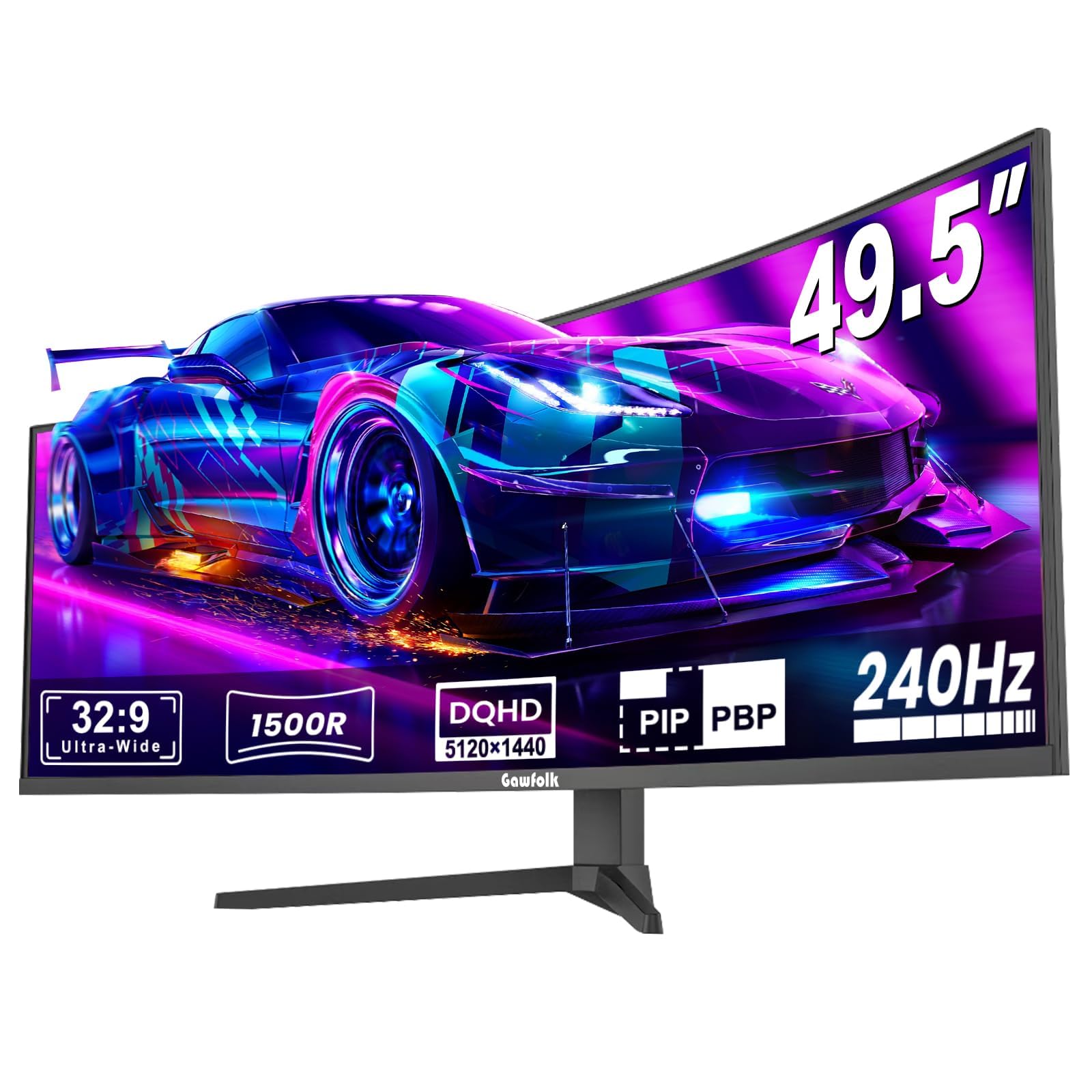
The Gawfolk 49-inch ultrawide monitor targets the user who wants the immersive 32:9 aspect ratio without the premium price of an OLED G9. It uses a VA panel with 5120×1440 resolution, a 240Hz refresh rate, and a 1500R curvature, delivering a wide field of view for racing sims, flight simulators, and productivity multitasking. The 3000:1 contrast ratio provides solid black depth for a VA panel, and the 85% NTSC color gamut is adequate for gaming and media consumption.
The monitor includes a built-in crosshair overlay that improves aiming accuracy in shooters — a genuine competitive advantage for an ultrawide at this price. FreeSync support eliminates screen tearing, and the 1ms response time keeps motion reasonably clear. Setup is straightforward with VESA mount compatibility, and the monitor holds up well on a heavy-duty arm or sturdy desk stand for extended periods.
The downsides are significant for quality-conscious buyers. Several users report random black screen cuts during gaming (lasting 1-4 seconds) with ghosting on return, and the panel may not be truly curved in the way higher-end ultrawides achieve. The color accuracy suffers from washed-out whites, and the built-in speakers lack bass. For the budget-constrained user who prioritizes ultrawide screen real estate over per-pixel quality, the Gawfolk delivers at a price that leaves room for other upgrades — but it carries higher variance in user satisfaction than the established brands.
Why it’s great
- 49-inch 32:9 ultrawide provides massive immersion for sims and multitasking
- 240Hz refresh rate with 1ms response time
- Built-in crosshair overlay for competitive shooters
- Budget-friendly entry into the ultrawide form factor
Good to know
- Some units experience random black screen cuts and ghosting
- Color accuracy shows washed-out whites
- Not as deeply curved as premium ultrawide alternatives
FAQ
Is a curved monitor worth it for 4K gaming?
What GPU do I need for 4K 240Hz gaming?
How does a 1500R curve compare to a 1000R curve?
Should I buy a QD-OLED monitor or wait for the next generation?
Final Thoughts: The Verdict
For most users, the best 4k curved gaming monitor winner is the ASUS ROG Swift PG32UCDM because it combines a 4K 240Hz QD-OLED panel, perfect blacks, full HDR compliance, 90W USB-C charging, and a comprehensive 3-year burn-in warranty into a single package that handles both narrative games and competitive shooters with zero compromises. If you want maximum HDR brightness and a tighter 1000R curve without OLED burn-in concerns, grab the Samsung Odyssey Neo G8 G85NB. And for the budget-conscious gamer seeking a 4K 240Hz VA panel with HDMI 2.1, nothing beats the CRUA 32″ Curved for what it delivers at its price point.