
Our readers keep the lights on and the weekend projects moving. As an Amazon Associate, I earn from qualifying purchases.
A 49-inch ultrawide monitor isn’t just a bigger screen—it’s a fundamental shift in how you interact with your workspace and games. Replacing dual 27-inch setups with a single seamless 32:9 panel eliminates bezel gaps and delivers a panoramic field of view that changes your workflow and immersion. But choosing wrong means grappling with low pixel density, poor HDR, or a refresh rate that can’t keep up with your hardware.
I’m Rikta — the co-founder and writer behind FitlyFast. I’ve spent months analyzing panel technologies, connectivity standards, and real-world performance data across the entire 49-inch ultrawide category to cut through the marketing noise.
This guide focuses exclusively on the best 49 inch ultrawide monitor options available today, comparing OLED, VA, Nano IPS, and IPS Black panels across resolution tiers and refresh rate brackets.
How To Choose The Best 49 Inch Ultrawide Monitor
The 49-inch ultrawide category is deceptively complex. Two monitors can share the same diagonal measurement but differ wildly in resolution, panel chemistry, curvature, and connectivity. Understanding these four core differentiators will prevent a costly mismatch with your actual needs.
Resolution: DQHD vs. DFHD
The single most important spec is the resolution. Dual Quad HD (DQHD) at 5120×1440 delivers 7.4 million pixels — double the pixel density of Dual Full HD (DFHD) at 3840×1080. A DFHD panel at 49 inches has roughly the same pixel density as a 24-inch 1080p monitor, making text appear soft and jagged. DQHD provides the sharpness equivalent to two 27-inch QHD monitors side by side, which is the minimum for productivity work involving spreadsheets, code, or design software. Avoid 3840×1080 unless your budget is extremely tight and you exclusively game at a distance.
Panel Technology: OLED, VA, and IPS
The panel type dictates your contrast ratio, color volume, and response time. QD-OLED panels (like those from Samsung Display) deliver true black levels with a 1,000,000:1 contrast ratio, 0.03ms response time, and vibrant color coverage exceeding 130% sRGB. Standard OLED is similar but typically covers a slightly narrower color gamut. VA panels are a more affordable option with good native contrast (3000:1 to 4000:1) and acceptable black levels, but they suffer from slower pixel response and noticeable black-level smearing in dark scenes. Nano IPS panels provide the widest viewing angles and fastest response among LCDs, but cannot match OLED black levels. IPS Black technology, found on premium Dell models, doubles the contrast ratio of standard IPS to 2000:1 for better shadow detail without sacrificing viewing angles.
Refresh Rate and Adaptive Sync
Refresh rate determines motion clarity. Entry-level 49-inch monitors cap at 60Hz or 120Hz. Mid-range models hit 144Hz, which is sufficient for most single-player titles and general productivity. Premium models reach 240Hz, which competitive players will notice in fast-paced shooters like Valorant or Apex Legends. Adaptive sync technology (G-Sync Compatible or FreeSync Premium Pro) eliminates screen tearing. Note that 240Hz requires an HDMI 2.1 or DisplayPort 1.4 connection — older DP 1.2 or HDMI 2.0 standards physically cannot drive 5120×1440 at 240Hz. Check your GPU’s output capabilities before committing to a high-refresh model.
Curvature: 1000R vs. 1800R
Curvature is measured in radius in millimeters. A 1000R curve is the steepest available, matching the natural focal plane of the human eye at a typical viewing distance of one meter. This minimizes corner distortion and reduces eye strain during long sessions. A 1800R curve is gentler — easier to use for shared viewing or wall mounting, but the outer edges of a 49-inch screen at 1800R will feel noticeably farther away from your central focus. For a 32:9 panel of this width, 1000R is strongly preferred for immersive gaming and single-user productivity.
Quick Comparison
On smaller screens, swipe sideways to see the full table.
| Model | Category | Best For | Key Spec | Amazon |
|---|---|---|---|---|
| MSI MPG 491CQPX | QD-OLED | High-end gaming & immersion | 5120×1440, 240Hz, 0.03ms | Amazon |
| Deco Gear 49″ QD-OLED | QD-OLED | Mid-range OLED value | 5120×1440, 240Hz, 1500000:1 contrast | Amazon |
| Samsung Odyssey G9 (G91F) | VA | Balanced gaming & workspace | 5120×1440, 144Hz, DisplayHDR 600 | Amazon |
| Samsung Odyssey G9 (LS49CG954) | VA | High-refresh VA gaming | 5120×1440, 240Hz, 1000 nit peak | Amazon |
| INNOCN 49Q1S OLED | OLED | OLED quality at budget | 5120×1440, 240Hz, 1000000:1 contrast | Amazon |
| LG 45GX900A-B | OLED | Immersive 21:9 OLED gaming | 3440×1440, 240Hz, 800R curve | Amazon |
| LG 49WQ95C-W | Nano IPS | Color-critical productivity | 5120×1440, 60Hz (oc), DCI-P3 98% | Amazon |
| Dell U4924DW | IPS Black | Professional productivity | 5120×1440, 60Hz, 2000:1 contrast | Amazon |
| Dell U4919DW | IPS | Budget productivity | 5120×1440, 60Hz, USB-C 90W | Amazon |
| ASUS ROG Strix XG49VQ | VA | Entry-level ultrawide gaming | 3840×1080, 144Hz, FreeSync 2 HDR | Amazon |
| INNOCN 49C1G | VA | Budget ultrawide for work | 3840×1080, 144Hz, Dual FHD | Amazon |
| KTC H49S66 | VA | Entry-level DQHD value | 5120×1440, 180Hz, 90W Type-C | Amazon |
| Dell UltraSharp U4025QW | IPS Black | Professional 5K2K work | 5120×2160, 120Hz, 600 nit | Amazon |
In‑Depth Reviews
1. MSI MPG 491CQPX QD-OLED

The MSI MPG 491CQPX sits at the intersection of cutting-edge QD-OLED technology and practical feature execution. Its Samsung Display panel delivers the deepest blacks and most vibrant colors in this roundup, covering 100% of the DCI-P3 color space with a 1,500,000:1 contrast ratio that makes every game and video look three-dimensional. The 240Hz refresh rate combined with a 0.03ms GtG response time produces motion clarity that even the fastest VA panels cannot approach.
MSI includes their OLED Care 2.0 suite — a pixel-shifting and static-dimming system that significantly reduces burn-in risk during long work sessions. The built-in KVM switch is genuinely useful for multi-device setups, allowing a single keyboard and mouse pair to control a desktop and laptop simultaneously. HDMI 2.1 bandwidth at 48 Gbps ensures full compatibility with next-gen consoles and high-end GPUs without compression artifacts.
The 1000R curvature matches the Odyssey G9’s field-wrapping feel, though the monitor’s weight requires a sturdy desk or a separate monitor arm. MSI backs this with a solid three-year burn-in warranty, which addresses the primary hesitation buyers have about OLED monitors. For those seeking the absolute best image quality and responsiveness in a 49-inch format, this is the benchmark.
Why it’s great
- Stunning QD-OLED contrast and color volume
- 240Hz with 0.03ms response for elite motion clarity
- HDMI 2.1 with full 48 Gbps bandwidth
- MSI OLED Care 2.0 reduces burn-in risk
- Three-year burn-in warranty included
Good to know
- Heavy — consider a monitor arm for desk space
- Pixel cleaning cycle runs ~every 16 hours of use
- Premium price point within the category
2. Samsung Odyssey G9 LS49CG954 (2024)

This is the high-refresh VA flagship that sets the pace for the entire category. The 2024 Odyssey G9 (model LS49CG954) uses a Samsung VA panel with 1,000,000:1 contrast ratio and a peak brightness of 1000 nits — enough to secure VESA DisplayHDR 1000 certification. The 240Hz refresh rate and 1ms GtG response time deliver smooth, blur-free gameplay, particularly in titles optimized for high frame rates.
The 1000R curve is more dramatic than the 1800R found on competing VA panels like the INNOCN 49C1G, wrapping around your peripheral vision for deep immersion in racing and flight simulators. CoreSync lighting projects on-screen colors into the room for an additional ambient effect. FreeSync Premium Pro ensures tear-free variable refresh rates across the full frame rate range.
Some buyers report variable quality control in Samsung’s VA panel lottery, and the monitor lacks built-in speakers — you’ll need a separate audio solution. Auto Source Switch+ is convenient for households with multiple devices, recognizing and switching to active inputs automatically. For a high-refresh gaming VA with true HDR capability, this remains the king of the hill.
Why it’s great
- 240Hz refresh rate with FreeSync Premium Pro
- VESA DisplayHDR 1000 with 1000 nit peak brightness
- 1000R curve delivers deep immersion
- CoreSync ambient lighting integration
- Auto Source Switch+ for multi-device setups
Good to know
- No built-in speakers
- VA panel can exhibit black-level smearing in dark scenes
- We recommend a VESA arm for desk space optimization
3. Deco Gear 49″ QD-OLED

The Deco Gear QD-OLED delivers the same Samsung Display QD-OLED panel found in monitors costing significantly more, making it the best value in the OLED subcategory. The 5120×1440 resolution at 240Hz with a 0.03ms response time matches the raw specs of premium competitors, while the 1,500,000:1 contrast ratio ensures true blacks and no bloom around bright HUD elements.
The 131% sRGB color gamut and 1.07 billion color depth make it suitable for color-critical work like photo editing and video color grading — though professional users should verify color accuracy through calibration. The built-in KVM switch and 90W USB-C Power Delivery add genuine productivity flexibility, allowing a single cable to drive the display and charge a laptop simultaneously.
Several users report that this monitor uses an identical panel to the INNOCN 49Q1R, but at a lower entry point. The anti-burn-in protection program is reassuring, though long-term reliability data for this brand is still emerging. The large base footprint means you’ll want a deep desk or a monitor arm. For buyers who want QD-OLED quality without paying the MSI or Samsung premium, this is the move.
Why it’s great
- QD-OLED panel at a value-tier price point
- 5120×1440 resolution with 240Hz refresh rate
- Built-in KVM and 90W USB-C PD
- 1,500,000:1 contrast ratio for true HDR
Good to know
- Large base takes significant desk space
- Brand long-term reliability data is limited
- May require aftermarket calibration for professional work
4. Dell UltraSharp U4025QW

The Dell UltraSharp U4025QW is a 40-inch monitor with a 21:9 aspect ratio rather than 32:9, but its 5K2K resolution (5120×2160) provides more vertical pixels than any traditional 49-inch ultrawide, making it the best option for spreadsheet-heavy workflows, coding, and document editing. The IPS Black panel technology delivers a 2000:1 contrast ratio — double standard IPS — for noticeably better shadow detail without the viewing angle trade-offs of VA.
The 120Hz refresh rate is a significant upgrade over the 60Hz found on the Dell U4919DW and U4924DW, providing smooth scrolling and more responsive cursor movement. The built-in KVM hub is one of the best in the category, handling multiple host connections with Thunderbolt 4, Ethernet, and USB-A expansion ports. The 600-nit peak brightness with VESA DisplayHDR 600 ensures visibility in bright office environments.
This is a professional monitor first — gamers will find the 5ms response time and lack of HDMI 2.1 limiting for high-refresh gaming. The premium price reflects the professional-grade panel and connectivity suite. For creative professionals and knowledge workers who prioritize text clarity, vertical screen real estate, and robust connectivity, this is the ultimate tool.
Why it’s great
- 5K2K resolution provides maximum vertical space
- IPS Black panel with 2000:1 contrast ratio
- 120Hz refresh rate for smooth daily use
- Thunderbolt 4 KVM hub with Ethernet
- 600-nit brightness for bright rooms
Good to know
- 21:9 aspect ratio — narrower than 32:9 ultrawides
- Not ideal for competitive gaming (5ms response)
- Premium price for the category
5. INNOCN 49Q1S OLED

The INNOCN 49Q1S is one of the few 49-inch monitors that combines OLED panel technology with a full suite of productivity connectivity, including a 90W USB-C port, dual DisplayPort 1.4 inputs, and an RJ45 Ethernet port. The 5120×1440 resolution is sharp and clear, with the OLED panel’s 1,000,000:1 contrast ratio delivering inky blacks and excellent shadow detail in HDR content.
The 240Hz refresh rate and 0.03ms response time place this in the same performance tier as the MSI and Deco Gear QD-OLEDs, but the standard OLED panel covers approximately 99% sRGB versus the 130%+ of QD-OLED panels — still excellent for most creative work, but slightly less vibrant in direct comparison. The 1800R curvature is gentler than the 1000R curve on gaming-focused competitors, which some users prefer for productivity.
The built-in speakers are surprisingly capable for a monitor, providing clear audio for video calls and casual media consumption. Some users report compatibility quirks with specific software applications, and the glossy screen finish can cause reflections in brightly lit rooms. Access to the OSD menu and RGB lighting control could be more intuitive. It remains a strong OLED contender for users who need both high-refresh gaming and work connectivity in one panel.
Why it’s great
- OLED contrast with 1,000,000:1 ratio
- 240Hz refresh rate and 0.03ms response
- 90W USB-C PD and RJ45 Ethernet
- Surprisingly capable built-in speakers
- Dual DisplayPort 1.4 inputs
Good to know
- Glossy screen finish can cause reflections
- Standard OLED — lower color gamut than QD-OLED
- Some compatibility quirks with specific applications
6. Samsung Odyssey G9 (G91F)

The G91F variant of the Odyssey G9 strikes an excellent balance between price and performance for users who don’t need the full 240Hz refresh rate. The 144Hz refresh rate with 1ms MPRT is still fast enough for smooth competitive gaming, while the DisplayHDR 600 certification ensures better HDR performance than entry-level VA monitors like the INNOCN 49C1G.
The 1000R curvature is the same field-wrapping design found on Samsung’s premium models, providing excellent immersion in games and reducing eye strain during long work sessions. The 5120×1440 DQHD resolution is sharp at this size, and the VA panel delivers a 3,000:1 static contrast ratio that provides good black levels for an LCD panel — though not as deep as OLED.
Buyers should note that this model does not include built-in speakers, and the aluminum silver color scheme won’t match all setups. The FreeSync Premium Pro certification ensures tear-free gaming with AMD GPUs, and G-Sync Compatible works with NVIDIA cards as well. For a mainstream gaming ultrawide that doesn’t break the bank, this is a safe, well-rounded pick.
Why it’s great
- 144Hz refresh rate with 1ms MPRT
- DisplayHDR 600 certified
- 1000R curve for deep immersion
- FreeSync Premium Pro and G-Sync Compatible
- Solid value for a DQHD panel
Good to know
- No built-in speakers
- VA panel cannot match OLED black levels
- Aluminum silver finish may not suit all setups
7. LG 45GX900A-B UltraGear

The LG 45GX900A-B is technically a 45-inch 21:9 monitor, but its 800R curvature — the steepest in this roundup — makes it the most physically immersive panel here. The 3440×1440 resolution on a 45-inch diagonal means a slightly lower pixel density than 5120×1440 at 49 inches, but the OLED panel’s 1,500,000:1 contrast ratio and 1300-nit peak brightness (APL 1.5%) produce HDR highlights that even QD-OLED monitors struggle to match.
The 240Hz refresh rate and 0.03ms response time are standard for OLED gaming monitors, but LG adds both FreeSync Premium Pro and native G-Sync compatibility — a rarity that ensures perfect variable refresh rate performance with both AMD and NVIDIA GPUs. The 800R curve extends further into your peripheral vision than 1000R, creating a genuine cockpit-like experience for racing and flight simulators.
The 65W USB-C Power Delivery is lower than the 90W found on some competitors, but still sufficient for most ultrabooks. The 2-year limited warranty with OLED panel care tools provides peace of mind, though some buyers report LG’s customer support responsiveness varies. This is a specialized pick for gamers who prioritize sheer immersion and brightness over pure resolution count.
Why it’s great
- 800R curve — steepest in the category
- 1300-nit peak brightness for spectacular HDR
- G-Sync Compatible + FreeSync Premium Pro
- 240Hz with 0.03ms OLED response
- 2-year warranty with OLED panel care
Good to know
- 3440×1440 not true DQHD — lower pixel density
- 65W USB-C PD lower than some competitors
- 45-inch 21:9 — not 32:9 for two-screen replacement
8. LG 49WQ95C-W Nano IPS

The LG 49WQ95C-W brings Nano IPS technology to the 49-inch format, covering 98% of DCI-P3 color space with a 400-nit brightness that supports VESA DisplayHDR 400. The 5120×1440 DQHD resolution is crisp, and the 178-degree viewing angles mean the image remains consistent across the entire 32:9 width — a significant advantage over VA panels, which lose saturation and contrast at off-center angles.
The built-in KVM switch with PIP/PBP support is well-implemented, handling two input sources simultaneously in split-screen mode. The 90W USB-C Power Delivery is enough to charge a 16-inch MacBook Pro or a high-end Windows laptop. Both G-Sync Compatible and FreeSync Premium Pro are supported, ensuring smooth variable refresh rates with most modern GPUs.
The 60Hz refresh rate is the primary limitation here — this is not a monitor for competitive first-person shooters. The white color scheme and relatively slight curvature (1800R) divide opinion; some users find the curve too gentle for a 49-inch panel. For creative professionals who need wide color accuracy and multi-device workflow support more than high frame rates, this is a strong choice.
Why it’s great
- 98% DCI-P3 color coverage with Nano IPS
- Excellent viewing angles across the 32:9 width
- Built-in KVM with PIP/PBP support
- 90W USB-C PD for laptop charging
- G-Sync Compatible + FreeSync Premium Pro
Good to know
- 60Hz refresh rate — not suitable for high-refresh gaming
- 1800R curve is gentle for a 49-inch panel
- White color scheme may show grime over time
9. Dell U4924DW
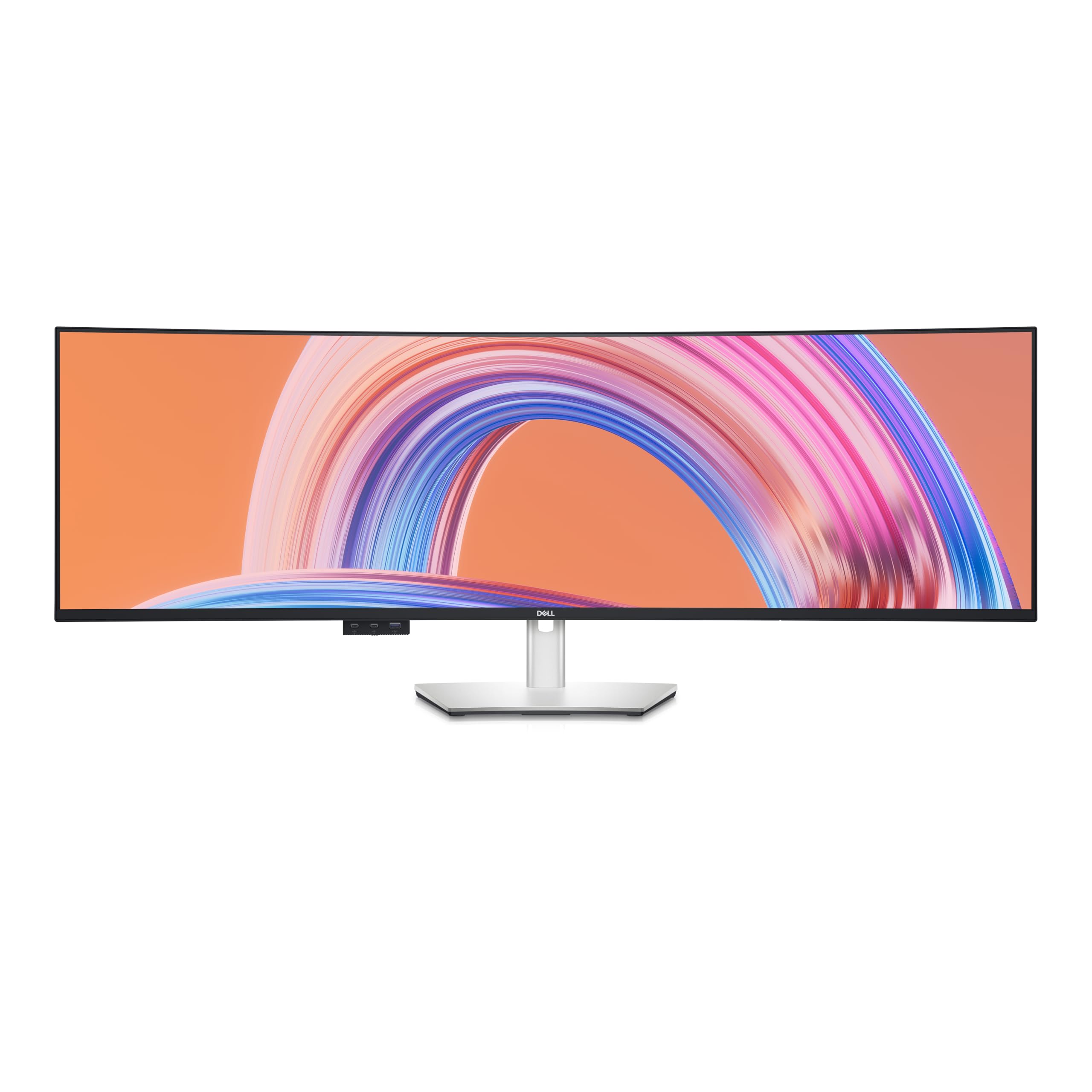
The Dell U4924DW is the professional’s choice for a 49-inch ultrawide. Its IPS Black panel technology achieves a 2000:1 contrast ratio — double that of conventional IPS panels — providing noticeably deeper blacks and better shadow detail in design software and video edits. The 5120×1440 resolution with 350-nit brightness is adequate for most office lighting conditions, though not HDR-certified.
Dell Display Manager software allows customizable window partitioning across the 32:9 surface, accommodating up to three full-size application windows side by side without overlap. The 90W USB-C port acts as a full KVM hub, handling display, data, and charging over a single cable to a laptop. The Ethernet port is a welcome addition for users who need stable wired networking without an extra dongle.
The 60Hz refresh rate is a deliberate trade-off for image quality and professional reliability — this is a productivity tool, not a gaming machine. The 1800R curvature is gentle, which some users find less immersive than the 1000R on Samsung monitors but easier on the eyes for all-day reading. For IT professionals, financial analysts, and video editors, this is the monitor that gets out of the way and lets you work.
Why it’s great
- IPS Black 2000:1 contrast — best among LCDs
- Dell Display Manager for professional window tiling
- 90W USB-C KVM hub with Ethernet
- Excellent for productivity — supports 3 full-size windows
- Reliable Dell build quality and warranty
Good to know
- 60Hz only — not for gaming
- Gentle 1800R curve may feel too flat for some
- Not HDR certified
10. Dell U4919DW

The Dell U4919DW is a 49-inch ultrawide designed specifically for productivity. The DQHD 5120×1440 resolution matches the pixel count of two 27-inch QHD monitors but eliminates the bezel gap. The standard IPS panel delivers consistent color across the wide 32:9 viewing angle, making it suitable for graphic design and video editing.
The standout feature here is the 90W USB-C port that functions as a full KVM hub — connecting a laptop via a single cable provides display output, USB hub connectivity for peripherals, and laptop charging simultaneously. This eliminates cable clutter on your desk. The monitor’s PIP/PBP mode allows displaying two separate input sources side by side at their native resolution.
The 60Hz refresh rate is a constraint for any gaming use case. The model is older and lacks the IPS Black panel technology found on the newer Dell U4924DW, meaning the contrast ratio is standard 1000:1 — blacks appear gray in dark room viewing. For office workers, data analysts, and programmers who need maximum screen real estate without bezels, this is a capable if aging choice.
Why it’s great
- True DQHD 5120×1440 resolution
- 90W USB-C KVM hub — single cable workstation
- Excellent for programming, data work, and design
- Reliable Dell warranty and support
Good to know
- 60Hz only — not for gaming
- Standard IPS with 1000:1 contrast — blacks not deep
- Older model — lacks IPS Black technology
- Large stand footprint takes significant desk space
11. KTC H49S66
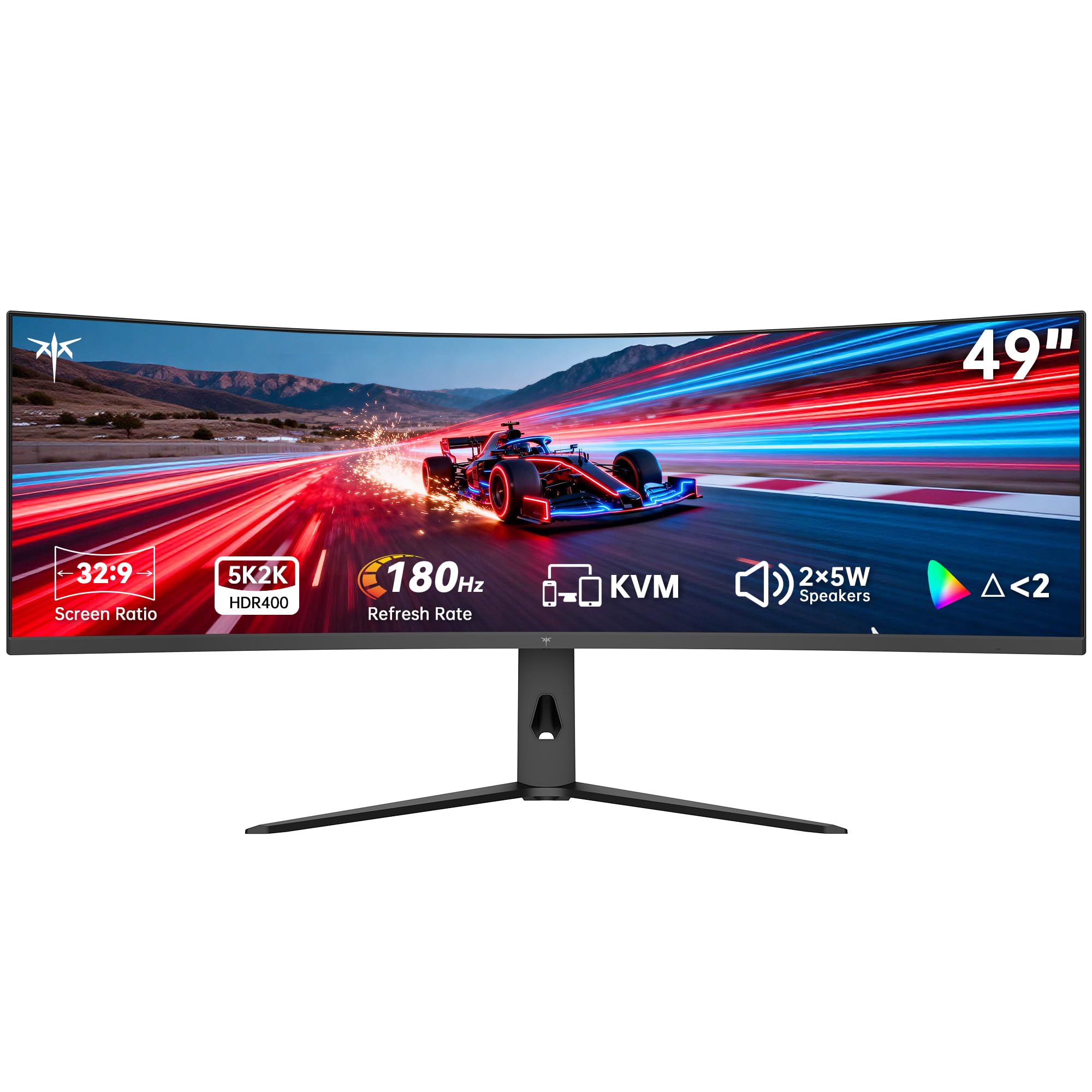
The KTC H49S66 is one of the most affordable 49-inch monitors with true DQHD (5120×1440) resolution, making it a notable entry-level option for buyers who need the pixel density for productivity but can’t justify premium pricing. The 180Hz refresh rate is a pleasant surprise at this price tier, offering smoother motion than the 60Hz productivity-focused monitors in the same budget range.
The VA panel delivers a 3000:1 contrast ratio with HDR 400 certification, providing decent black levels and acceptable HDR highlights for the price. The 1000R curvature is properly aggressive for a 49-inch panel, enhancing immersion in games and reducing corner distortion during work. The built-in KVM switch and 90W USB-C port add genuine productivity value that competitors at this price point often skip.
Build quality is plastic-heavy, and the on-screen display menu is unintuitive to navigate. Several users report that the HDR mode requires manual calibration to look natural, and the 5W speakers are adequate for system sounds but not for music or movies. The three-year warranty is reassuring for a budget-tier purchase. This is a valid option for buyers who need DQHD resolution and a KVM workflow but have a limited budget.
Why it’s great
- True DQHD 5120×1440 at an entry-level price
- 180Hz refresh rate for smooth motion
- Built-in KVM and 90W USB-C PD
- 1000R curve for immersive experience
- Three-year warranty included
Good to know
- Plastic build feels less premium
- Unintuitive OSD menu
- HDR mode requires manual calibration
- Speakers are weak for media consumption
12. ASUS ROG Strix XG49VQ

The ASUS ROG Strix XG49VQ is a 49-inch DFHD (3840×1080) ultrawide that targets users pairing it with mid-range GPUs that can’t drive a full DQHD panel at high frame rates. The 144Hz refresh rate with FreeSync 2 HDR support provides smooth, tear-free gaming in supported titles. The 1800R VA panel delivers decent contrast at 3000:1 with 400-nit brightness.
The 3840×1080 resolution is the major limitation — this is effectively two 27-inch 1080p panels side by side, resulting in a pixel density of only 81 PPI, making text appear soft and pixelated compared to DQHD monitors. For gaming at a typical viewing distance, the softness is less noticeable, but for any productivity work involving text, it will be apparent.
ASUS includes their Eye Care technology with flicker-free backlighting and blue light filters, which helps during long sessions. The build quality includes a metal stand with height, tilt, and swivel adjustment. The 90% DCI-P3 color coverage is good for a VA panel in this tier. This is a monitor for budget-minded gamers who value high frame rates over resolution sharpness and have no productivity needs.
Why it’s great
- 144Hz with FreeSync 2 HDR for smooth gaming
- Runs well on mid-range GPUs without high-end demands
- 90% DCI-P3 color coverage
- Robust stand with full ergonomic adjustment
- ASUS Eye Care with flicker-free technology
Good to know
- DFHD resolution — low 81 PPI, text appears soft
- Not suitable for productivity or text-heavy work
- G-Sync can cause ghosting — use FreeSync instead
- Older model with less competitive feature set
13. INNOCN 49C1G

The INNOCN 49C1G is a budget-friendly 49-inch ultrawide that uses a DFHD (3840×1080) VA panel with a 144Hz refresh rate. It’s one of the most affordable options in the entire category, making it accessible for users who want the ultrawide form factor without investing in a premium DQHD panel. The 1800R curvature is moderate and the 400-nit brightness is sufficient for indoor use.
The 65W USB-C power delivery and built-in speaker system set it apart from similarly priced competition. The display includes PIP/PBP split-screen support, allowing two input sources to run simultaneously — useful for users who want to display a work laptop alongside a PC. The 99% sRGB coverage ensures colors look reasonably accurate for general use.
The 3840×1080 resolution means the same low 81 PPI as the ASUS XG49VQ — fine for immersive gaming but not for reading small text or working with spreadsheets. The included stand is functional but lacks the premium adjustment found on higher-tier monitors. For users on a tight budget who want to experience 49-inch ultrawide gaming without a major investment, this is an entry point.
Why it’s great
- Lowest entry point into the 49-inch category
- 144Hz refresh rate for smooth gaming
- 65W USB-C PD and built-in speakers
- PIP/PBP support for dual-source workflows
- 99% sRGB color accuracy
Good to know
- DFHD 3840×1080 — low pixel density for text
- Not suitable for productivity or professional design
- Stand lacks premium adjustment features
- VA panel has typical black-level smearing
FAQ
What is the actual difference between DQHD and DFHD on a 49-inch ultrawide?
Can a 49-inch ultrawide replace my dual 27-inch monitor setup?
Will a 49-inch ultrawide work with my MacBook?
How much GPU power do I need for a 49-inch DQHD gaming monitor?
Is OLED burn-in still a concern on ultrawide monitors?
Final Thoughts: The Verdict
For most users, the best 49 inch ultrawide monitor winner is the MSI MPG 491CQPX because it combines the highest image quality of QD-OLED with practical features like HDMI 2.1, OLED Care 2.0, and a three-year burn-in warranty that protects your investment. If you want a high-refresh VA without OLED pricing, grab the Samsung Odyssey G9 (LS49CG954) for its 240Hz speed and 1000 nit HDR brightness. And for professional productivity where text clarity and connectivity reign supreme, nothing beats the Dell UltraSharp U4025QW with its 5K2K IPS Black panel and Thunderbolt 4 hub.